 ★ 1 copy
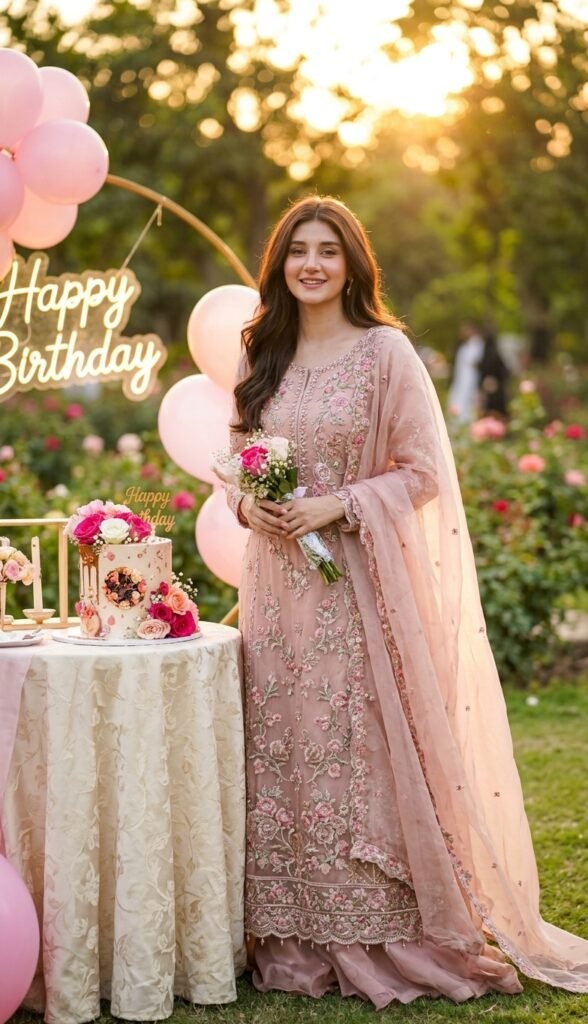
Golden Sunset Birthday Princess
I'm going to upload my photograph. Preserve my exact facial identity, skin tone, and natural features. Create a realistic birthday portrait of me wearing a blush-pink Pakistani formal gown with delicate floral embroidery and a flowing dupatta. I am standing beside a beautifully decorated birthday cake in a rose garden, holding a small bouquet while smiling naturally at the camera. Soft pink balloons, fresh roses, and elegant birthday decorations surround the cake table. Capture the scene shortly before sunset, with warm golden sunlight filtering through the garden trees. Use an 85mm portrait lens at f/2.8, positioning the camera at eye level for a three-quarter body composition. Let the sunlight create a subtle golden rim around my hair, while reflected light softly illuminates my face. Preserve realistic skin pores, natural hair strands, detailed embroidery, authentic fabric folds, and physically believable shadows. The image must look like a genuine professional photograph, not an AI-generated image. Avoid artificial skin smoothing, excessive orange tones, distorted hands, and unrealistic bokeh. Include a tasteful "Happy Birthday" sign.
Copies the prompt, then opens Gemini. Paste it in the chat box and press send.
Expert insight: why this works
An 85mm lens creates a flattering portrait perspective and soft background separation. The combination of backlighting and reflected facial light gives the image a warm sunset atmosphere without losing natural skin tones.
How to use this prompt
It takes less than a minute. Follow these 4 steps.
Copy the prompt
Press Use this prompt. It copies the full prompt for you.
Open Gemini
Gemini opens in a new tab, or in the app on your phone.
Paste and send
Paste the prompt in the chat box (Ctrl+V on a computer, or long-press on a phone) and press send.
Add your photo
If the prompt is for editing a photo, upload a clear photo of yourself first.