Best Dog Prompts for Gemini
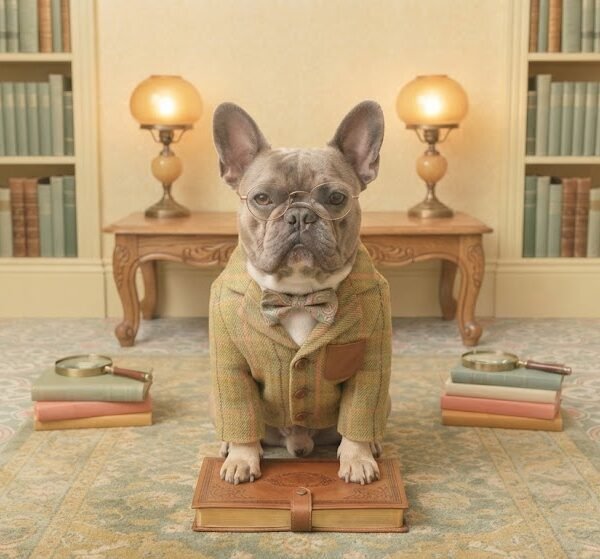
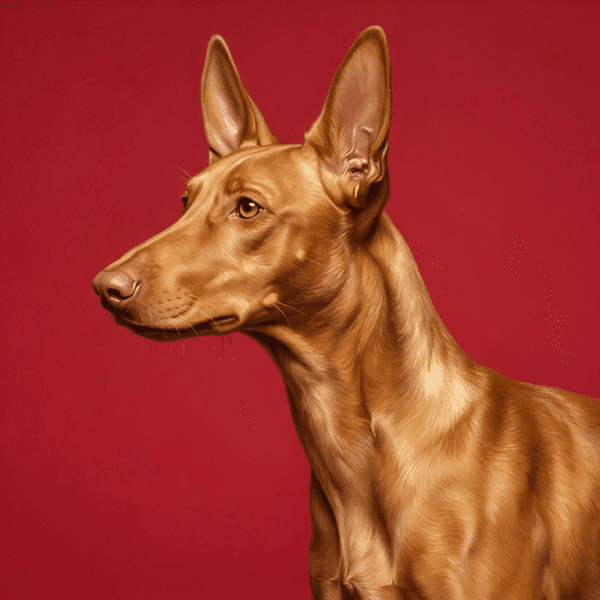
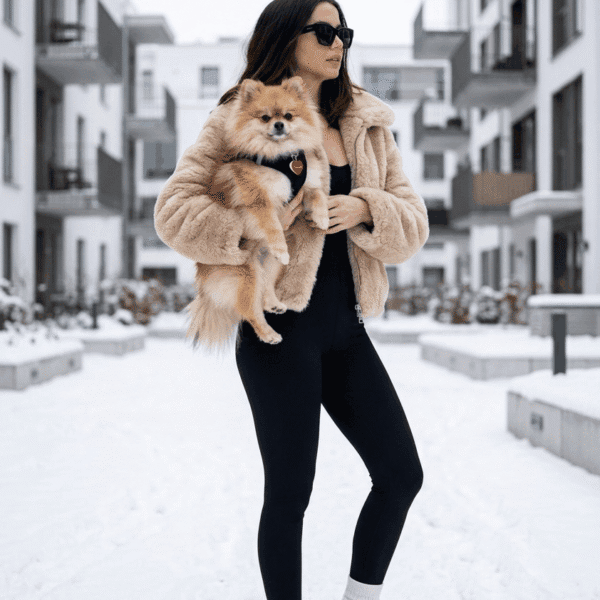
Dogs can be photographed, illustrated, stylized, or reimagined in countless ways, but the difference between an average result and one that feels believable usually comes down to the details you include. This guide will help you get more consistent, realistic, and visually appealing results by showing you how to customize dog prompts, avoid common mistakes, and refine outputs until they match your vision.
Also Read: Prompt For Couple Photo
Why These Best Dog Prompts for Gemini Work
Strong dog prompts don't simply describe the breed—they establish the entire scene.
Instead of asking for "a Golden Retriever," specify whether it's an energetic puppy sprinting through a beach at sunset, an elderly companion resting beside a fireplace, or a Border Collie focused during agility training. Context influences posture, expression, lighting, and overall realism.
Specific prompts also reduce ambiguity. If the model knows the dog's age, coat condition, environment, camera perspective, and mood, it has far fewer creative gaps to fill, leading to more consistent generations.
Another overlooked factor is visual consistency. Details like lighting direction, weather, season, and photography style work together. A cozy winter portrait with warm indoor lighting creates a completely different atmosphere than a high-contrast summer action shot.
The best prompts describe one clear visual idea instead of mixing several unrelated concepts.
When to Use These Prompts
Dog image prompts are useful for far more than casual artwork.
Some common use cases include:
- Social media posts featuring pets
- Pet-themed Instagram content
- Personalized greeting cards
- Custom wall art
- Pet memorial portraits
- Dog breeder websites
- Veterinary clinic marketing
- Pet grooming advertisements
- Animal rescue campaigns
- YouTube thumbnails
- Children's book illustrations
- Merchandise such as mugs, calendars, phone cases, and T-shirts
- Holiday-themed pet photos
- Blog featured images
- Website hero banners
- Printable posters
If you're building a collection of consistent pet images, keeping the same photography style, lighting, and composition across multiple generations will make the set feel professionally curated.
How to Customize the Prompts
Small adjustments often create dramatically different results.
| Element |
Why It Matters |
| Clothing & Accessories |
Bandanas, harnesses, scarves, hats, or seasonal outfits add personality without distracting from the dog when used sparingly. |
| Colors |
Harmonious color palettes create cleaner images. Bright colors attract attention, while muted tones often look more natural. |
| Lighting |
Soft morning or golden hour light produces flattering fur textures. Overcast lighting reduces harsh shadows, while studio lighting creates polished portraits. |
| Camera Angle |
Eye-level perspectives feel intimate. Low angles make dogs appear heroic, while overhead angles emphasize playfulness or small size. |
| Focal Length |
Wider lenses capture environmental scenes. Longer focal lengths compress backgrounds and create classic portrait photography. |
| Composition |
Centered compositions feel formal, while off-center framing often creates more dynamic storytelling. |
| Facial Expression |
Alert ears, relaxed eyes, open-mouth smiles, or focused expressions each communicate different emotions. |
| Pose |
Sitting, running, jumping, lying down, or interacting with objects changes the energy of the image. |
| Background |
Forests, beaches, snowy mountains, city streets, gardens, or minimalist studio backgrounds each reinforce a different mood. |
| Mood |
Calm, adventurous, playful, protective, curious, or elegant moods influence posture and lighting choices. |
| Season |
Autumn leaves, spring flowers, snowy landscapes, or summer fields instantly change the visual story. |
| Weather |
Fog creates mystery, sunshine adds warmth, and rain introduces dramatic reflections and texture. |
| Aspect Ratio |
Wide formats work well for banners, square images fit social media, while vertical formats suit stories and mobile wallpapers. |
| Image Quality |
Terms like ultra-detailed, high-resolution, or sharp focus help emphasize fine fur texture and realistic eyes. |
| Photography Style |
Documentary, wildlife, studio portrait, cinematic, or lifestyle photography each create distinct visual identities. |
| Artistic Style |
Watercolor, oil painting, charcoal, anime, low poly, fantasy, or vintage illustration produce completely different aesthetics. |
When customizing prompts, change only a few elements at a time. If you alter the breed, setting, lighting, camera angle, and artistic style simultaneously, it becomes difficult to identify which change improved—or weakened—the result.
Common Mistakes
| Mistake |
Better Approach |
| Being too vague |
Include breed, age, setting, lighting, and mood. |
| Mixing conflicting styles |
Choose one primary artistic or photography style instead of combining unrelated aesthetics. |
| Ignoring lighting |
Lighting determines texture, realism, and depth. Always specify it. |
| Forgetting camera details |
Perspective influences how natural the dog appears. |
| Weak composition |
Describe where the dog should be positioned within the frame. |
| Missing aspect ratio |
Tailor the image for its final destination before generating it. |
| Unrealistic color requests |
Extreme coat colors often produce inconsistent fur textures unless intentionally stylized. |
| Too many unrelated requests |
Focus on one scene rather than combining several concepts. |
| Overloading the prompt |
Prioritize the details that matter most to the final image. |
Troubleshooting Poor Results
The dog looks unrealistic
Specify realistic fur texture, natural anatomy, visible whiskers, detailed paws, and lifelike eyes. Avoid mixing cartoon terminology with photorealistic photography.
Lighting feels flat
Choose a defined light source such as golden hour sunlight, window light, dramatic side lighting, or soft overcast conditions.
Anatomy appears incorrect
Simplify the prompt and avoid describing multiple actions at once. Running, jumping, and turning simultaneously often leads to awkward body positions.
Background looks distracting
Describe the background with the same level of detail as the subject while ensuring it supports rather than competes with the dog.
Colors don't match
Keep your palette consistent. Earth tones generally pair well with outdoor settings, while vibrant colors suit playful or stylized scenes.
Fur lacks detail
Mention individual fur strands, layered coat texture, natural shine, and sharp focus instead of relying only on generic quality descriptors.
Composition feels awkward
State whether the image should be a close-up, medium portrait, full-body shot, or environmental scene.
Style isn't consistent
Avoid combining multiple illustration or photography styles unless you're intentionally creating a hybrid look.
Expert Prompt Engineering Tips
Experienced users usually organize prompts from the most important information to the least.
A practical order is:
- Subject
- Action
- Environment
- Lighting
- Camera details
- Composition
- Style
- Mood
- Quality
This structure helps maintain consistency across generations.
Another effective technique is layering details gradually. Start with the core concept, evaluate the result, then refine one area at a time. For example, improve lighting first, then composition, then color grading. Making several unrelated changes between attempts makes it difficult to identify what actually improved the image.
Photography terminology also helps. Describing shallow depth of field, rim lighting, soft bokeh, backlighting, or telephoto compression often produces more polished results than using generic adjectives alone.
If you're creating a series of dog images, reuse the same lighting, camera perspective, and artistic style while only changing the environment or pose. This creates a much more cohesive collection.
Prompt Formula
A reliable framework for building stronger dog image prompts is:
Subject
↓
Breed, age, size, and notable features
↓
Environment
↓
Lighting
↓
Camera perspective and focal length
↓
Composition
↓
Photography or artistic style
↓
Mood
↓
Image quality
↓
Aspect ratio
Each component serves a purpose. The subject defines what matters most, the environment provides context, lighting shapes the atmosphere, camera settings influence perspective, composition guides the viewer's attention, style controls the overall aesthetic, mood communicates emotion, quality enhances detail, and aspect ratio ensures the image fits its intended use.
Best Practices
- Refine prompts gradually instead of rewriting everything after each attempt.
- Compare several generations before deciding which direction works best.
- Keep descriptions logically organized from subject to finishing details.
- Use consistent terminology when creating multiple related images.
- Test different lighting before changing artistic styles.
- Choose one dominant visual style rather than combining several incompatible aesthetics.
- Match the aspect ratio to where the image will be published.
- Save successful prompt variations so they can be reused for future projects.
- Adjust only one or two variables between generations to better understand their impact.
Beginner Tips
Start with realistic scenes before experimenting with complex artistic styles.
Focus on describing the dog clearly, then add lighting and environment. Resist the temptation to include every possible detail in the first version. Simpler prompts are often easier to refine.
Pay close attention to camera angle and lighting—these two adjustments typically have a larger impact than adding extra descriptive adjectives.
Advanced Tips
Experienced users benefit from thinking like photographers rather than simply describing objects.
Maintain consistency by using repeatable lighting setups, camera perspectives, color palettes, and composition styles across related generations.
Experiment with subtle changes such as focal length, depth of field, environmental storytelling, and controlled color grading instead of continually introducing entirely new concepts.
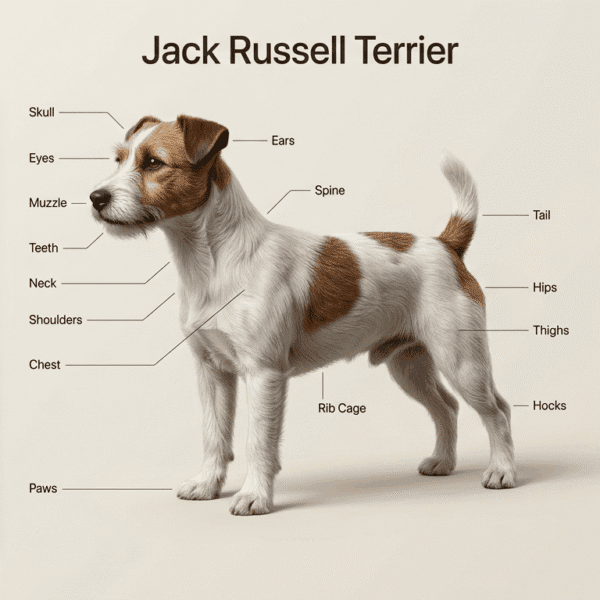
For breed-specific portraits, include physical traits that distinguish one breed from another rather than relying solely on the breed name.
Frequently Asked Questions
Can I generate realistic dog portraits with Gemini?
Yes. Realism improves when prompts include clear lighting, natural anatomy, detailed fur descriptions, camera perspective, and a coherent environment.
Which lighting produces the best dog portraits?
Golden hour, soft overcast skies, and diffused window light generally create flattering fur textures while avoiding harsh shadows.
Should I include the dog's breed?
Whenever possible. Breed-specific characteristics help produce more accurate proportions, coat types, facial structures, and body shapes.
Why do some dog images look inconsistent?
Inconsistent prompts often combine conflicting styles, unclear lighting, or unrelated scene descriptions. Keeping the visual direction focused usually improves consistency.
Which aspect ratio should I use?
Square works well for social media posts, vertical suits stories and wallpapers, while widescreen formats are ideal for banners and website headers.
How can I make fur look more realistic?
Describe coat texture, individual strands, natural shine, sharp focus, and appropriate lighting instead of relying only on quality keywords.
Is it better to use photography styles or artistic styles?
It depends on your goal. Photography styles are better for realism, while artistic styles are ideal for illustrations, posters, and decorative artwork.
Why does the background sometimes overpower the dog?
Highly detailed environments can compete with the main subject. Use cleaner backgrounds or specify that the dog should remain the visual focal point.
How do I create a consistent series of dog images?
Reuse the same lighting, camera angle, style, and color palette while changing only the setting or pose.
Can I adapt these techniques for other pet images?
Absolutely. The same principles apply to cats, horses, birds, rabbits, and other animals. Adjust anatomy, behavior, and environmental details to suit each species.
Final Thoughts
Creating better dog images isn't about making prompts longer—it's about making them clearer. Thoughtful choices around lighting, composition, camera perspective, and environment have a much greater impact than adding dozens of extra descriptors. Experiment with small refinements, compare different generations, and build on the combinations that consistently produce the style you're aiming for.