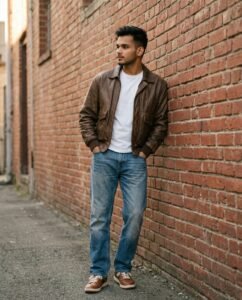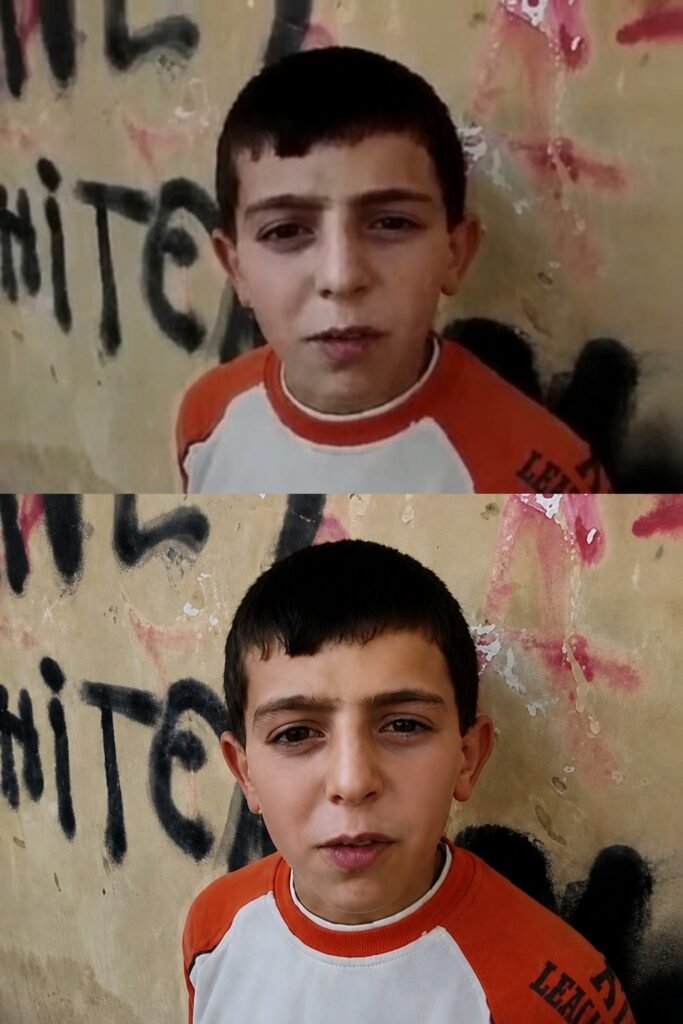
Ultra-Realistic 4K Photo Enhancement
Your photo enhanced to a sharper, cleaner high-resolution version with natural texture restored. Everything about the original stays identical, only clearer, tested in Gemini.
"Ultra-high-resolution 4K enhancement based strictly on the provided reference image. Absolute fidelity to original facial anatomy, proportions, and identity. Preserve expression, gaze, pose, camera angle, framing, and perspective with zero deviation. Clothing, hair, skin, and background elements must remain unchanged in structure, placement, and design. Recover fine-grain detail with natural realism. Enhance pores, fine lines, hair strands, eyelashes, fabric weave, seams, and material edges without introducing stylization. Maintain original color science, white balance, and tonal relationships exactly as captured. Lighting direction, intensity, contrast, and shadow behavior must match the source image precisely, with only improved clarity and expanded dynamic range. No relighting, no reshaping. Remove any grain. Apply controlled sharpening and high-frequency detail reconstruction. Remove compression artifacts and noise while retaining authentic texture. No smoothing, no plastic skin, no artificial gloss. Facial features must remain consistent across the entire image with coherent anatomy and clean, stable edges. Negative constraints: no warping, no facial drift, no added or missing anatomy, no altered hands, no distortions, no perspective shift, no text or graphics, no hallucinated detail, no stylized rendering. Output must read as a true-to-life, photorealistic upscale that matches the reference exactly, only clearer, sharper, and higher resolution."
How to use this prompt
This realistic prompt works in AI Art, best at 2:3. It takes less than a minute.
Copy the prompt
Press the copy button above.
Open AI Art
If the prompt edits a photo, upload one clear, front-facing photo first.
Paste and send
Paste in the chat box (Ctrl+V, or long-press on a phone) and send.
Not perfect?
Change a few words and try again, or use a follow-up reply from this page.
Behind the prompt
Enhancement prompts work best on a clear base photo, so upload a sharp original. If the result looks plastic, add 'keep natural skin texture, no smoothing'.
Generation details
Fix it fast
Quick moves when the first result is not right.
If the enhanced photo looks waxy or airbrushed, rerun it and add 'keep natural skin texture, no smoothing' and lower the sharpening so edges stay natural.
Use it gently on an old family photo: same fidelity rules, but let it also lift faded contrast while keeping the original colors true.
Enhance it again, but keep my natural skin texture and do not smooth anything.
Questions about this prompt
Will enhancement change my face?
No. This prompt is strict: zero deviation in anatomy, expression, pose, and framing — it only rebuilds detail and removes artifacts.
What photo should I start with?
Upload the sharpest original you have. Enhancement can recover texture, but a clear base photo gives it far more real detail to work with.
Why does the result look plastic?
That is over-smoothing. Rerun and add 'keep natural skin texture, no smoothing' so pores and fine lines survive the upscale.