Ultra-Realistic Smoke Exhale Portrait in Dramatic Low-Key Lighting
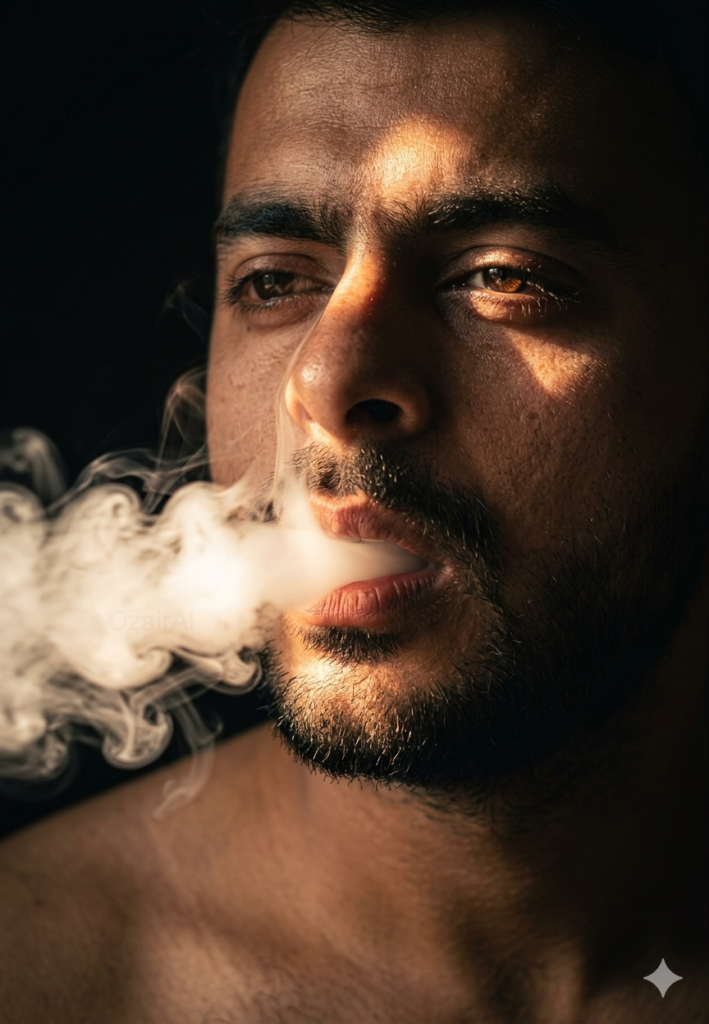
A close-cropped portrait of you exhaling a stream of smoke through a single warm light beam in the dark. Your face stays exactly as in your photo, tested in Gemini.
Use the exact same face from the reference image and generate a picture, captured mid-exhale {argument name="smoke effect" default="a thick stream of white smoke"} pouring from slightly parted lips, catching a single narrow beam of {argument name="lighting" default="warm amber key light"} in an otherwise black environment. The smoke beam acts as the sole light source, scattering across his nose bridge and brow. Deep shadows consume the rest of his face completely. Extreme close-crop — forehead to collarbone only. Hyper-textured skin, stubble detail, catchlights in eyes. "{argument name="watermark" default="OzairAI"}" woven imperceptibly into the light-scatter pattern within the smoke stream. Vertical 9:13 format. Ultra photorealistic, 8K, no text overlays, cinematic color grading.
How to use this prompt
This Boys prompt works in AI Art, best at 9:13. It takes less than a minute.
Copy the prompt
Press the copy button above.
Open AI Art
If the prompt edits a photo, upload one clear, front-facing photo first.
Paste and send
Paste in the chat box (Ctrl+V, or long-press on a phone) and send.
Not perfect?
Change a few words and try again, or use a follow-up reply from this page.
Behind the prompt
Smoke needs backlight to show its shape, so put light behind the person. If the smoke vanishes, add 'thick smoke clearly visible in the light beam'.
Generation details
Fix it fast
Quick moves when the first result is not right.
If the smoke vanishes into the black background, rerun it with 'thick smoke clearly visible in the light beam' and keep the beam narrow so the face stays dramatic.
Flip the mood: swap the warm amber beam for a cold blue one and let the smoke drift sideways for a quieter, icier portrait.
Same face as my photo — make the smoke thicker inside the light beam and keep the rest in shadow.
Questions about this prompt
Will the smoke cover my face?
No. The beam lights one strip across the nose and brow while deep shadow takes the rest, and your face comes straight from the reference image.
What if the smoke barely shows?
Smoke only reads against backlight, so rerun and add 'thick smoke clearly visible in the light beam' to give it more body.
Can I change the light color?
Yes. The default is a warm amber beam, but a cool blue or red beam works too — change the lighting default in the prompt.