
✦ Free

His portraits — not a suit advertisement

Groom photo prompts — the suit portrait, the quiet minute at the altar and the jacket-over-the-shoulder walk, with his face locked from your photo. Free for Gemini and ChatGPT.

6+Prompts
2AI Tools
FreeAlways

Updated By Daniyal Khatri Prompts tested before publishing

Introduction

What are groom photo prompts?

Wedding photography treats the groom as an accessory to the dress, and AI generators happily continue the habit — smoothing his face, sharpening his jaw, turning him into a suit advertisement. Every prompt here is written against that instinct: the face-lock comes first and is freshly worded each time, and the do-not list bans hero-shaping outright, so the suit portrait, the quiet minute at the altar and the jacket-over-the-shoulder walk still look like him.

The prompts spread across his part of the day and give his hands and his expression something to do — a boutonniere to adjust, a mirror to check, a walk to take — instead of asking him to stand and pose. Upload one clear photo of his face as he actually looks on the day, and the suit, the light and the setting change around a face that does not.

  1. Upload one clear photo of his face, as he actually looks on the day
  2. Copy a prompt and paste it with your photo into Gemini or ChatGPT
  3. Get his portraits back — suit portrait, altar minute, jacket-over-the-shoulder walk
Tested in Gemini How we tested
  • Tested in Gemini
  • ChatGPT compatible
  • His face, unchanged
How we testedClose
Face-lock first

The face-lock comes first and is freshly worded each time, and the do-not list bans hero-shaping his face outright.

Tested in Gemini

His face kept exactly, tested in Gemini first — and the prompts are written to work in ChatGPT too.

Copy-paste prompts

6 prompts
  • groom
  • seated
  • barn
  • quiet moment

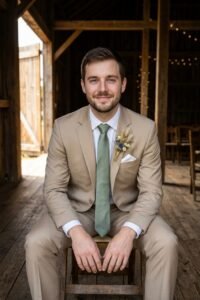
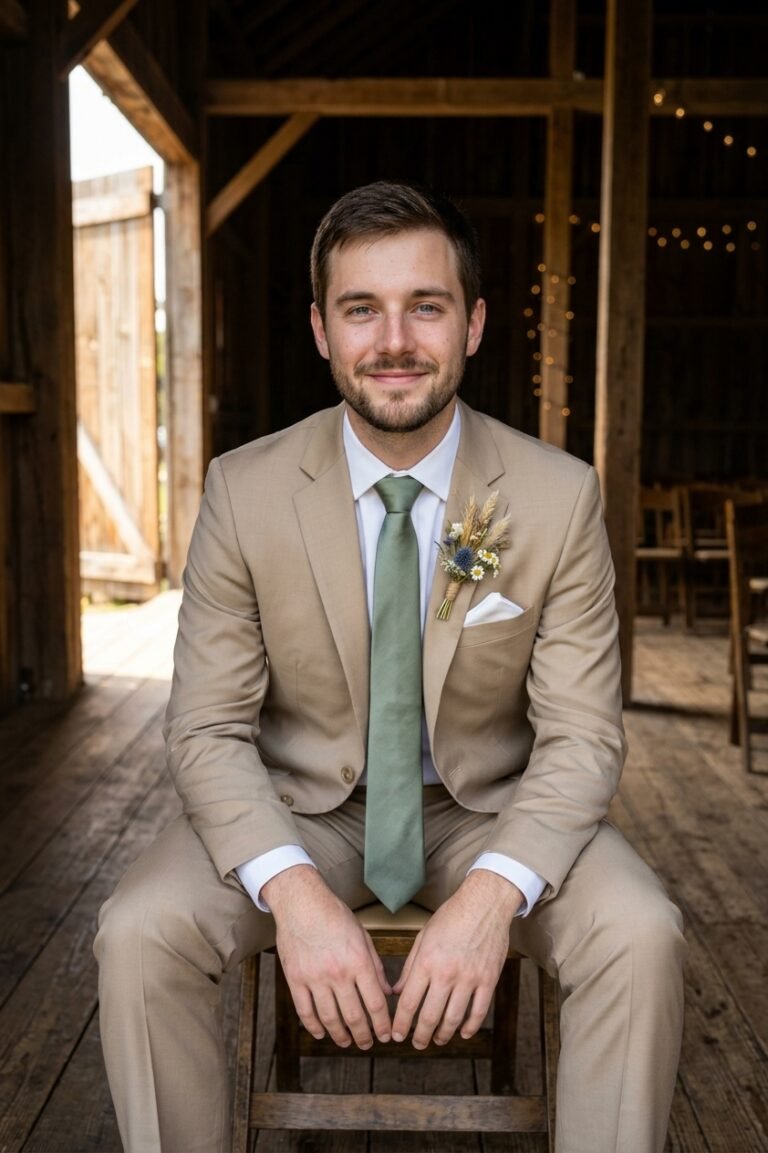
Keep the man in my uploaded photo exactly himself — his face completely unchanged, the same features, calm expression, skin tone and hairstyle, recognisable at once. Show him seated in the quiet before the ceremony, photographed straight-on at his eye level from a few metres away, framed from the knees up: he sits forward on a wooden chair in a barn venue, elbows on his knees, hands loosely clasped between them, looking at the camera with a calm, steady smile — the last still minute of the morning. He wears a tan suit with a white shirt, a sage tie, a white pocket square and a small wildflower boutonniere. His hair is neat; his sleeves sit right. Warm light from the open barn door to his left wraps his face evenly while the wooden interior behind falls into rich, soft shade — face clear and true against the dark. Real skin texture with visible pores, natural colour, like a photo his brother took and never posted. Do not change his face or skin tone. No smoothing, no beauty filter. Hands clasped simply between his knees — no extra fingers. No other people, no readable text, no watermark. Priority order: 1. His face unchanged. 2. Seated forward, elbows on knees. 3. Suit and boutonniere. 4. Barn and light.

Expert insight

Seated poses bend suits in odd places — check the jacket folds read as cloth, not shapes. His face carries this one; if anything else drifts but the face is true, the photo still works.

Swap: Change the barn (porch steps, venue library, car passenger seat), the suit colour, or the hands — holding his vows card, unreadable, reads tender.

Use in Gemini
  • groom
  • walking
  • arrival
  • morning

Take the man in my uploaded photo and keep him exactly himself — the same face, grin, skin tone and hair, fully recognisable, with nothing redrawn or sharpened. Show him walking in, photographed straight-on at eye level from several metres away, full-body: he walks toward the camera along the venue path mid-stride, suit jacket hooked over one shoulder on two fingers, shirt sleeves perfect, free hand swinging, grinning at the camera like the morning is his. He wears dark trousers, a white dress shirt with a plum tie already knotted, a white boutonniere pinned to his shirt placket's side where the jacket will sit, and polished brown shoes. His hair is styled; the suit jacket over his shoulder is deep navy. Bright morning light falls warm and even across his face from the front while the path, lawn and venue behind him glow soft and slightly blurred. Real skin texture, natural colour, honest phone-photo energy like his groomsman caught him arriving. Do not change his face or skin tone. No smoothing, no beauty filter. The jacket hangs from two fingers of one hand — no extra arms. No other people in focus, no readable text, no watermark, no extra legs in the stride. Priority order: 1. His face unchanged. 2. The mid-stride walk, jacket over shoulder. 3. Shirt, tie and trousers. 4. Path and light.

Expert insight

Walking shots add motion to legs, not faces — the prompt pins that down. If a stride doubles a leg, re-roll once; walking is the one pose where a second attempt is normal.

Swap: Change the jacket carry (in hand, already wearing it), the tie colour, or the setting — driveway by the cars reads just as good.

Use in Gemini
  • groom
  • mirror
  • tie
  • getting ready

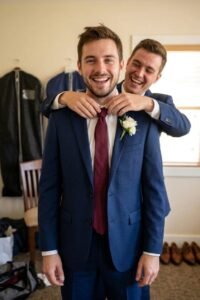
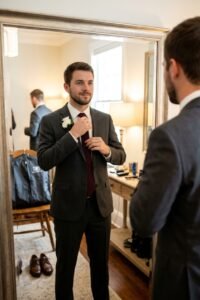
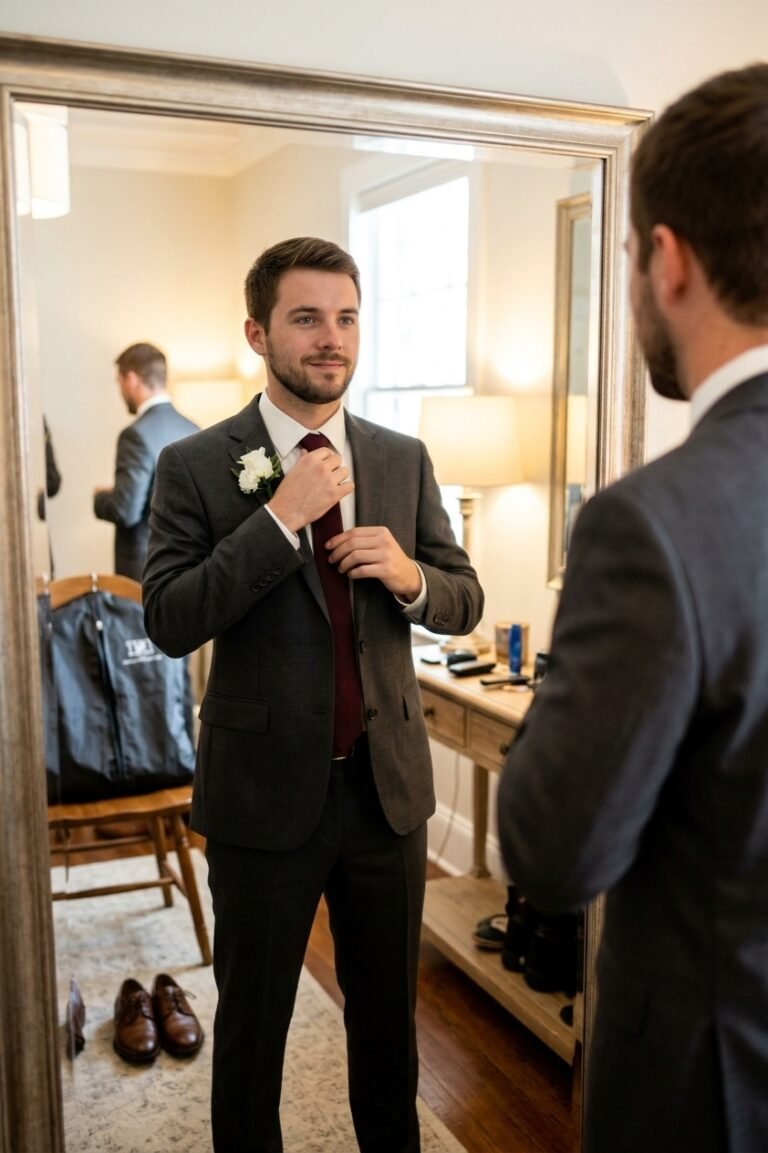
Use my uploaded photo for his face and hold his identity completely — the same facial features, skin tone and hair in both him and his reflection, clearly still him in every detail. Show the final mirror check, photographed from behind his shoulder at eye level from a few metres away, framed from the waist up: he stands at a tall mirror in the groom's room straightening his tie with both hands, looking at his reflection with a focused, almost-smiling expression — the direct view shows his back three-quarters, the mirror shows his front in full. He wears a charcoal suit jacket over a white shirt with a burgundy tie mid-adjustment and a white boutonniere already pinned. His hair is styled and ready. Warm room light from lamps and a window wraps both him and the reflection evenly while the room behind — a chair with a garment bag, shoes waiting — stays soft at the edges. Real skin texture on his face and the reflection alike, natural colour, like a photo his dad took over his shoulder. Do not change his face or skin tone. No smoothing, no beauty filter. The reflection must be him — same face, mirrored correctly. Hands on the tie only — no extra hands. No readable text, no watermark. Priority order: 1. His face unchanged — direct and reflected. 2. Straightening the tie at the mirror. 3. Suit and boutonniere. 4. Room and light.

Expert insight

Mirrors double the face — check the reflection against your photo, not against the direct face. If it wanders, reply in the same chat: 'the reflection — same face as my photo.' One correction aimed only at the mirror usually lands it.

Swap: Change the tie for a bow tie adjustment, the suit colour, or the mirror (bathroom mirror reads more candid).

Use in Gemini
  • groom
  • altar
  • waiting
  • ceremony

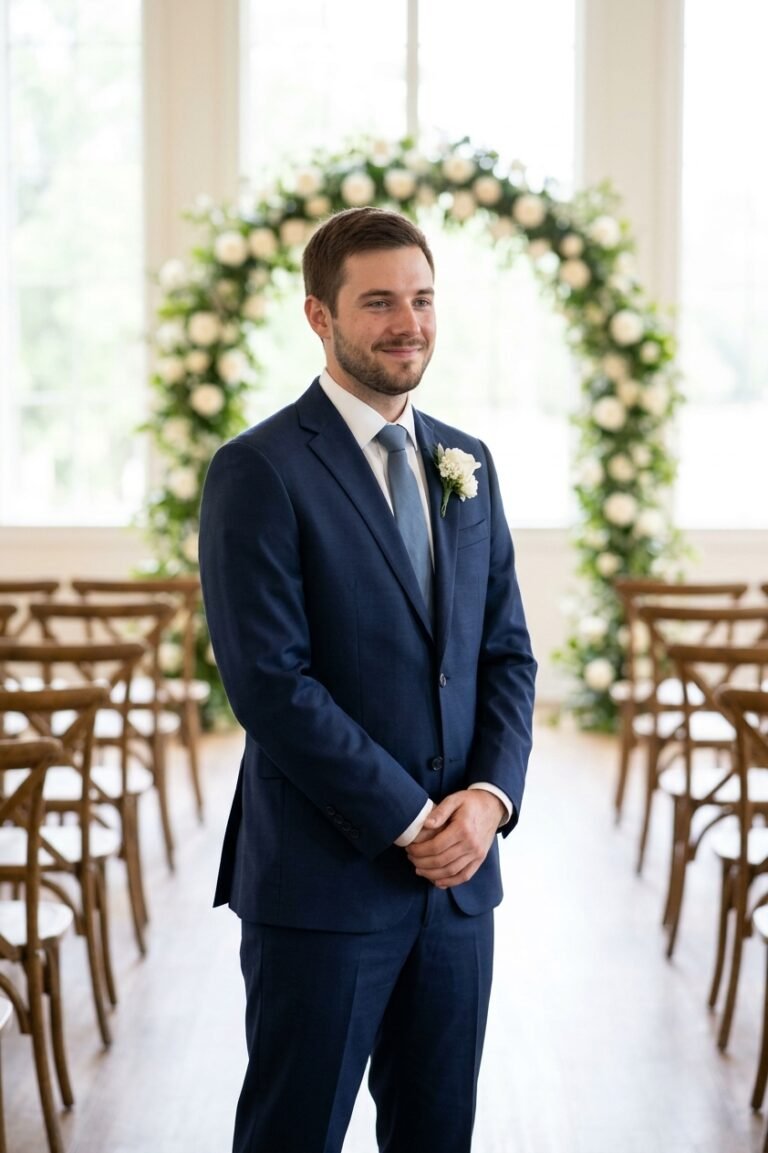
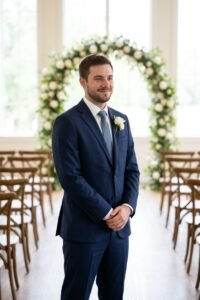
Keep the man in my uploaded photo exactly himself — his face completely unchanged, the same features, skin tone and hairstyle, recognisable at once even turned three-quarters. Show him waiting at the altar, photographed from his front-left at eye level from several metres away, full-body: he stands at the top of the aisle with his hands clasped loosely in front, body angled three-quarters toward the camera, looking down the empty aisle with a nervous, happy smile — thirty seconds before the doors open. He wears a navy suit with a white shirt, a dusty blue tie and a white boutonniere. Behind him stands a simple floral arch of white roses and greenery; rows of empty chairs line the aisle. Soft daylight through the venue windows wraps his face evenly from the front while the aisle behind him glows bright and slightly blurred — no people anywhere yet. Real skin texture, natural colour, quiet and honest like a documentary frame. Do not change his face or skin tone. No smoothing, no beauty filter. Hands clasped simply — no extra fingers in the clasp. No guests, no readable text, no watermark. Priority order: 1. His face unchanged. 2. Waiting at the altar, hands clasped. 3. Suit and arch. 4. Aisle and light.

Expert insight

He is looking away from camera here, which is exactly why the prompt turns him three-quarters back — a full profile is where likeness goes to die. Check him zoomed against your upload.

Swap: Change the venue (chapel, barn, garden arch), his suit colour, or the moment — checking his watch with a grin reads lighter.

Use in Gemini
  • groom
  • boutonniere
  • tuxedo
  • detail

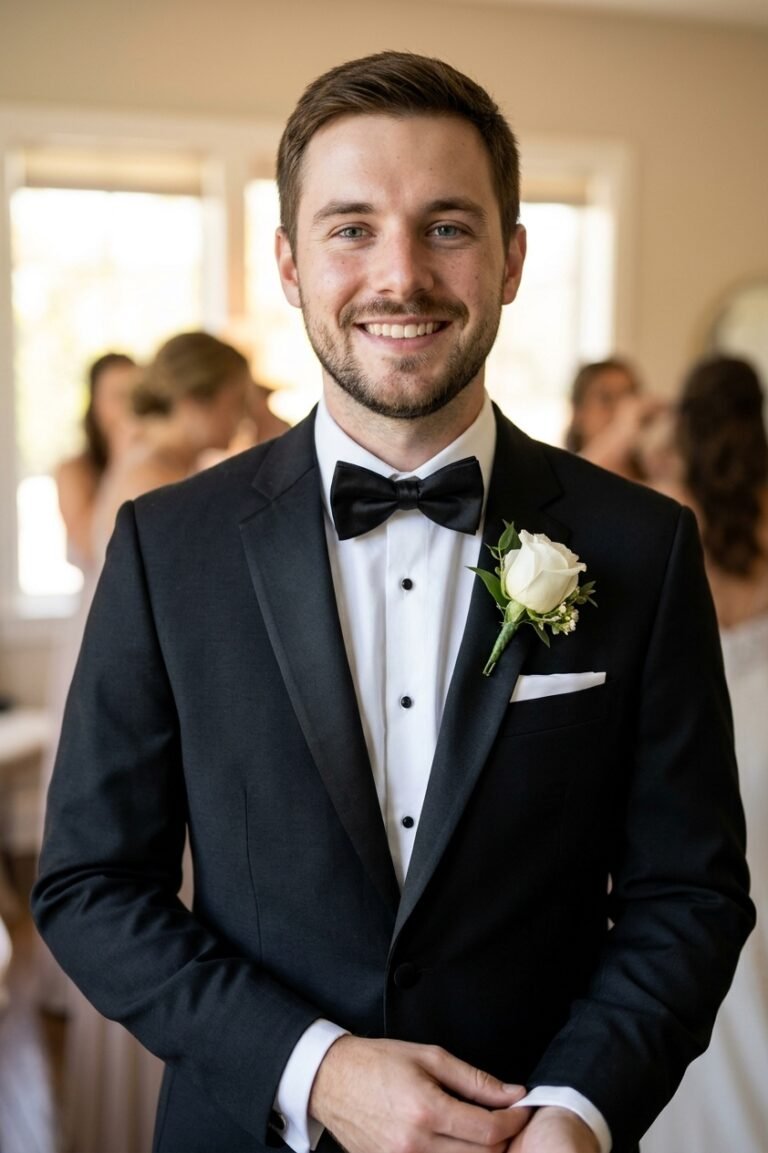
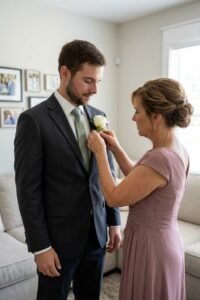
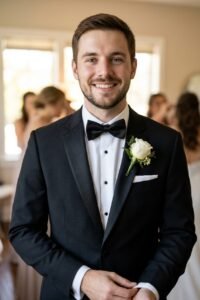
Take the man in my uploaded photo and preserve his identity completely — the same facial features, expression, skin tone and hair, clearly still him in every detail. Show a chest-up detail portrait, photographed straight-on at eye level from close range, framed from the mid-chest up: he stands tall with his chin slightly raised and a quiet, proud smile, one hand adjusting his cuff just at the frame's lower edge. His boutonniere sits pinned straight on his left lapel. He wears a black tuxedo jacket with satin lapels, a white dress shirt, a black bow tie, a white pocket square folded sharp, and a single white rose boutonniere with greenery. His hair is freshly styled. Soft, even light from a large window in front of him keeps his face clear and true while the background — a softly blurred bridal suite — falls away completely. Real skin texture with visible pores, natural colour, crisp like a magazine detail page. Keep his face and identity unchanged. No face reshaping, no skin smoothing, no beauty filter. The boutonniere is one flower, pinned on the lapel — not held, not floating. No readable text, no watermark, no extra hands at his chest. Priority order: 1. His face unchanged. 2. Boutonniere and bow tie correct. 3. The close framing. 4. Soft background.

Expert insight

Close crops raise the stakes on the face — upload his clearest front photo for this one. Check the boutonniere sits on the lapel, not floating; a same-chat note fixes placement in one run.

Swap: Change the tuxedo for a suit and tie, the flower (blush rose, wildflower mix), or the hand action — straightening the bow tie works too.

Use in Gemini
  • groom
  • suit
  • portrait
  • venue

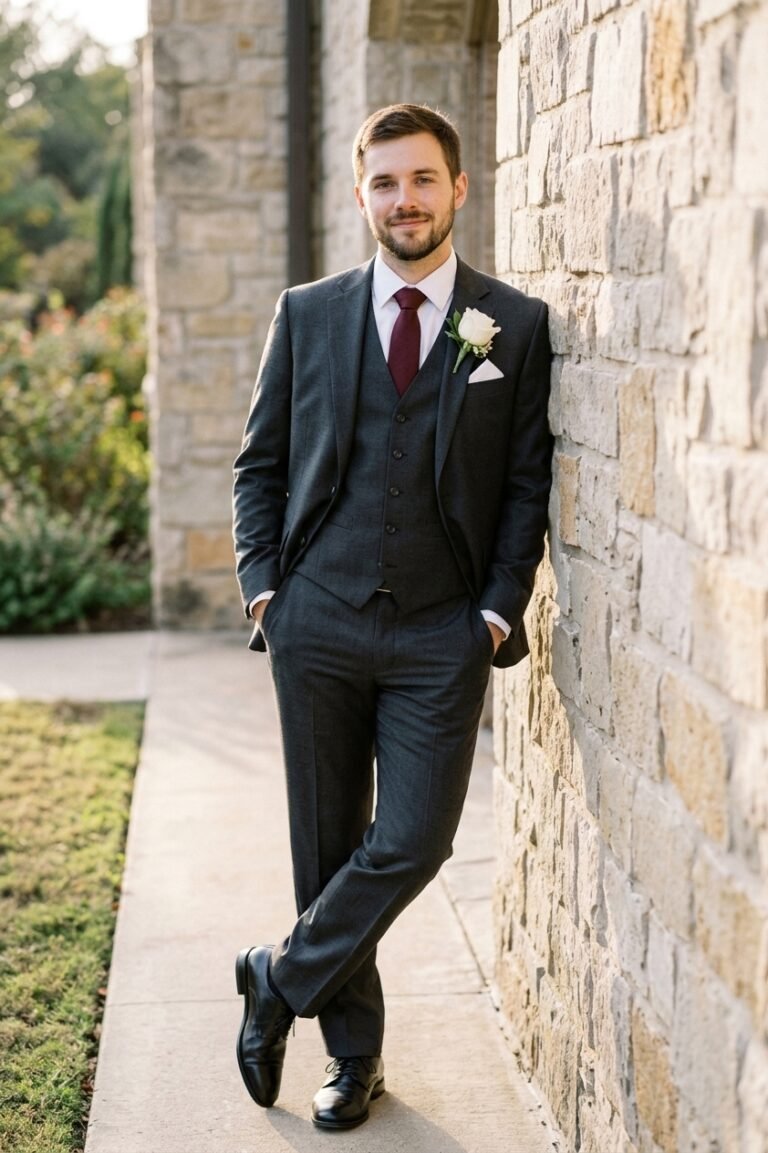
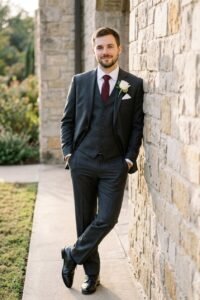
Use my uploaded photo and keep his face exactly as it is — the same eyes, jaw, skin tone and hair, fully recognisable, with nothing about his face redrawn or sharpened. Show the groom portrait against the venue wall, photographed straight-on at eye level from a few metres away, full-body: he leans one shoulder lightly against a stone venue wall, hands in his trouser pockets, ankles crossed, looking at the camera with an easy half-smile — calm, like the day is already won. He wears a charcoal three-piece suit with a white shirt, a burgundy tie, a white pocket square and a white rose boutonniere. His hair is neat and styled; his shoes are polished black. Soft late-afternoon light falls across him from the left, even and warm on his face, while the wall and garden edge behind stay slightly darker and simple. Real skin texture with visible pores, natural colour, like a photo his best man took between the formal sets. Do not change his face or skin tone. No smoothing, no beauty filter, no jaw reshaping. Hands stay in pockets — no extra arms. No other people in focus, no text, no watermark. Priority order: 1. His face unchanged. 2. The relaxed lean. 3. The suit. 4. Wall and light.

Expert insight

Suit portraits fail on stiffness — if a run makes him look like a mannequin, ask in the same chat for the relaxed lean and the half-smile, face unchanged.

Swap: Change the suit colour (navy, black, tan), the wall (barn wood, brick, venue stone), or the pose — arms folded reads stronger.

Use in Gemini

The groom is not a prop

Wedding photography treats the groom as an accessory to the dress, and AI generators happily continue the tradition — generic jaw, borrowed face, a mannequin in a nice suit. The prompts on this page are built to give him actual portraits: the suit shot with posture, the quiet minute at the altar before anyone arrives, the walk with the jacket over his shoulder. Each one locks his face in the first line and keeps it there, because a groom photo that is not recognisably him is just a suit advertisement.

Notice what the scenes have in common: something for his hands and his expression to do. A boutonniere being pinned, a tie checked in the mirror, a seat taken in a barn doorway. Posed stiffness is what makes AI portraits of men look fake; a small job to perform is what makes them look photographed.

What to upload

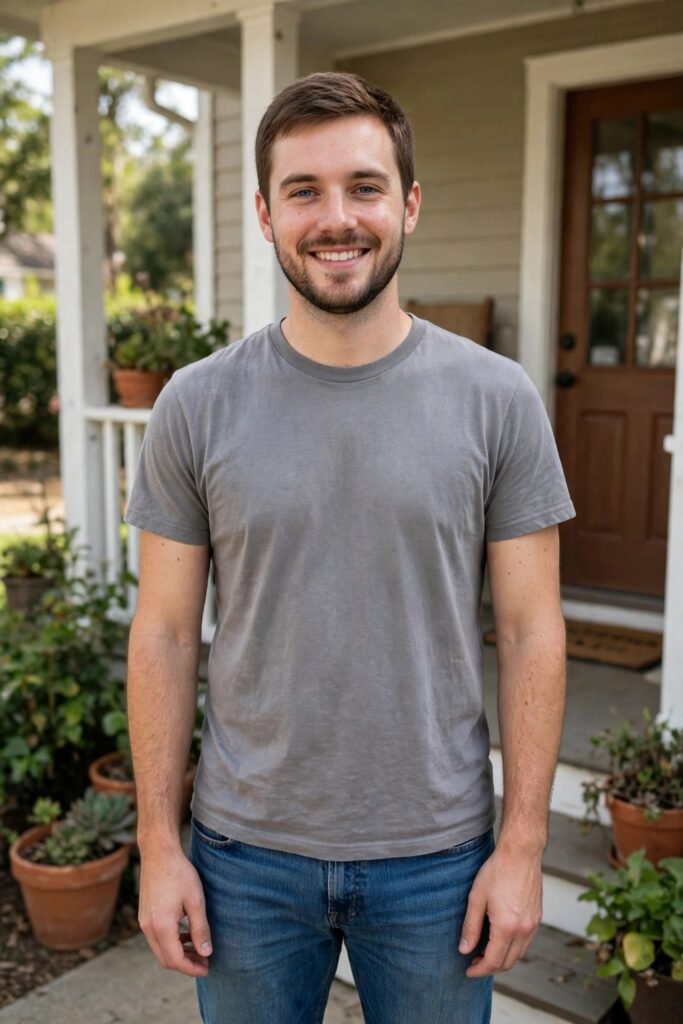
One clear photo of his face in decent light — a plain phone portrait is perfect. Stubble, glasses and hairstyle in the reference carry through the prompts unless a prompt says otherwise, so upload him as he actually looks on the day, not his most polished photo from two years ago.

If a result sharpens or hero-shapes his face, correct it in the same conversation: "his face, unchanged from my photo." The word "unchanged" is doing the work — keep it in every correction.

FAQs

What photo should he upload?

One clear photo of his face in decent light — a plain phone portrait is perfect. Upload him as he actually looks on the day, not a polished photo from two years ago.

Can we change the suit colour or style?

Yes — edit the outfit section of the prompt freely. Keep the face-lock paragraph at the start untouched.

The result looks like a model, not him. What now?

Reply in the same chat: "his face, unchanged from my photo." Do not restart the scene — a correction keeps everything else that already worked.

More prompt styles

Prompt copied!