What Makes a Great Wildlife Photography Prompts?
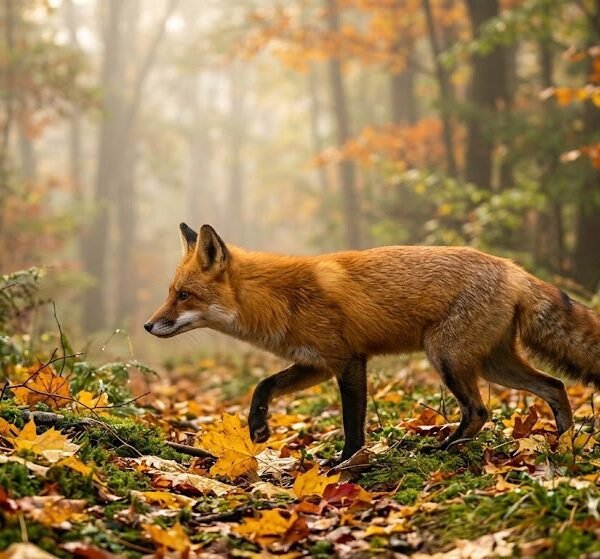
Most animal prompts fail for one reason: they describe the animal but not the photograph. "A cute fox in a forest" is a description. It is not a photo brief. The difference between the two is what separates a flat, generic render from something that looks like it was shot by a person holding a camera.
A strong animal photo prompt gives Gemini the same information a photo editor would give a photographer before a shoot. Here's what that actually includes.
Subject clarity (species and breed). "Dog" is vague. "Border Collie" is specific. Species and breed carry an enormous amount of visual data — coat pattern, ear shape, body proportions, typical posture. When you name the breed, you're not adding a word for SEO. You're loading a whole reference library into the prompt in two words.
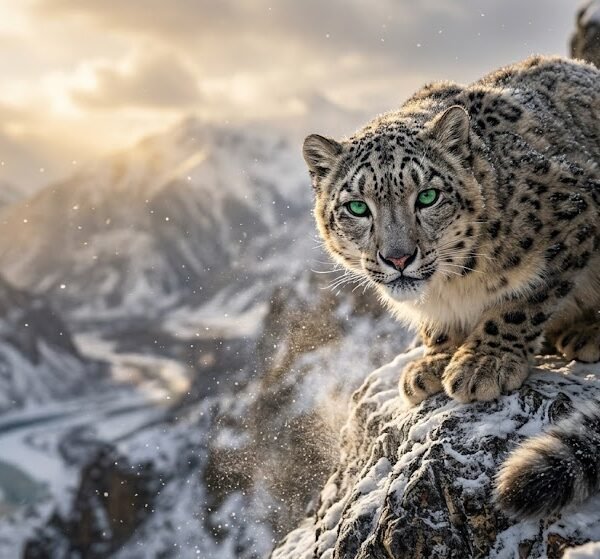
Environment or habitat. The setting tells the model what kind of light, ground texture, and background blur to expect. A snow leopard on a rocky ledge and a snow leopard in a zoo enclosure are two different photos, even with an identical animal.
Pose and posture. Sitting, mid-stride, crouched, alert, stretching — posture is what makes an image feel like a captured moment instead of a stock illustration. Vague prompts almost always default to a static, front-facing pose because that's the safest average.
Lighting. This is the single most underused lever in animal prompts. Lighting affects mood, texture, and realism more than almost any other variable, and most people skip it entirely.
Camera language. Words like "85mm portrait lens" or "telephoto" tell the model how to compress the background and where to place focus. Without this, the model has to guess a "safe" default composition, which usually means a wide, flat shot.
Emotional expression. Alert, playful, calm, curious, cautious — animals communicate emotion through ears, eyes, and body tension. Naming the emotion gives the model a target instead of an average expression.
Fur, feather, or coat detail. "Fluffy," "short-haired," "damp fur," "windblown mane" — texture words are what separates a photorealistic image from a smooth, plastic-looking one.
Composition. Rule of thirds, centered subject, negative space, close-up framing. Composition words tell the model where to put the subject in the frame, not just what to render.
Each of these elements answers a different question the model has to solve. Skip one, and the model fills the gap with a generic default. Include all of them, and you get a photo that looks intentional.
How Gemini Interprets Animal Photo Prompts
Based on practical use, Gemini tends to process prompts in a rough order of priority, even when everything is written in a single sentence. Understanding this order helps you write prompts that don't fight themselves.
Subject comes first. In many cases, whatever is named earliest in the prompt gets treated as the anchor. If you say "golden retriever puppy in a meadow," the puppy is locked in before the meadow details are applied. If you reverse it and lead with the setting, the subject can end up feeling like an afterthought — smaller, less detailed, less central.
Fur and coat detail is read before accessories. If your prompt mentions both "thick winter coat" and "wearing a red bandana," the coat texture tends to get resolved first, because it's part of the animal itself rather than an add-on. This is why accessory-heavy prompts sometimes produce animals with flat, under-detailed fur — the model spent its attention budget on the accessory.
Lighting is prioritized before background. Lighting affects almost every pixel in the image, while background only affects the pixels behind the subject. In practical use, prompts that mention lighting early tend to produce more consistent results than prompts that bury it at the end of a long sentence.
Realistic wording outperforms vague wording. Gemini responds more predictably to concrete photographic terms ("shallow depth of field," "overcast daylight") than to abstract mood words ("beautiful," "amazing," "epic"). Concrete terms map to real photographic techniques; abstract terms don't map to anything specific, so the model has to guess.
Conflicting styles cause visible tension in the output. Asking for "wild tiger" and "studio lighting" in the same prompt is a common mistake. One implies natural habitat and outdoor light; the other implies a controlled indoor setup. In practical use, prompts like this tend to produce a compromise — a tiger that looks neither fully wild nor fully studio-shot, often with an odd, artificial-looking background.
Logical ordering helps more than exhaustive detail. A prompt with fewer words but a clean, logical structure — subject, then pose, then environment, then lighting, then camera — tends to outperform a longer prompt where the same information is scrambled out of order.
None of this means Gemini has rigid rules. It means the model is doing its best to resolve information in the order it's given, and giving it a sensible order reduces the guesswork.
Prompt Anatomy
Here's a single animal photo prompt broken into its working parts:
"A senior Siberian Husky, sitting alert, ears forward, in a snow-covered pine forest, soft overcast winter light, shot on an 85mm portrait lens with shallow depth of field, cool blue-white color palette, ultra-realistic, high detail fur texture"
| Component |
Example |
What It Contributes |
| Subject (species/breed) |
Siberian Husky |
Anchors the entire image around known visual traits |
| Age |
Senior |
Changes coat texture, posture, and facial detail (graying muzzle, slower stance) |
| Pose |
Sitting alert |
Defines body position and energy level |
| Expression |
Ears forward, focused |
Adds emotional read without needing a face close-up |
| Environment/Habitat |
Snow-covered pine forest |
Sets background, ground texture, and implied temperature |
| Lighting |
Soft overcast winter light |
Controls shadow softness and overall mood |
| Camera |
85mm portrait lens, shallow depth of field |
Controls background blur and subject isolation |
| Background |
Pine forest (blurred) |
Supports the subject without competing for attention |
| Color palette |
Cool blue-white |
Ties the whole image together tonally |
| Quality keywords |
Ultra-realistic, high detail fur texture |
Signals photographic realism over illustration |
Notice that no single component is doing all the work. Remove the lighting term and the image can turn flat. Remove the age descriptor and you lose the graying muzzle that makes "senior" mean something visually. Every part earns its place.
Prompt Formula
Once you understand the anatomy, you can build your own prompts using this framework:
[Age] [Breed/Species], [Pose], [Expression], in [Environment], [Lighting], shot on [Camera/Lens], [Color Palette], [Quality Keywords]
Also Read :
Why Prompt Clarity Matters More Than Prompt Length
Here's what each placeholder controls:
- [Age] — puppy, kitten, juvenile, adult, senior. Changes proportions and texture, not just size.
- [Breed/Species] — the single most important word in the prompt. Be specific rather than generic.
- [Pose] — what the body is doing (sitting, mid-leap, curled up, standing alert).
- [Expression] — the emotional read (curious, relaxed, cautious, playful).
- [Environment] — where the animal is, which implies terrain, weather, and background.
- [Lighting] — golden hour, overcast, studio, backlit, moonlight.
- [Camera/Lens] — 85mm portrait, telephoto, macro, wide-angle.
- [Color Palette] — earth tones, cool blues, warm ambers, muted pastels.
- [Quality Keywords] — ultra-realistic, cinematic, high detail fur, HDR.
You don't need every slot filled every time. But the ones you skip should be skipped on purpose, not by accident.
Why Certain Words Produce Better Images
Some words carry more weight than others because they map directly to real photographic techniques rather than vague aesthetic preferences.
Cinematic — implies deliberate framing, color grading, and dramatic lighting contrast, closer to a film still than a snapshot.
Golden hour — a specific, well-documented lighting condition: warm, low-angle sunlight with long soft shadows. Because it's a real, describable phenomenon, the model has a strong reference point.
85mm portrait lens — a real lens length known for flattering compression and background blur. Naming it gives the model an actual optical behavior to replicate, not just an abstract "nice photo" instruction.
Shallow depth of field — tells the model to keep the subject sharp while blurring the background, which is what makes a photo feel professionally shot rather than flat and evenly focused.
Ultra realistic — pushes the output away from illustration or painterly rendering and toward photographic texture, edges, and imperfections.
HDR — signals a wider dynamic range between shadows and highlights, useful for landscape-heavy animal shots like wildlife in bright, contrasty environments.
Soft lighting — reduces harsh shadow edges, which works especially well for close-up portraits where you want gentle transitions across fur or feathers.
Wildlife photography — this phrase alone shifts the model toward natural habitats, longer lenses, and candid poses instead of posed studio setups.
Macro detail — pulls focus down to texture level: individual hairs, water droplets, feather barbs. Useful for insects, small pets, or extreme close-ups of eyes and fur.
These words work because they describe something specific and repeatable, not because they sound impressive. "Stunning" and "epic" don't correspond to any actual camera setting, so they add far less than a specific lens or lighting term.
Prompt Improvement Examples
Example 1
- Poor: "A cute cat"
- Better: "A fluffy orange tabby cat sitting on a windowsill"
- Professional: "A fluffy orange tabby cat sitting on a sunlit windowsill, golden afternoon light, shallow depth of field, shot on an 85mm lens, warm color palette, ultra-realistic fur detail"
Why it improves: The poor version gives no breed, pose, or setting, so the model defaults to a generic front-facing cat. The better version adds a pose and setting. The professional version adds lighting, camera, and texture detail, which is what turns a flat image into one with depth and mood.
Example 2
- Poor: "Wild wolf in the snow, studio lighting"
- Better: "A gray wolf standing in a snowy forest, alert posture, natural daylight"
- Professional: "A gray wolf standing alert in a snow-covered forest, overcast winter daylight, telephoto lens, shallow depth of field, cool blue-white palette, wildlife photography style"
Why it improves: The first version conflicts itself — "wild" and "studio" pull in opposite directions. The better version fixes the contradiction by choosing natural light. The professional version adds camera language and a defined color palette so the whole scene reads as one coherent photograph.
Example 3
- Poor: "Bird flying, colorful, amazing"
- Better: "A scarlet macaw flying through a rainforest canopy"
- Professional: "A scarlet macaw in mid-flight through a rainforest canopy, dappled sunlight, action shot, fast shutter speed, vivid natural colors, ultra-realistic feather detail"
Why it improves: "Colorful" and "amazing" are mood words with no photographic meaning. Naming the species and adding an action-specific camera term ("fast shutter speed") gives the model a concrete motion reference instead of a static default.
Common Prompt Mistakes
Too many adjectives. Stacking five mood words ("stunning, breathtaking, gorgeous, majestic, epic") doesn't add detail — it adds noise. The model can't act on vague enthusiasm the way it can act on a lighting or lens term.
Conflicting styles. Wild vs. domestic, studio vs. outdoor, vintage vs. futuristic — pick one direction per prompt. Mixed signals produce a compromise image that doesn't fully commit to either style.
Missing lighting. Without a lighting term, the model defaults to flat, neutral light, which is usually the least interesting option available.
Missing environment. An animal with no stated setting often ends up on a generic gradient or blurred non-space, which reads as artificial rather than photographic.
Unclear subject or breed. Generic terms like "dog" or "bird" force the model to average across hundreds of possibilities, which produces a generic-looking animal instead of a specific, recognizable one.
Poor composition instructions. Leaving out framing terms means the model defaults to a centered, straight-on shot, which is the safest but least dynamic option.
Asking for too much background detail. Overloading the background with description pulls attention and rendering effort away from the subject, which is usually the opposite of what you want in an animal portrait.
Animal Photography Style Guide
| Style |
Best Mood |
Best Colors |
Ideal Setting |
Best Use Case |
Difficulty |
| Wildlife |
Alert, natural |
Earth tones, greens |
Forest, savanna, mountains |
Nature content, documentary feel |
Medium |
| Studio Portrait |
Calm, controlled |
Neutral, muted backgrounds |
Plain backdrop |
Pet portraits, branding |
Easy |
| Candid/Lifestyle |
Playful, spontaneous |
Warm, natural light tones |
Home, yard, park |
Social media, relatable content |
Easy |
| Macro |
Curious, detailed |
High-contrast texture tones |
Close-up, isolated subject |
Insect or texture-focused shots |
Hard |
| Editorial |
Dramatic, stylized |
Bold, high-contrast |
Styled sets, urban backdrops |
Magazine-style features |
Hard |
| Vintage |
Nostalgic, warm |
Sepia, faded tones |
Rustic, aged settings |
Retro-themed content |
Medium |
| Fantasy |
Mystical, dreamlike |
Rich purples, glowing tones |
Enchanted forests, surreal skies |
Creative or thematic projects |
Hard |
| Underwater |
Serene, weightless |
Blues, teals |
Ocean, reef, aquarium |
Marine life content |
Hard |
| Aerial/Drone |
Expansive, distant |
Cool, wide tonal range |
Open landscapes, herds |
Scale-focused wildlife shots |
Medium |
| Black and White |
Timeless, moody |
Grayscale contrast |
Any, simplified |
Emotional or artistic portraits |
Medium |
Color Psychology for Animal Portraits
Color does more than decorate an image — it shapes how the viewer feels about the animal before they've consciously processed the scene.
Earth tones (browns, tans, olive) — grounded, natural, calm. Works well for most wildlife and domestic animals in outdoor settings.
White/Snow — clean, quiet, isolating. Good for arctic animals or minimalist portrait compositions.
Black — sleek, mysterious, dramatic. Effective for panthers, crows, or any subject where you want a moodier read.
Golden/Amber — warm, inviting, nostalgic. Pairs naturally with golden hour lighting and lions, foxes, or autumn-coated animals.
Green (forest) — fresh, alive, natural. The default backdrop tone for most woodland wildlife.
Blue (ocean/sky) — calm, vast, cool. Strong for marine animals, birds in flight, or high-altitude scenes.
Autumn tones (orange, rust, deep red) — cozy, transitional, seasonal. Works well for deer, foxes, and squirrels.
Pastel — soft, gentle, approachable. Common in stylized pet portraits or spring-themed content.
Monochrome — timeless, focused, distraction-free. Removes color as a variable so texture and expression carry the image.
Lighting Guide
| Lighting Type |
Best For |
When To Use |
| Golden hour |
Warm, emotional portraits |
Late afternoon scenes, lions, foxes, dogs outdoors |
| Studio |
Clean, controlled detail |
Product-style pet portraits, breed showcases |
| Overcast/diffused daylight |
Even, soft detail with no harsh shadows |
Fur-heavy animals where shadow can hide texture |
| Backlighting |
Silhouettes, rim-lit fur |
Dramatic wildlife shots, action poses |
| Soft window light |
Gentle, intimate portraits |
Indoor pet photography |
| Moonlight/night |
Mysterious, quiet mood |
Nocturnal animals, owls, foxes at night |
| Underwater light |
Diffused blue-green tones |
Marine and aquatic subjects |
| Flash/fill light |
Sharp detail, freezing motion |
Fast-moving subjects, birds in flight |
Camera Guide
Wildlife photography as a style term shifts the model toward candid, natural poses and longer lens compression.
DSLR implies general photographic realism without specifying focal length — a safe default term.
Telephoto lens compresses distance and isolates a distant subject, ideal for animals you can't get physically close to.
85mm is the classic portrait length — flattering compression, moderate background blur.
50mm renders closer to natural human eyesight — useful for full-body animal shots with balanced perspective.
Macro lens brings the camera extremely close, resolving texture like individual fur strands or insect wings.
Close-up framing emphasizes expression and detail over environment.
Wide shot places the animal within its habitat, useful for context-driven wildlife images.
Low angle shooting from ground level makes an animal appear more powerful or dominant in the frame.
Eye level creates connection and intimacy by matching the viewer's gaze to the animal's.
Action/burst shot language signals motion — running, leaping, flying — and should be paired with faster shutter terminology for best results.
Customization Guide
Once you have a working prompt structure, personalize it along these lines:
- Species/breed — swap in exact breeds rather than generic species names.
- Age — puppy, kitten, juvenile, adult, senior — each changes proportion and texture.
- Fur/coat/feather detail — short-haired, fluffy, damp, molting, glossy.
- Environment — forest, desert, tundra, coastline, urban backdrop.
- Theme — seasonal, festive, minimalist, editorial.
- Season — spring bloom, summer haze, autumn foliage, winter snow.
- Accessories — collar, bandana, harness — use sparingly so they don't compete with fur detail.
- Location — specific enough to imply light and terrain (coastal cliffs vs. generic "outside").
- Multiple animals/companions — pack, pair, or family grouping changes composition needs.
- Behavior/action — hunting, playing, resting, grooming.
- Time of day — dawn, midday, dusk, night — each implies a different lighting setup.
- Mood/expression — curious, alert, relaxed, cautious.
Change one variable at a time when you're testing. It's the only way to know which word actually moved the result.
Real Prompt Testing
These are practical observations from testing variations of the same base prompt, not measured statistics.
Changing only lighting. Keeping the subject, pose, and environment identical while switching from "studio lighting" to "golden hour" produced a noticeably warmer, more emotionally engaging image. The subject felt more "alive" simply because of shadow direction and color temperature — nothing else changed.
Changing only camera. Swapping "wide shot" for "85mm portrait lens, shallow depth of field" on the same subject and setting pulled the background into a soft blur and made the animal feel more isolated and intentional, rather than one element among many in a busy scene.
Changing only background/environment. Keeping the same pose and lighting but switching the environment from "forest" to "urban street" completely changed the read of the animal — the same alert posture felt "wild and cautious" in the forest version and "stray and vulnerable" in the urban version. The environment doesn't just change scenery; it changes the story the image tells.
The takeaway across all three tests: changing a single well-chosen word tends to shift far more of the image than adding several vague ones.
Before You Generate
Run through this before you hit generate:
- Is the species or breed named specifically, not just "dog" or "bird"?
- Does the prompt state a clear pose and expression?
- Is there exactly one lighting condition — not two conflicting ones?
- Does the environment match the lighting (you wouldn't pair "midnight" with "golden hour")?
- Have you picked one style direction (wild, studio, candid, editorial) rather than mixing them?
- Is there a camera or lens term to guide composition and blur?
- Have you removed vague mood adjectives that don't map to a real photographic term?
Quick Prompt Checklist
- [ ] Subject/breed named specifically
- [ ] Environment defined
- [ ] Lighting stated
- [ ] Camera/lens included
- [ ] Mood/expression specified
- [ ] Color palette considered
- [ ] Pose described
- [ ] Quality keywords added
FAQ
1. Do I need to name a specific dog or cat breed, or is "dog" enough?
Naming the breed gives the model a huge amount of visual reference — coat, ear shape, proportions. "Dog" alone forces an average across hundreds of breeds, which usually looks generic.
2. Why does my animal look flat and plastic-like even with a detailed prompt?
This usually means lighting or texture keywords are missing. Add a specific lighting condition and a texture term like "high detail fur" or "realistic coat texture."
3. Can I combine wildlife and studio styles in one prompt?
You can, but it usually produces a compromise image that doesn't fully commit to either look. Pick one direction per prompt for a cleaner result.
4. What's the difference between "cinematic" and "ultra-realistic"?
"Cinematic" leans toward dramatic lighting and color grading, closer to a film still. "Ultra-realistic" pushes toward photographic texture and accuracy rather than a stylized look.
5. Why do my wildlife shots look too posed?
Static, front-facing poses are the model's safe default when no action or posture is specified. Add a pose term like "mid-stride" or "crouched" to break the default.
6. Does age (puppy, senior, etc.) really change the output that much?
Yes. Age changes body proportions, coat texture, and facial detail — a senior animal often needs different texture language (graying, weathered) than a young one (softer, rounder features).
7. What camera term works best for close-up pet portraits? An 85mm portrait lens with shallow depth of field is a reliable choice — it isolates the subject and blurs the background naturally.
8. How do I make an underwater animal shot look realistic instead of like a filter?
Focus on lighting language ("diffused blue-green light") rather than just naming "underwater." The lighting is what sells the environment.
9. Why does my prompt ignore the accessory I added, like a collar or bandana?
Accessories are usually resolved after fur and coat detail. If the prompt is overloaded with texture description, the accessory can get less rendering attention. Keep accessory descriptions brief and specific.
10. Is it better to write a long, detailed prompt or a short, focused one?
A shorter prompt with a clean, logical order usually outperforms a longer one where the same details are scattered out of sequence.
11. What's the best lighting for snow or arctic animals?
Overcast or diffused daylight works well — it keeps white fur from blowing out and preserves texture that direct harsh light can wash away.
12. How do I create a moody, editorial-style animal portrait?
Combine a bold color palette, dramatic or backlighting, and a tighter camera framing like a close-up or 50mm shot. Avoid mixing in "candid" or "wildlife" language, which pulls toward a more natural, unposed look.
13. Why does my bird-in-flight prompt look blurry in the wrong places?
Add motion-specific camera language like "fast shutter speed" or "action shot." Without it, the model may apply blur inconsistently across the wings and body.
14. Can I get a realistic pet portrait without mentioning a camera or lens at all?
You can, but the result tends to default to a flat, evenly-focused composition. A camera or lens term is one of the most reliable ways to add depth and realism.
15. What's the most common reason an animal prompt fails completely?
An unclear or generic subject combined with a missing lighting term. Together, these two gaps force the model to guess the two most important variables in the image.
Also Read :
Gemini Birthday Prompts for Women
Final Tips
Write your prompt in the order the animal would actually be photographed: subject first, then how it's posed, then where it is, then how it's lit, then how the camera sees it. That order isn't arbitrary — it mirrors how a real photographer thinks through a shot, and it's the order that tends to produce the most coherent results.
Change one variable at a time when testing. If you rewrite five things at once and the image improves, you won't know which word did the work.
Keep your style choices unified. A wild animal in natural light and a studio pet portrait are two different photographs — don't ask for both in the same sentence.
And don't chase adjectives. "Majestic," "stunning," and "epic" feel like they're adding value, but they don't map to anything the model can act on. A specific lens, a named lighting condition, and a clear pose will always do more work than five words of enthusiasm.