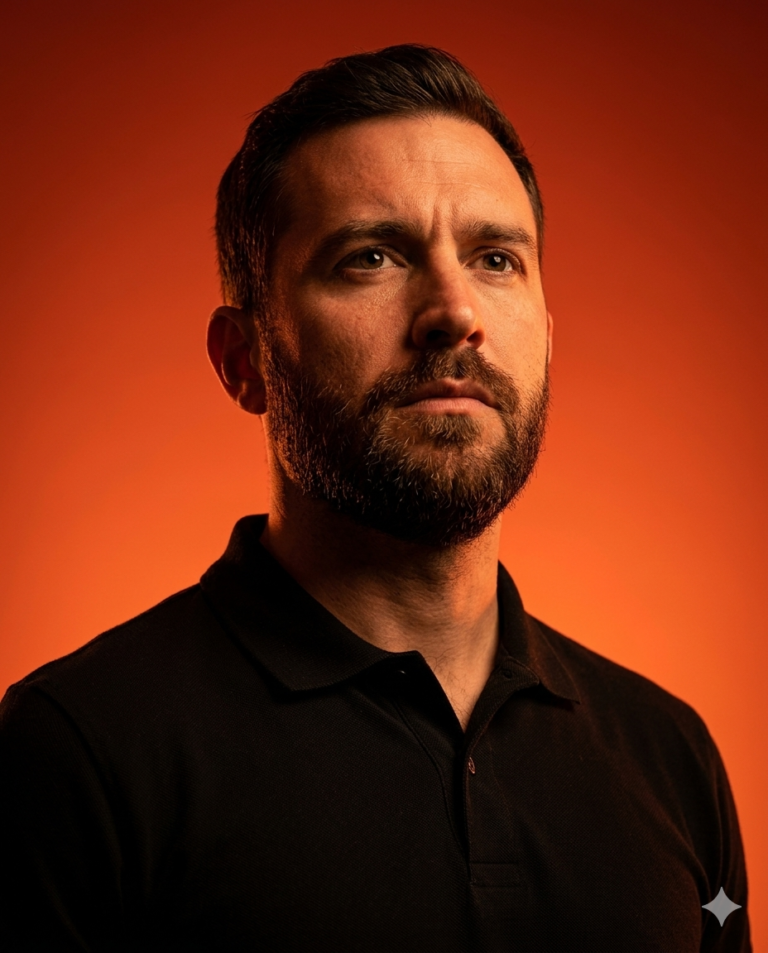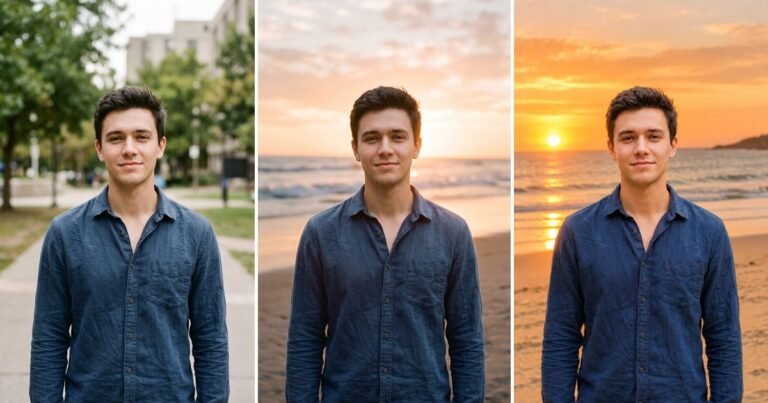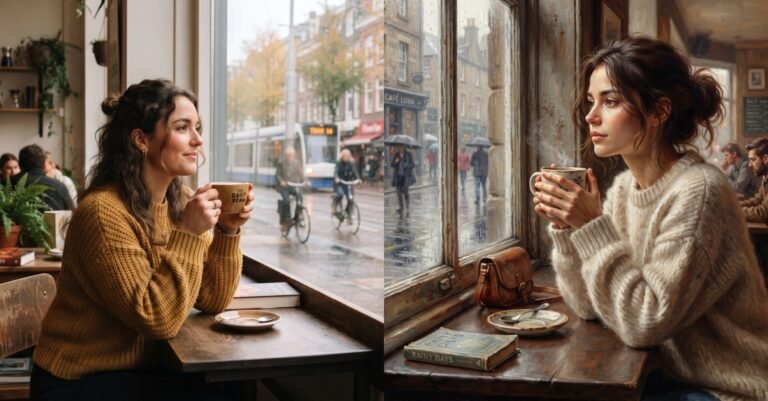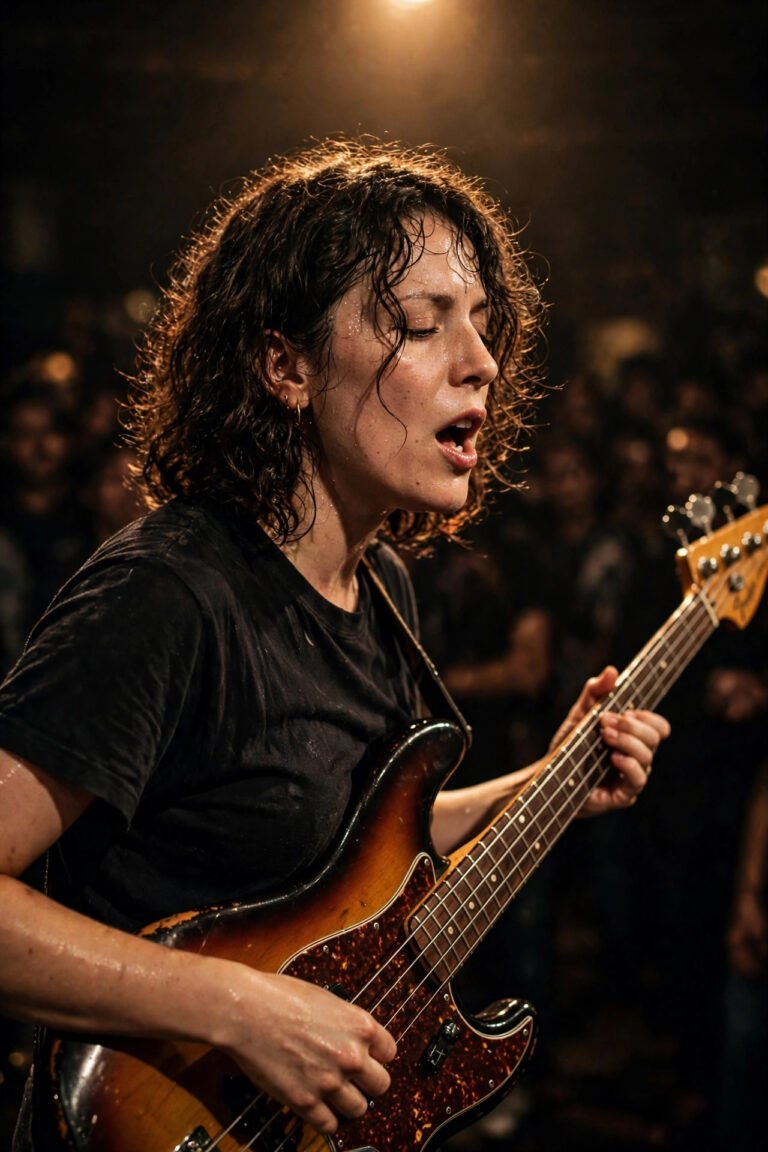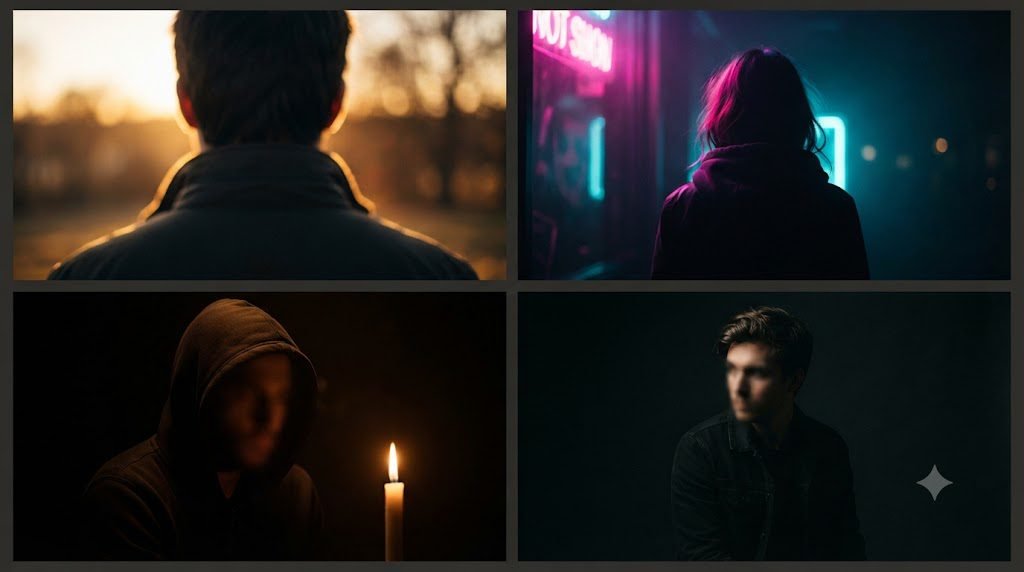
These copy-paste lighting effect prompts for Gemini are the one thing separating a flat, forgettable AI image from something that stops the scroll. It’s not the subject. It’s not even the pose. It’s where the light comes from, how hard it hits, and what shadow it leaves behind. Below is the biggest library of realistic lighting prompts, cinematic lighting prompts, and portrait lighting prompts we could build — organized by mood, with a short Gemini vs Midjourney vs Flux comparison to help you pick the right tool, so you don’t have to guess your way to a good result.
We tested 100 prompts for lighting effect, and here are the 40+ Lighting Effect Prompts that look most incredible.
One important note: each prompt below is only the lighting layer, not a full picture. Add it to your own subject prompt — for example, start with your subject, then paste the lighting description after it. Copying a lighting prompt on its own will give you a scene with no subject in it.
One more note: the lens tags on the cards (like 50mm • F/2.0) are suggested camera references for the look, not settings the generator reads — image models don’t use real apertures.
Explore More Prompts : Free Gemini AI Image Prompts
What Actually Makes a Lighting Prompt Work
A lighting prompt works when it names three things: the light’s source, its direction, and its quality (soft or hard). Skip any one of those and the model defaults to flat, even lighting that looks generic. Say “warm light” and you’ll get something. Say “warm tungsten light spilling from a desk lamp at 45 degrees, soft falloff into shadow,” and you’ll get something that actually looks directed.
Short version: source, direction, quality. Memorize that order and every prompt below will make a lot more sense — whether you’re writing photography lighting prompts for a realistic portrait or dramatic lighting prompts for a moodier scene.
The Best AI Lighting Prompt Formula
If you only take one thing from this guide, take this formula. It’s the structure behind almost every professional lighting prompt example out there, and it works across Gemini, ChatGPT’s image tool, Midjourney, and Flux alike:
Subject + Lighting Source + Direction + Quality + Color Temperature + Camera Lens + Environment
Walked through in plain terms: start with who or what’s in frame, name where the light is coming from (a window, the sun, a neon sign, a candle), say which direction it’s hitting from, describe whether it’s soft or hard, pick a color temperature (warm or cool), add a lens reference for depth of field, then close with the environment around the subject. Miss a piece and the model fills the gap with something generic. Use as many of the seven as the shot needs and you get a prompt that reads like a professional lighting prompt example instead of a rough sketch. Note the difference: stacking competing light sources — neon plus golden hour plus candlelight in one prompt — confuses the model, but stacking complementary elements, one source, one direction, one quality, is exactly what the formula does.
Portrait with soft Rembrandt lighting, warm window light from the left, deep cinematic shadows, 85mm lens, photorealistic, high detail, natural skin texture.
Gemini vs Midjourney vs Flux: Which Tool for Which Light
These prompts are written as photography briefs, so they work in all three tools. As a rule of thumb, though, each one leans a different way:
These are general tendencies, not side-by-side test results — the same prompt hasn’t been run across all three tools here.
Gemini: leans realistic — golden hour, window light, and studio setups, where natural skin texture and a believable light source matter most. It follows a literal brief closely.
Midjourney: leans dramatic — neon, chiaroscuro, and bold editorial color grades. It tends to interpret more freely, so expect a more stylized result than the exact brief.
Flux: leans clean and even — bright studio looks and shots where you want the image to stick close to your words. It tends to soften drama, so push the contrast words harder for moody looks.
Golden Hour and Warm Sunlight Prompts
Golden hour is the easiest mood to fake and the easiest to get wrong. The trick is naming the low sun angle and letting shadows stretch long, rather than just typing “golden hour” and hoping.
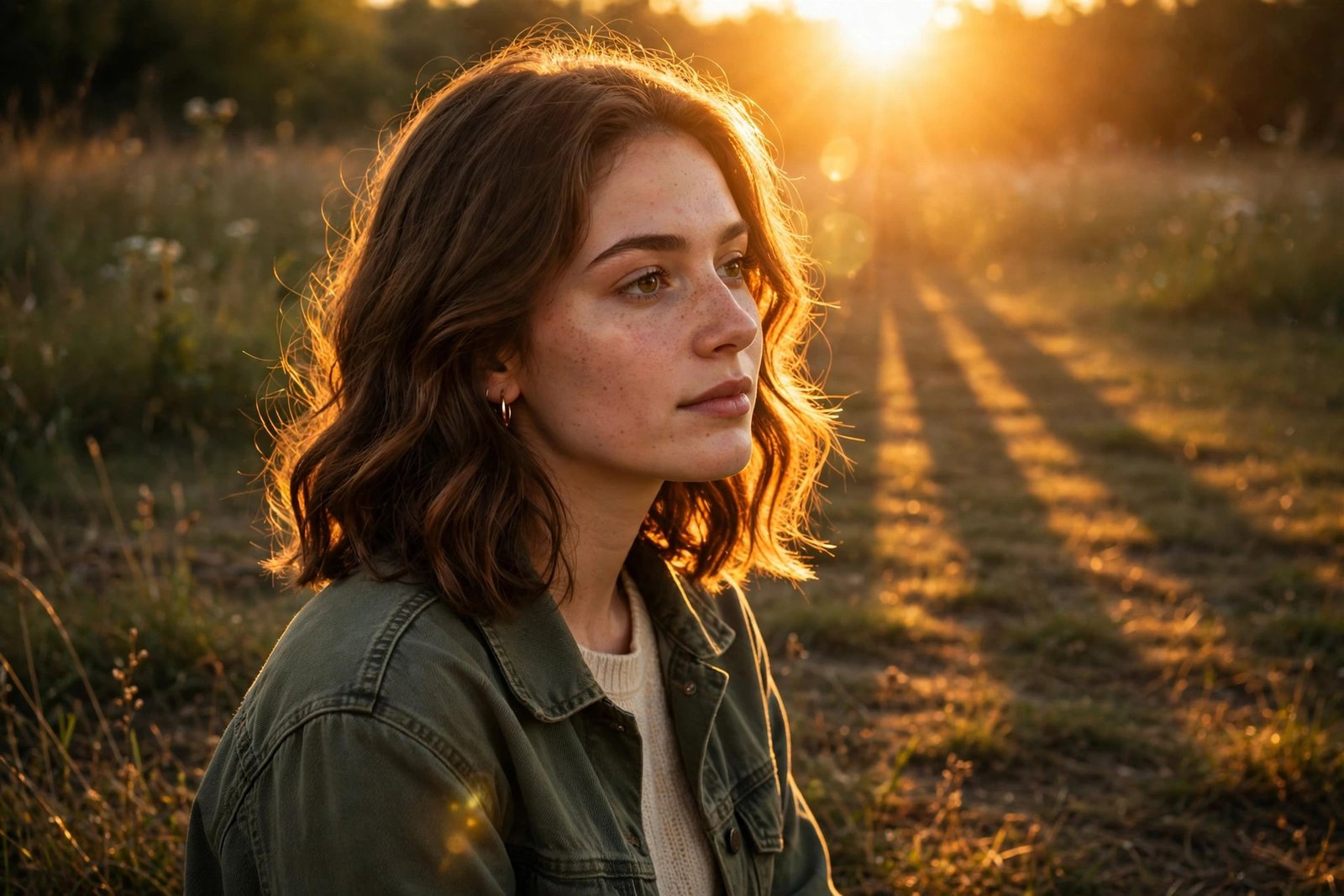
Low golden-hour sun behind the subject, warm amber rim light on hair and shoulders, long soft shadows stretching across the ground, slight lens flare, 35mm.
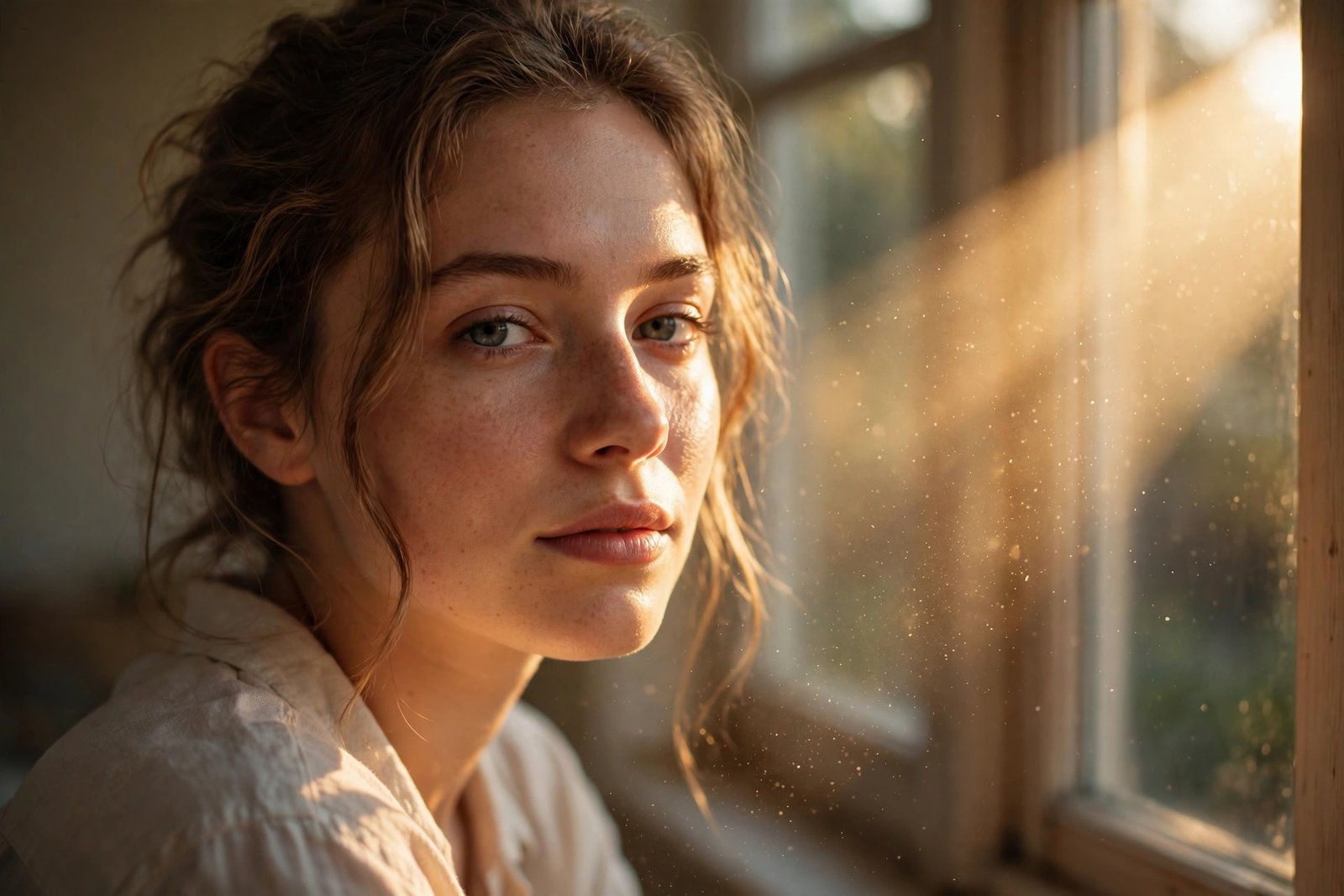
Warm late-afternoon light pouring through a window, dust visible in the beam, soft golden tone across the face, gentle contrast.
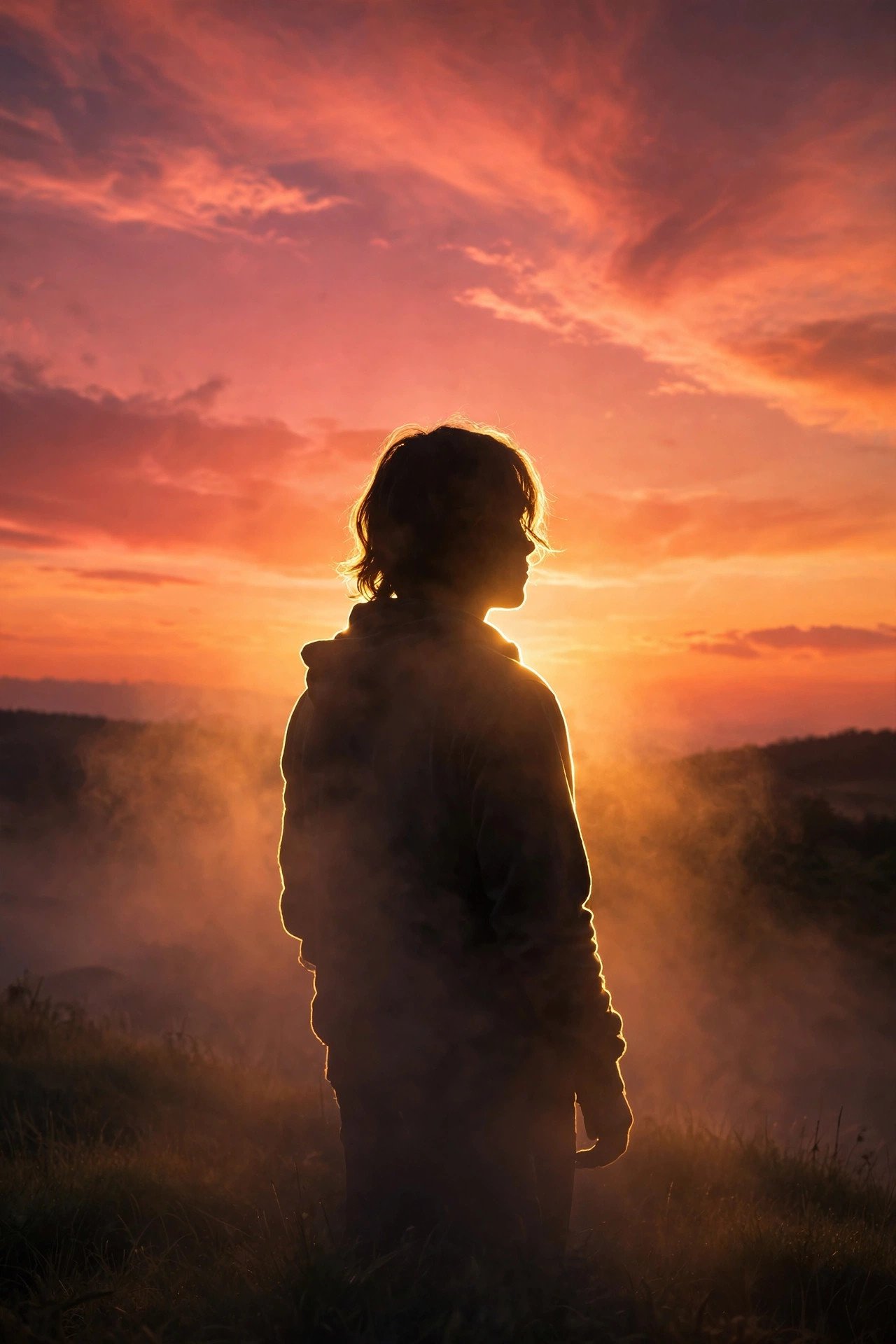
Sunset backlight turning the edges of the subject into a thin gold outline, sky in deep orange and pink gradient, silhouette starting to form.

Direct golden-hour sunlight creating an intense glowing rim around the whole silhouette, warm orange highlights, soft buttery bokeh background, 85mm lens.
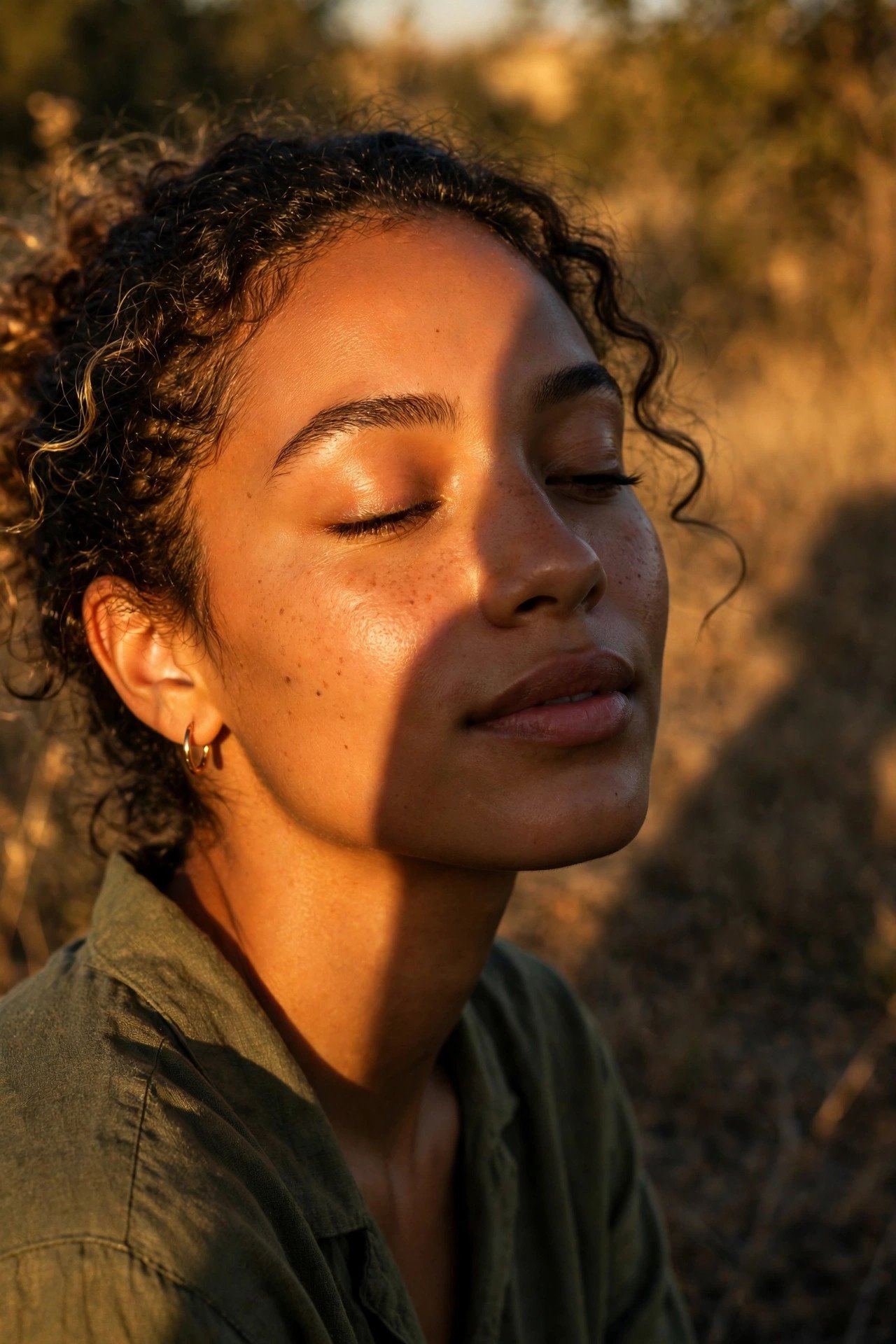
Warm directional sunlight raking across the face at a low angle, long shadow falling to one side, honey-toned skin, magic-hour glow.
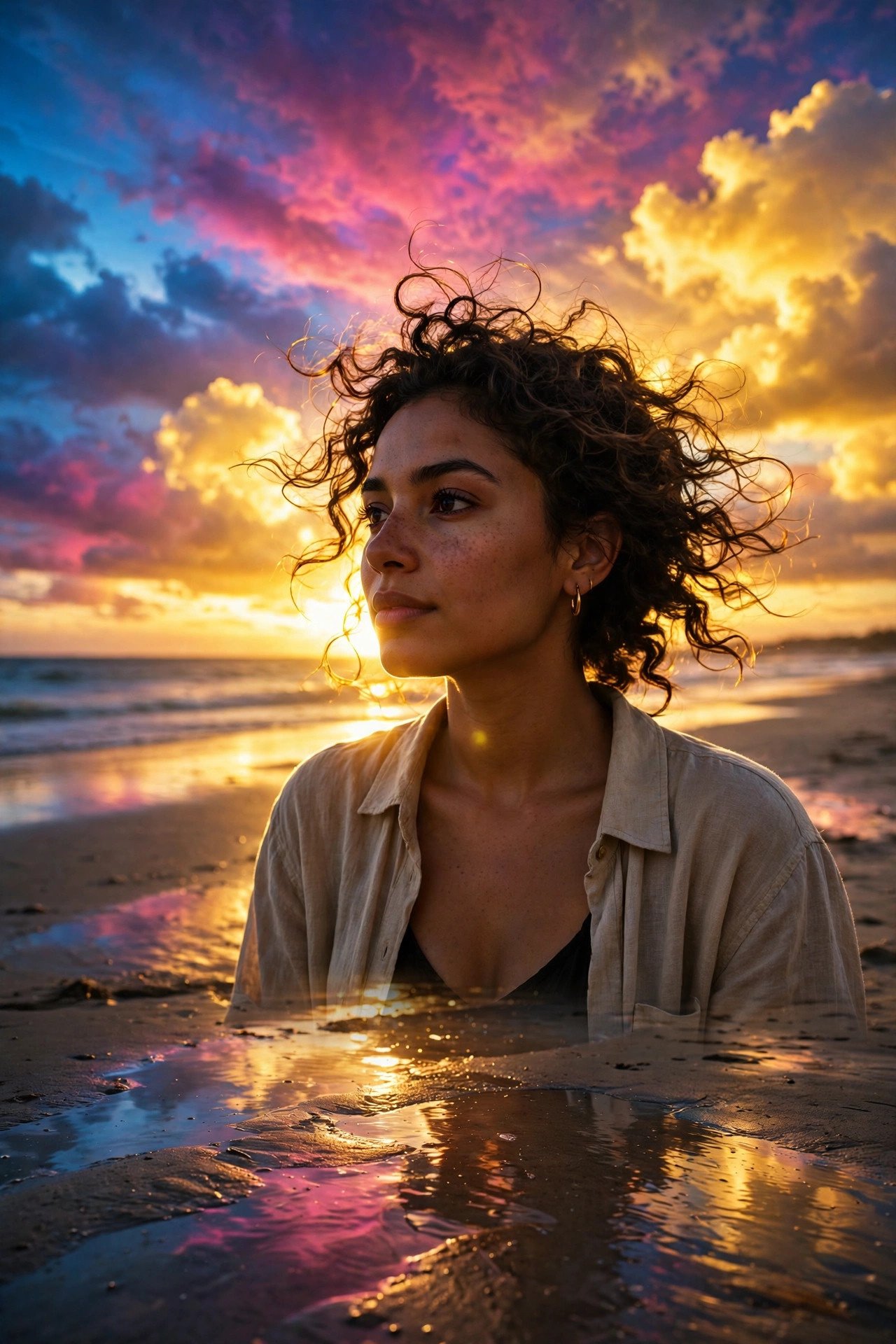
Backlit beach portrait at sunset, sky exploding into gold, magenta and electric blue, warm reflected light bouncing off wet sand.
Blue Hour and Twilight Prompts
Blue hour hits right before sunrise or right after sunset, when the sky still holds deep blue but the sun is gone. It’s the fastest way to make an image feel quiet, cool, and a little cinematic without touching a single warm tone.
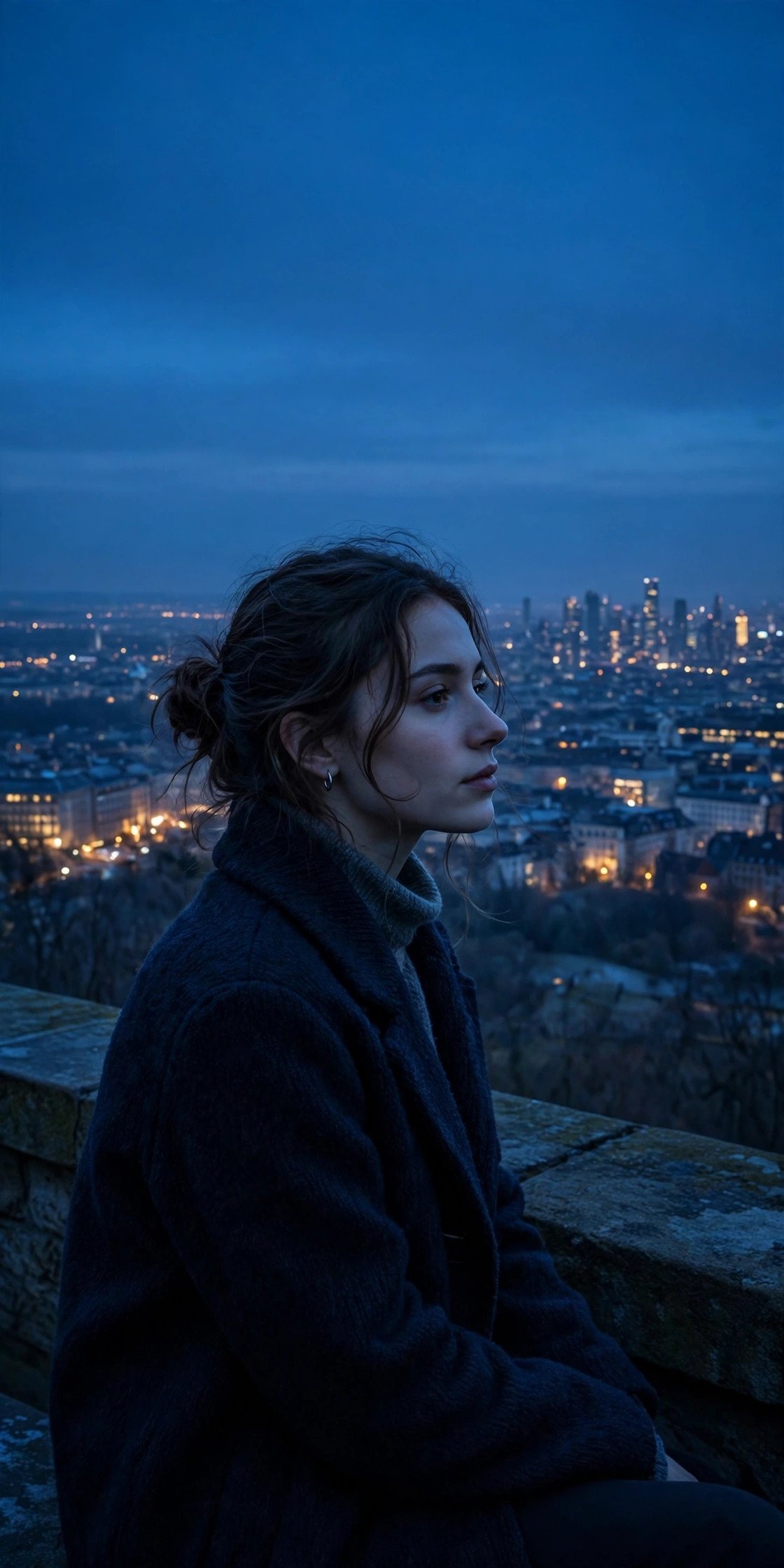
Deep blue-hour twilight sky, cool ambient light on the subject, distant city lights just beginning to glow, contemplative and still.
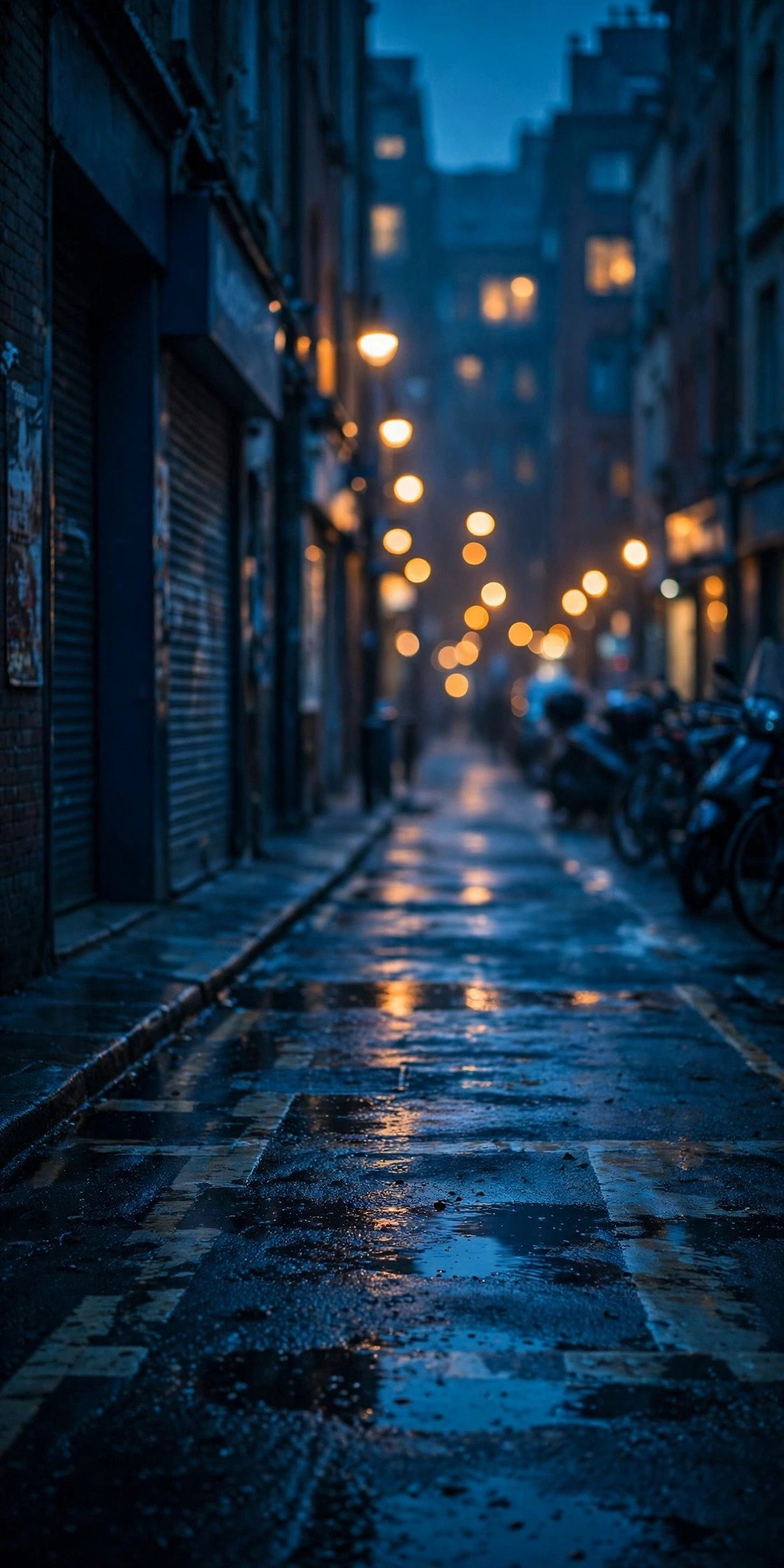
Cool blue dusk light as the primary source, warm out-of-focus streetlights in the background creating contrast, moody urban feel.
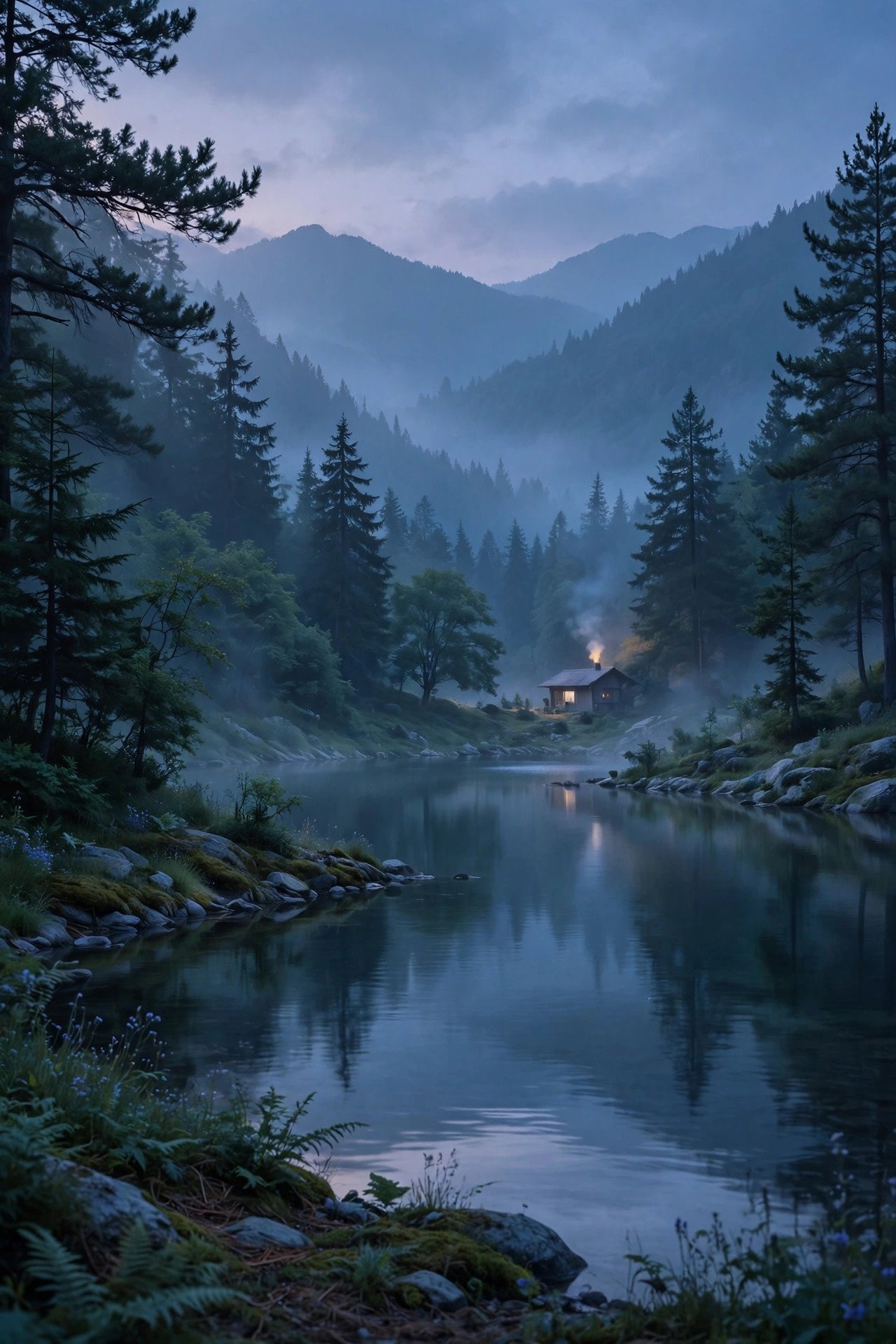
Twilight lighting, cool tones throughout, soft and serene, dusk settling over the scene, quiet evening ambiance.
Neon and Cyberpunk Lighting Prompts
Neon lighting reads as futuristic the instant you mention color-mixing — pink and cyan light hitting the same surface from opposite sides is the whole trick. One clean color reads as a sign. Two colliding colors reads as a scene.
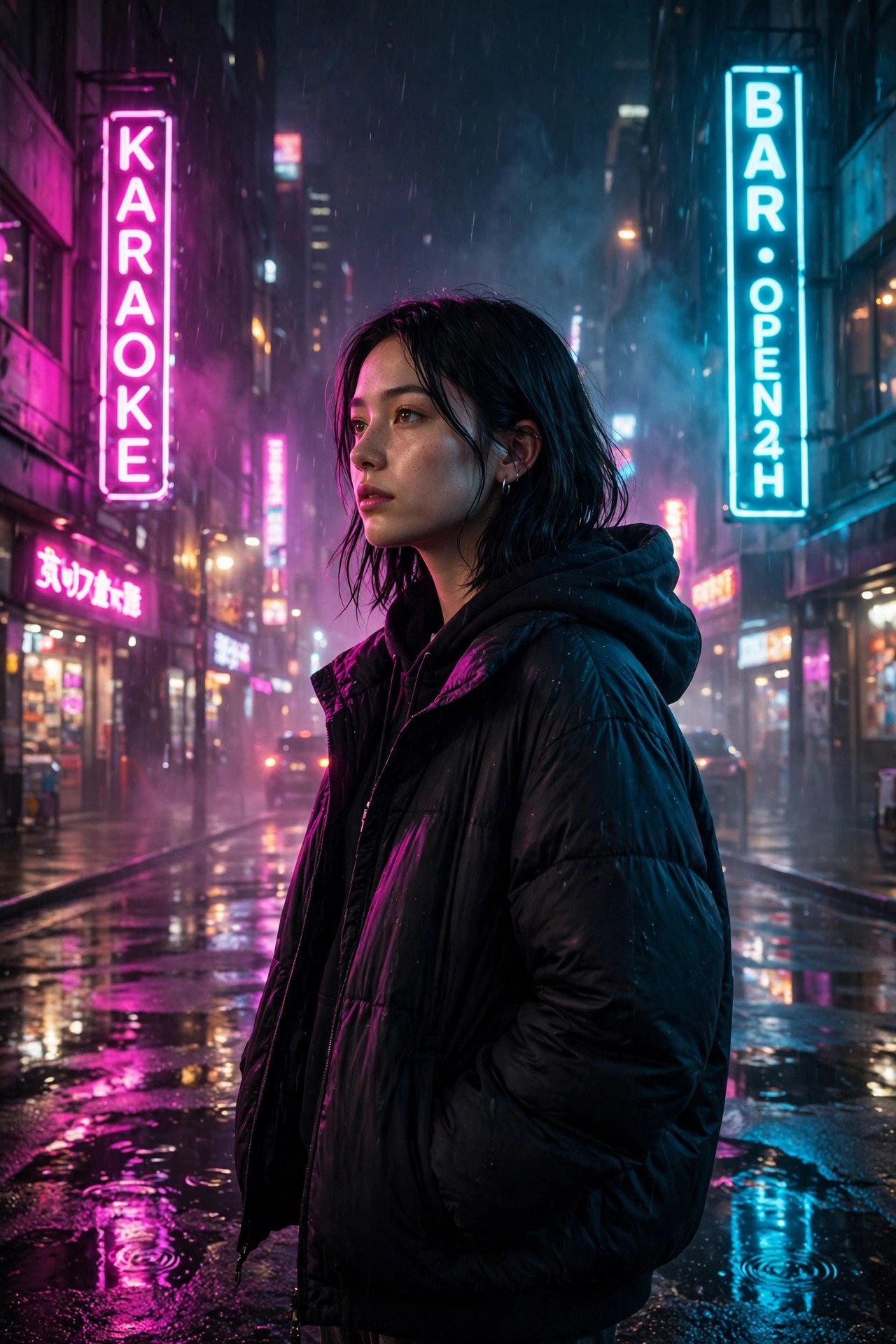
Magenta and cyan neon signs lighting the subject from both sides, wet pavement reflecting color below, night city background, cinematic haze.
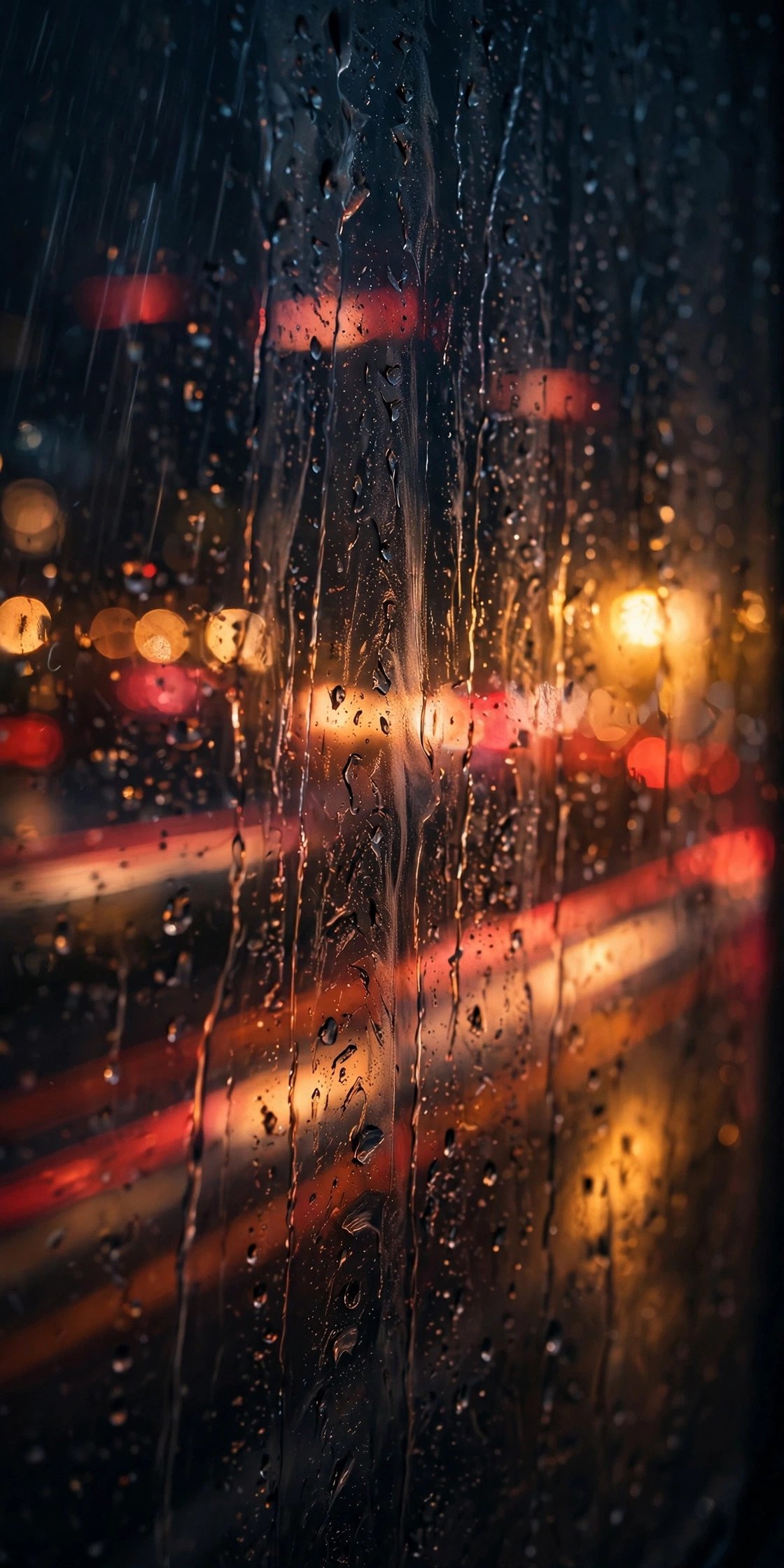
Close-up through a rain-streaked window, city lights blurring into red and amber bokeh streaks outside, low moody light from passing streetlamps.

Retro arcade neon glow, purple and teal light mixing on skin, dark background, subtle film grain, synthwave color grade.

Vibrant cyberpunk street scene, neon signage in saturated pink and blue, reflective wet ground, futuristic urban nightlife energy.

Strobe-lit club interior, high-energy flashes of color across the crowd, dynamic motion blur, vibrant party atmosphere.
If you want to see this style already built out with full face-preservation instructions, prompttick’s Rain, Silence & Neon Lights prompt is a solid reference point. This particular look tends to render well as a Midjourney lighting prompt or a Flux lighting prompt, since both handle saturated color mixing cleanly.
Cinematic Chiaroscuro and Shadow Play
Chiaroscuro means one strong light source and everything else in near-total shadow. It’s the fastest way to make an AI image look like a still from a film rather than a snapshot, and it’s one of the most requested cinematic lighting prompts we see.
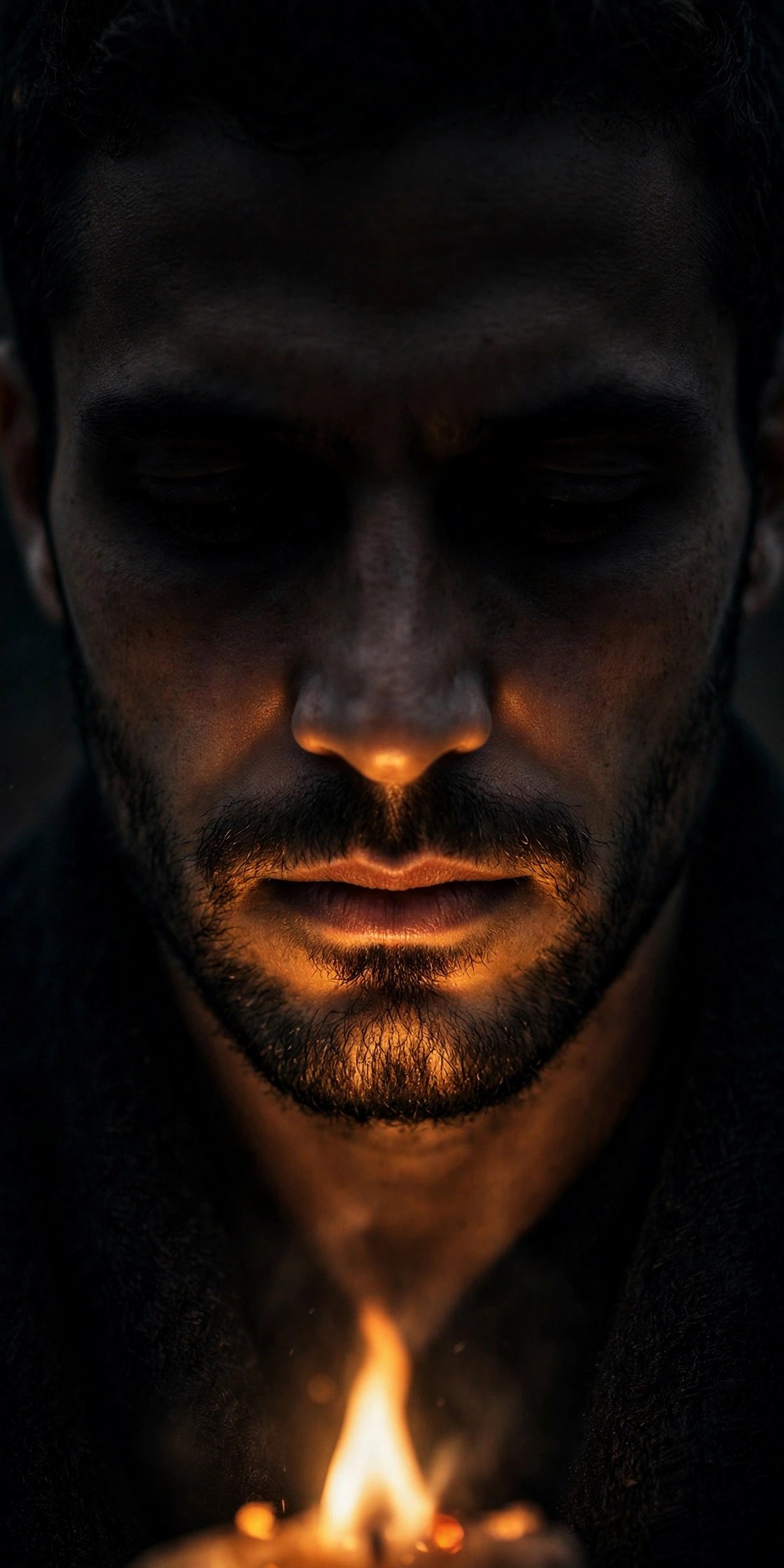
Single warm flame illuminating the lower half of the face, deep dramatic chiaroscuro shadow across the eyes, dark background fading to black, 85mm f/1.4 feel.

Hard directional light from one side only, half the face in near-total shadow, high contrast, moody and quiet, film noir tone.
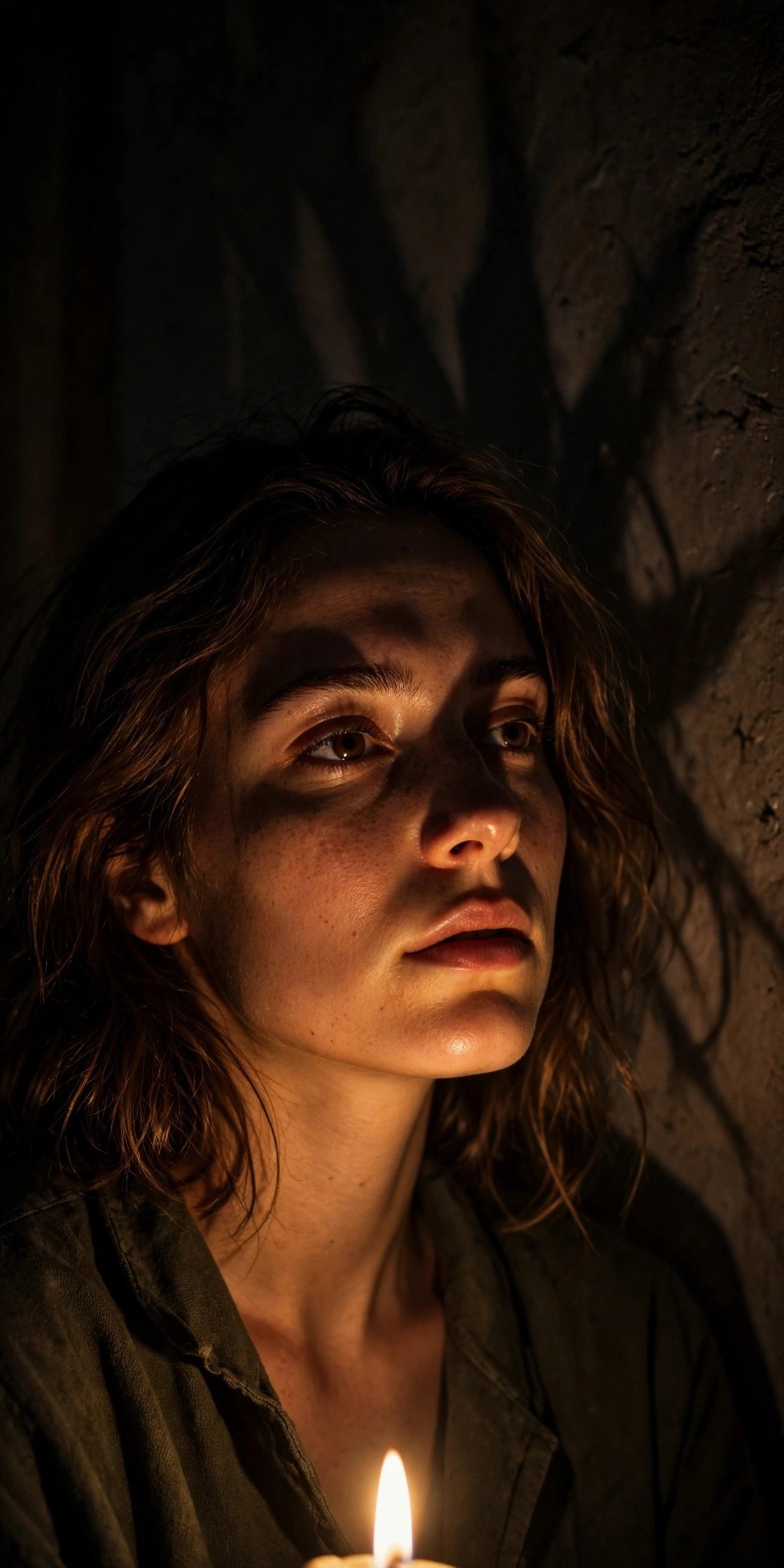
Candlelight from below, shadows thrown upward and exaggerated, warm flicker on skin, dark surrounding room.

Black-and-white film noir portrait, dramatic hard shadows across the face, high contrast lighting, 1940s Hollywood mood.
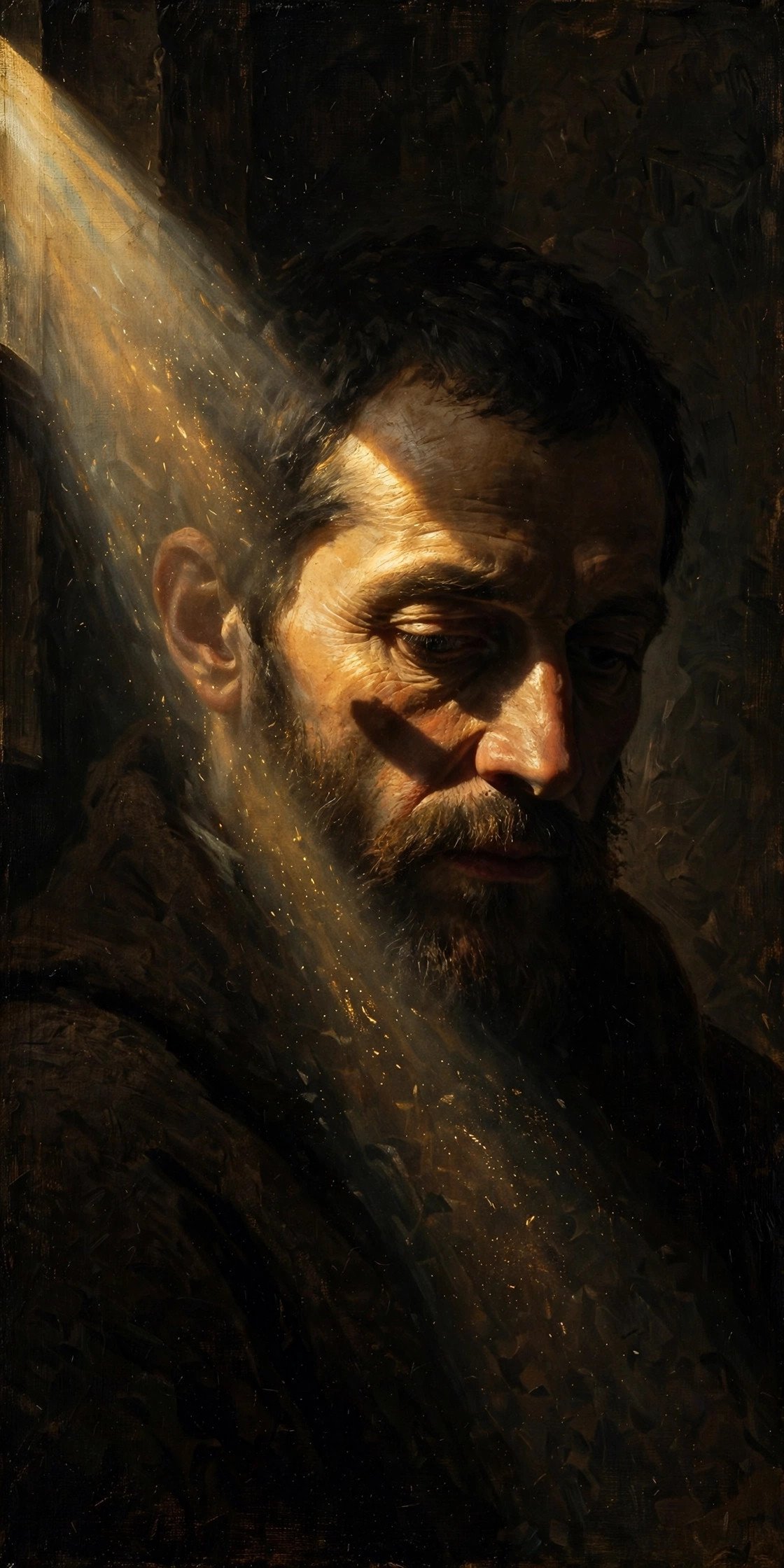
Single beam of window light carving deep Rembrandt-style shadow across one side of the face, rich dark color grade, fine-art painterly quality.
This exact shadow logic is what makes prompttick’s Cinematic Flame of Silence prompt land the way it does — one flame, one shadow, nothing else competing for attention.
Studio Lighting AI Prompts (Portrait Lighting Setups)
Studio lighting terms translate almost perfectly into AI prompts because these are literal, physical setups photographers have used for a century. Name the setup and the model tends to know exactly what you mean — this is where portrait lighting prompts and professional lighting prompts overlap most.

Rembrandt lighting, single light source above and to the side, small triangle of light on the shadowed cheek, dark background, painterly quality.

Butterfly lighting directly above and in front, small shadow under the nose, soft glamour tone, clean studio backdrop, classic Hollywood beauty look.
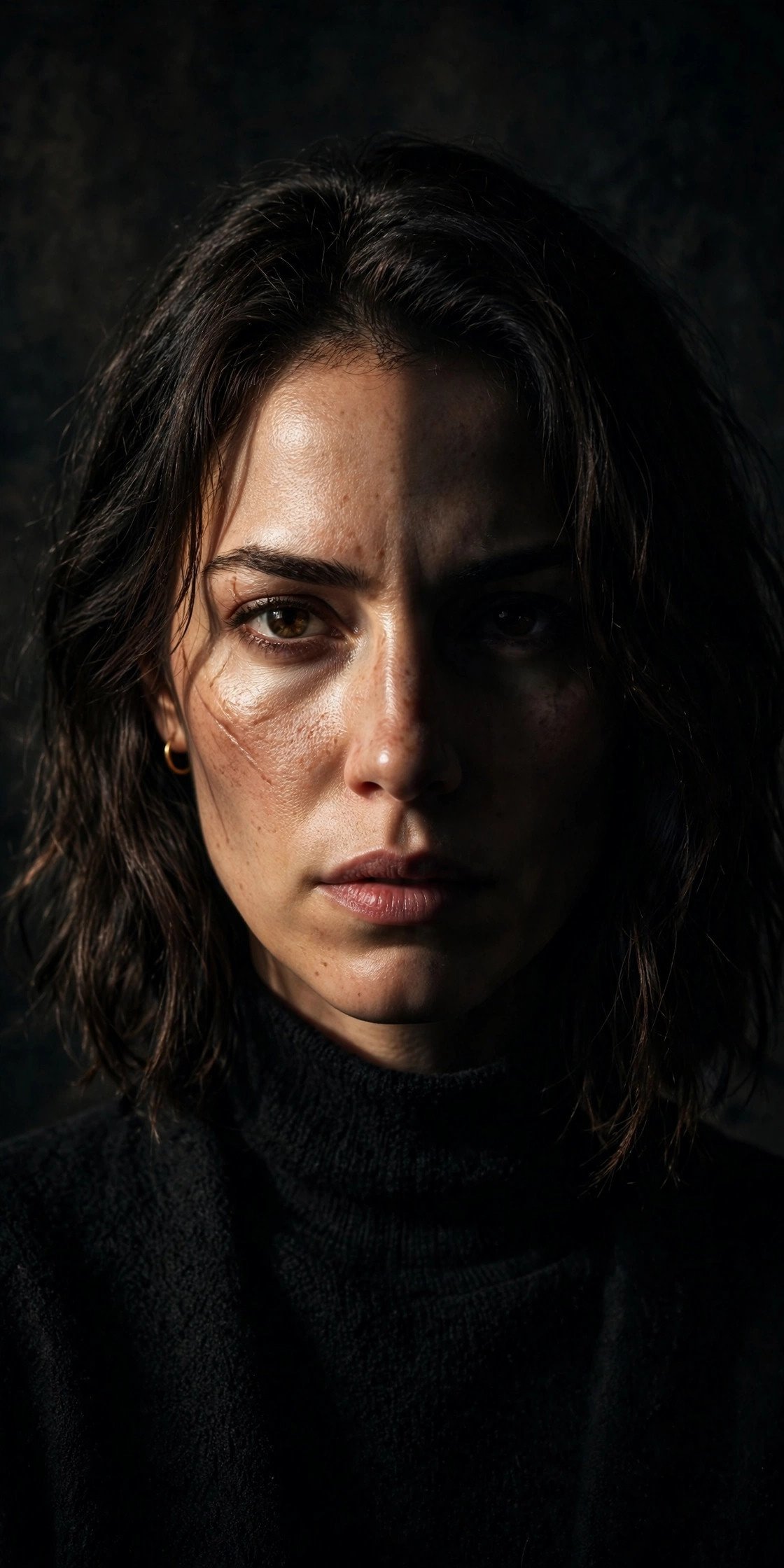
Split lighting, exactly half the face illuminated and half in complete shadow, hard side light, intense and mysterious character portrait.
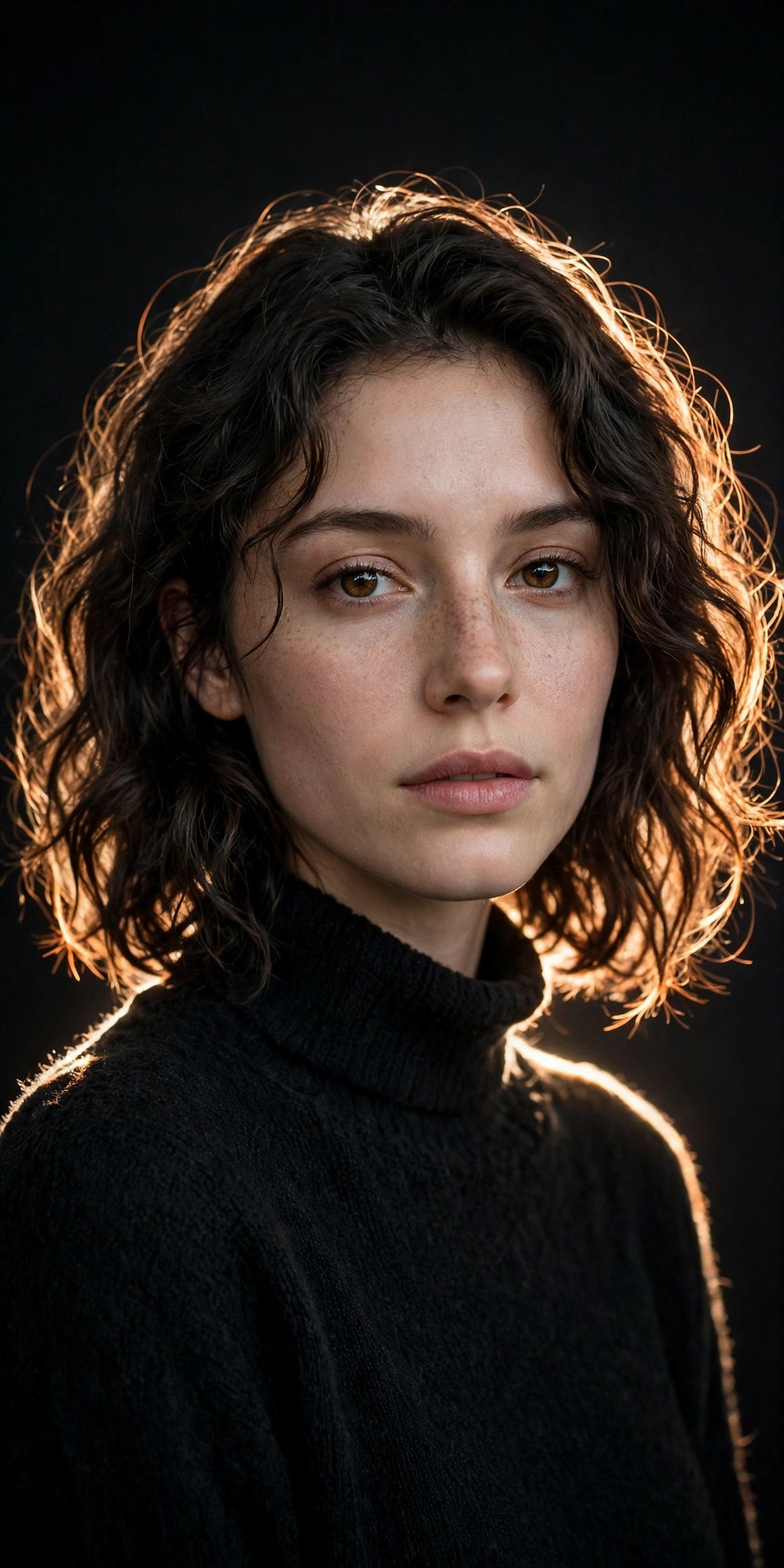
Rim lighting from behind, thin bright outline separating the subject from a dark backdrop, soft key light on the front of the face.

Loop lighting, light source slightly above and to the side, small nose-shadow on the cheek, natural and universally flattering.

Short lighting, the side of the face turned away from camera is lit, creating a slimming, sculpted, dimensional look.
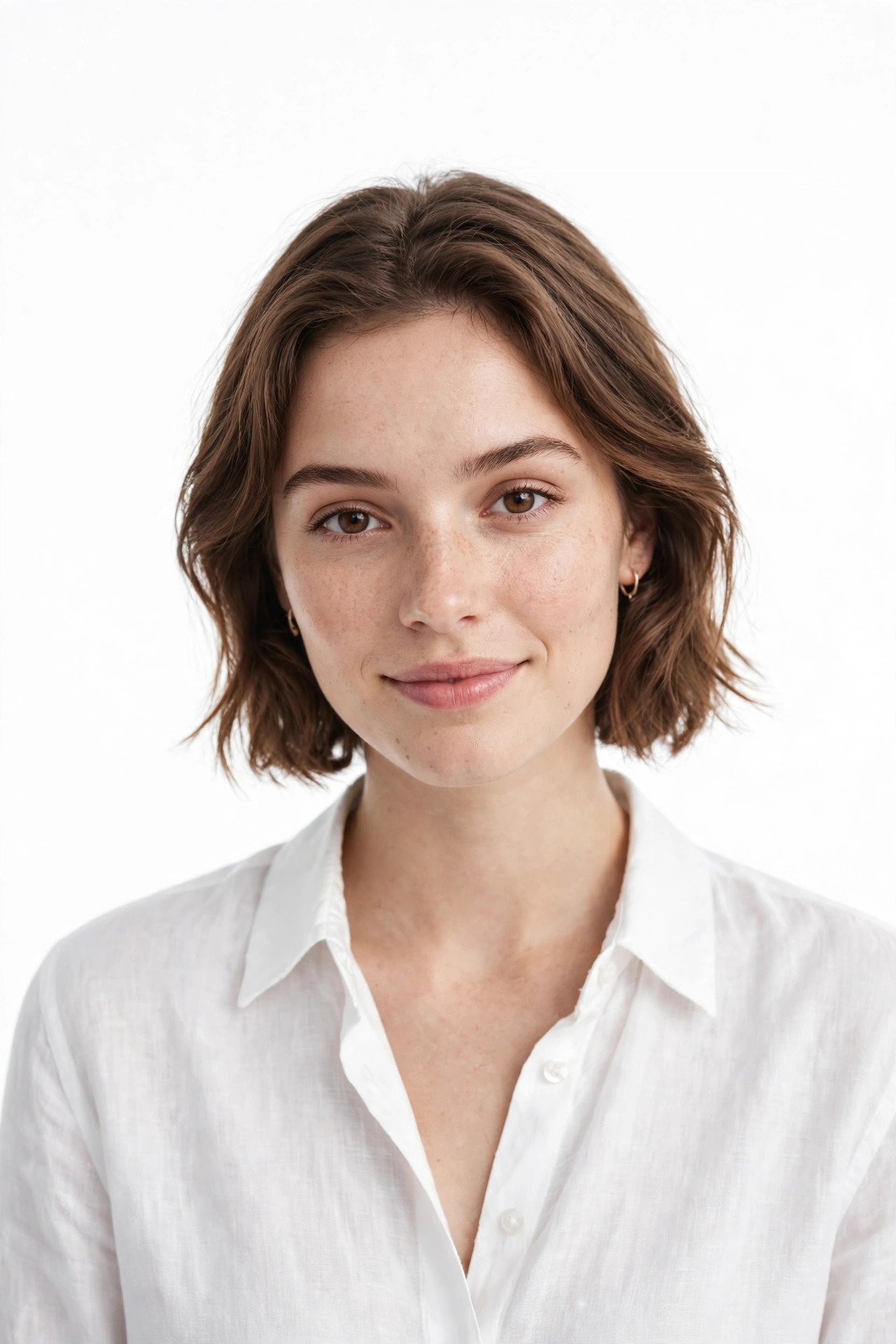
High-key studio lighting, minimal shadows, bright and even, clean commercial portrait style, crisp product photography feel.
Soft Lighting Prompts vs Hard Lighting Prompts
Soft lighting prompts and hard lighting prompts solve two different problems, and knowing which one you actually want saves a lot of trial and error.
The difference comes down to the size of the light source relative to your subject. A big, close, or diffused source (an overcast sky, a large window, a soft box) wraps around the subject and fades shadows gradually. A small, distant, or bare source (midday sun, a bare bulb, a snooted flash) leaves sharp shadow edges and strong contrast. In a prompt, you’re telling the model which of those two physical situations you want.
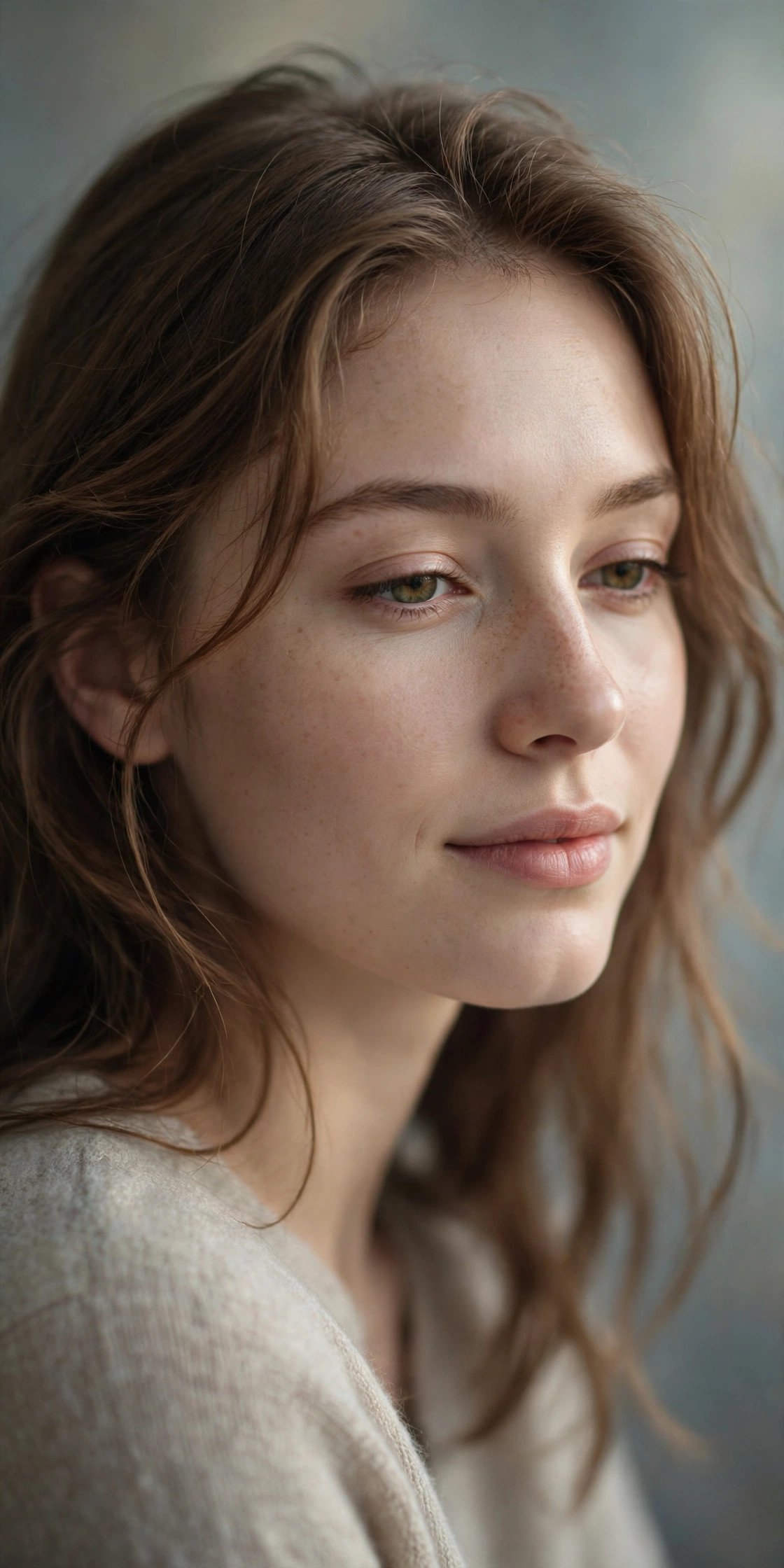
Soft diffused light wrapping evenly around the face, gentle transition from light to shadow, no harsh edges, flattering and calm.

Hard direct light from a single small source, sharp defined shadow edges, high contrast, graphic and bold.
| Soft Light | Hard Light | |
|---|---|---|
| Shadow edges | Gradual, barely visible | Sharp, clearly defined |
| Contrast | Low to medium | High |
| Mood | Calm, flattering, intimate | Bold, graphic, tense |
| Best for | Portraits, lifestyle, skin detail | Street, fashion, dramatic character shots |
| Prompt words | diffused, overcast, large window, soft box, gentle falloff | direct sun, bare bulb, small source, sharp shadow edges, high contrast |
Same subject, two lighting lines. Add either one after your subject description and compare:
Soft: Large window light from the left, diffused through a sheer curtain, gentle gradient into shadow, no defined shadow edges.
Hard: Small direct light from the left, sharp shadow edges falling across the face and wall, high contrast.
Only the light changes. The direction (from the left) stays the same, so any difference you see comes from the quality of the light.
If your image looks flat, push toward hard light. If it looks harsh or unflattering, push toward soft. Changing only that one word group is the fastest way to see what the model is doing with your prompt.
Window Light and Soft Interior Prompts
Window light is the most accessible natural lighting prompt there is, and it’s forgiving because the gradient from light to shadow is naturally soft.
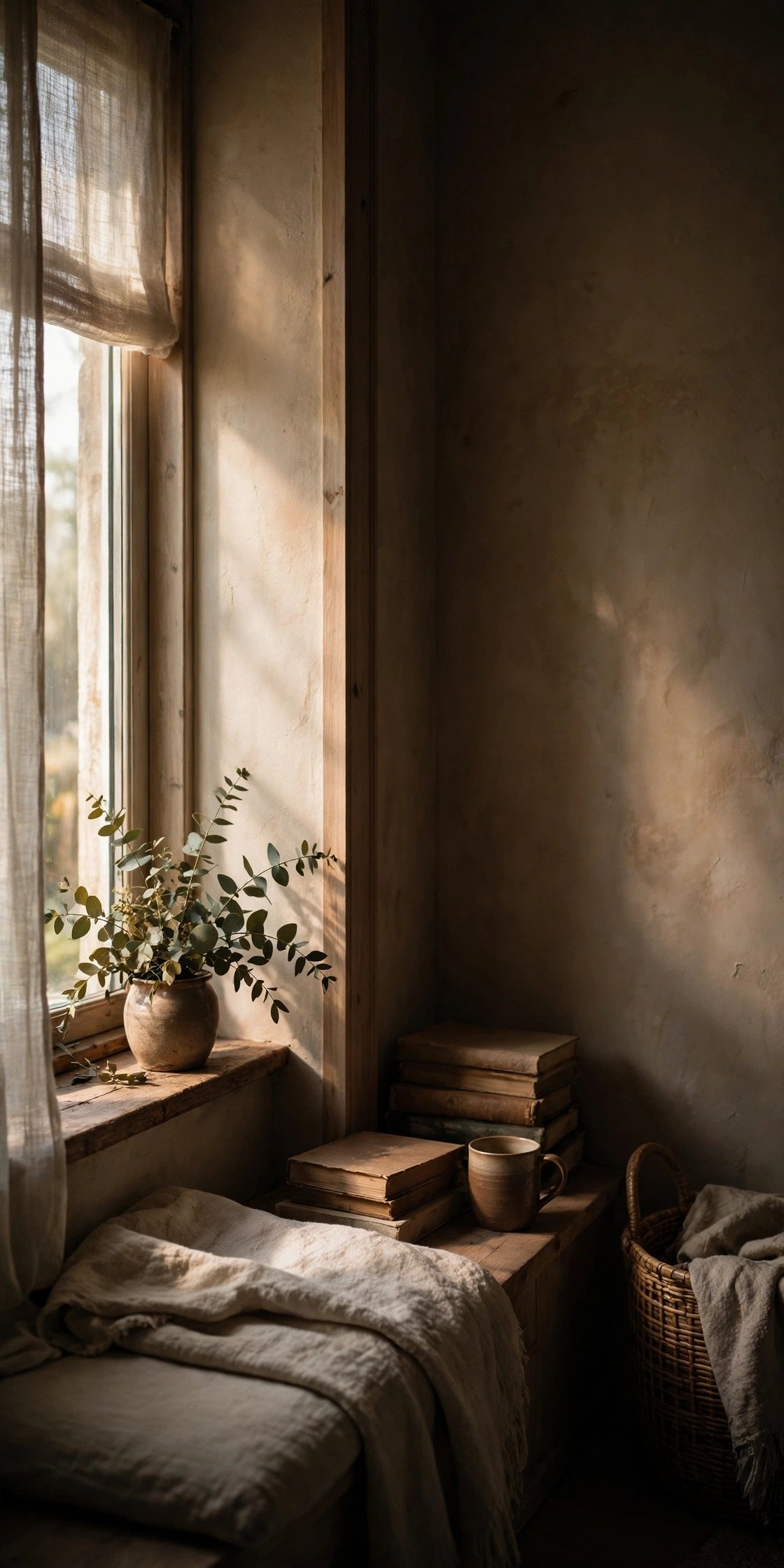
Soft window light falling from one side, gentle gradient from light into shadow, warm intimate interior mood, natural and unforced.

Diffused morning light through a sheer curtain, minimal shadow, high-key luminous skin, dreamy minimalist lifestyle feel.

Natural window light, soft and even, cozy indoor setting, homely and inviting atmosphere, gentle warmth on the skin.
Overcast, Fog and Diffused Light
Not every strong image needs drama. Sometimes flat, diffused light does more emotional work than anything dramatic — overcast skies and fog scatter light evenly, which reads as quiet, still, or a little melancholy.

Overcast diffused daylight, no harsh shadows, cool grey tone, quiet and still mood, documentary photography feel.

Thick fog rolling through the scene, light scattered and soft, muted color palette, distant shapes barely visible.
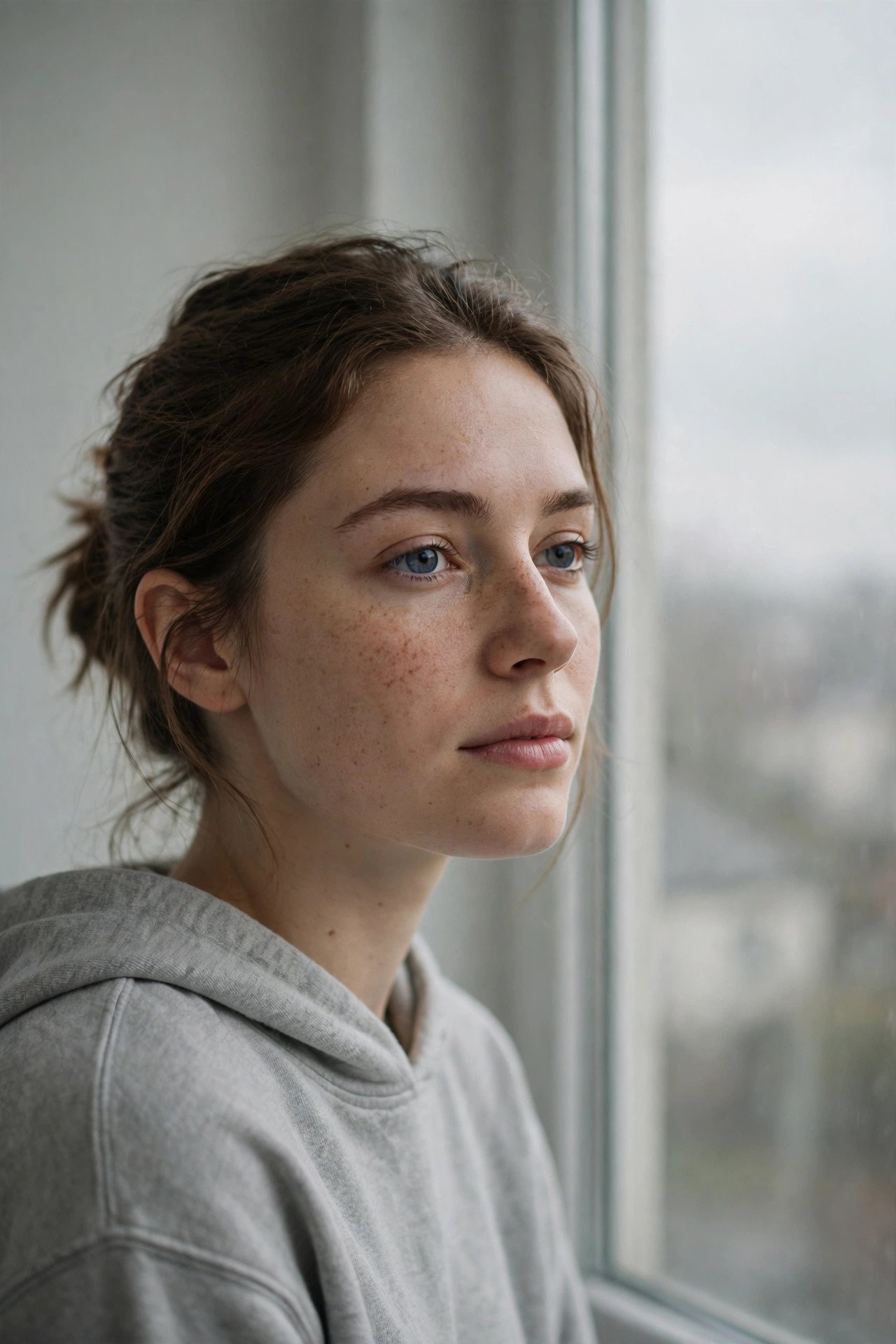
Soft grey window light on an overcast morning, minimal contrast, calm and unremarkable, natural skin tone.
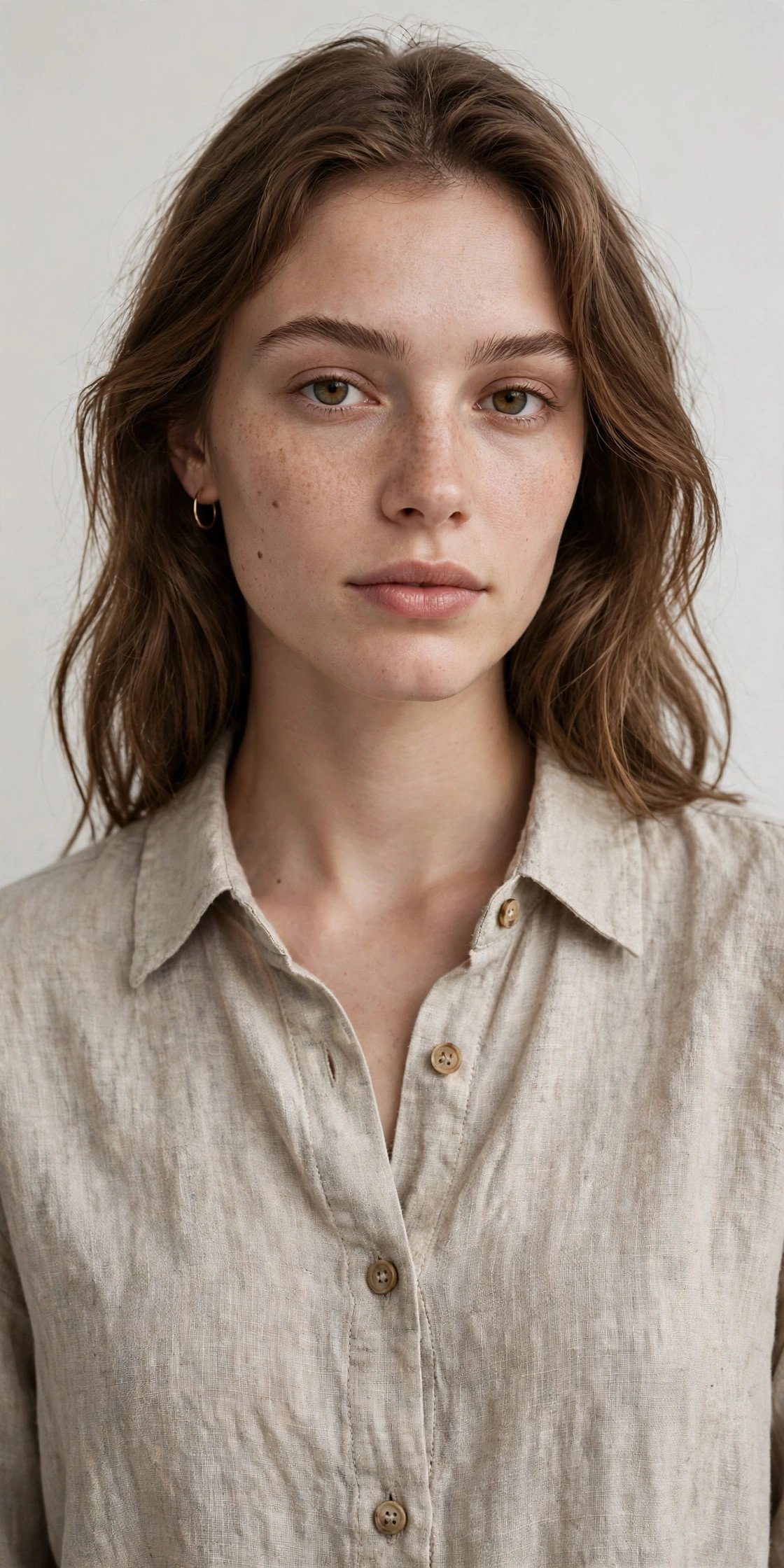
Shadowless overcast lighting revealing maximum fabric and skin detail, neutral white balance, clean catalog-style realism.
For a deeper technical breakdown of why diffused light behaves this way in AI models, Artlist’s lighting guide is worth a look.
Harsh Midday Sun and Gritty Light
Direct overhead sun is usually the light photographers avoid — but in AI prompts it’s a fast way to get a raw, documentary, unpolished feel when that’s the goal.
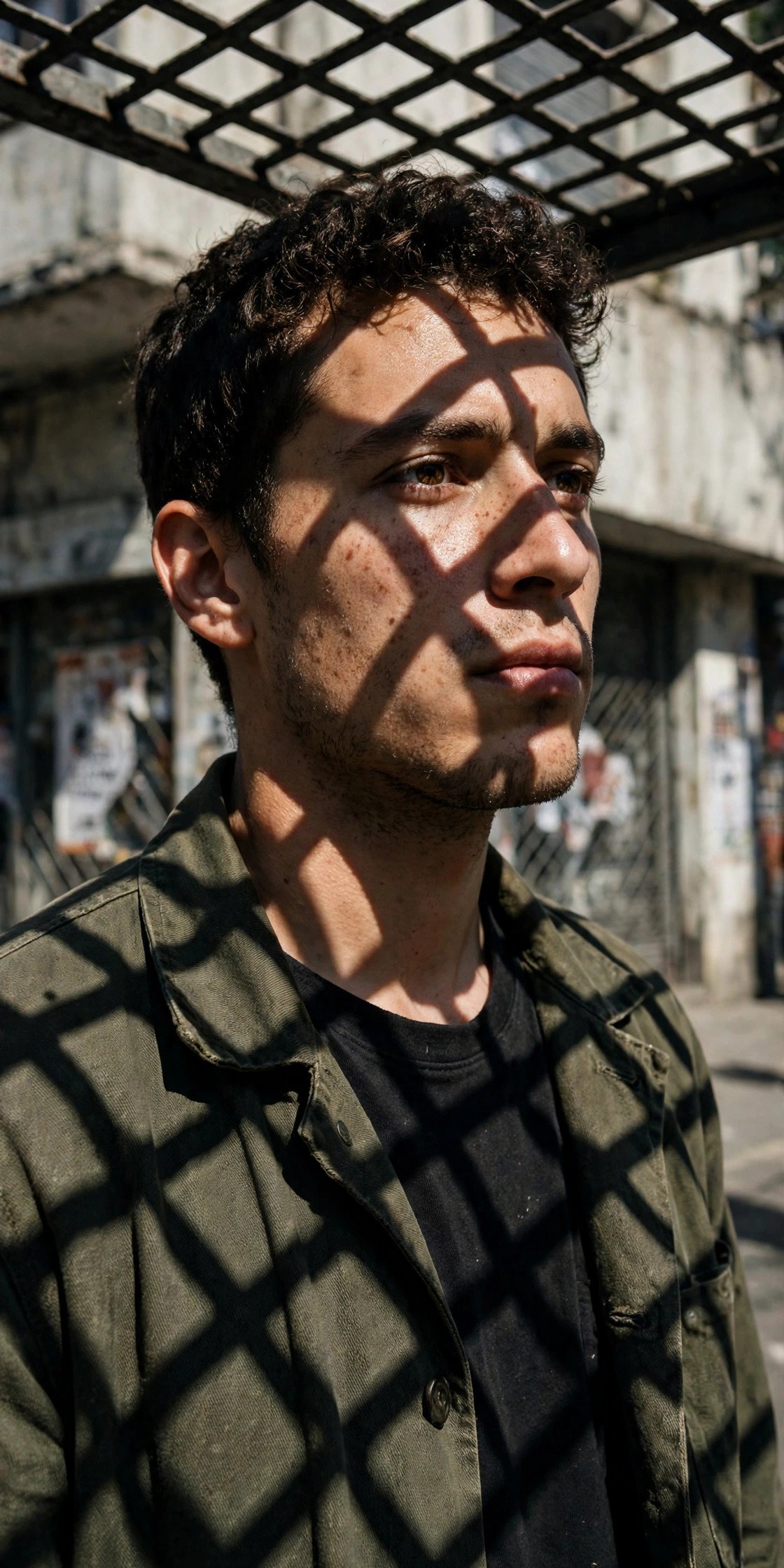
Harsh direct midday sunlight, hard geometric shadows across the face and clothing, high contrast, raw unfiltered street-photography style.
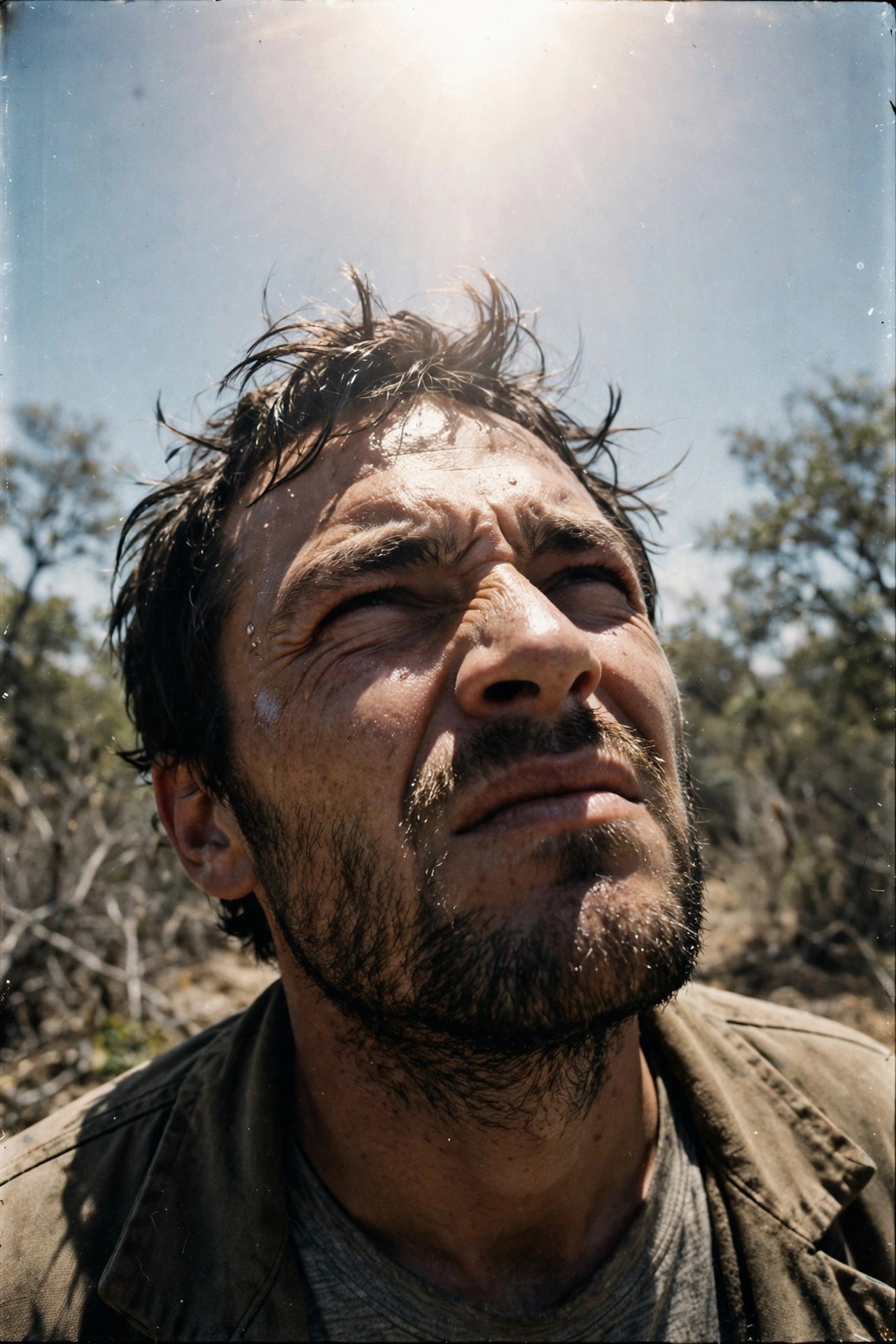
Squinting into bright overhead sun, strong shadow under the brow, gritty and unposed, 35mm film-grain texture.

Industrial harsh lighting, direct and unforgiving, mechanical urban backdrop, stripped-down raw aesthetic.
 Read nextPromptTick AI Photo Editing Benchmark: Gemini vs ChatGPT (Edition 1)10 min read
Firelight, Moonlight and Ambient Glow
Small, flickering, or naturally dim light sources bring a different kind of intimacy than anything artificial — they’re inconsistent by nature, and that inconsistency is what sells the realism.
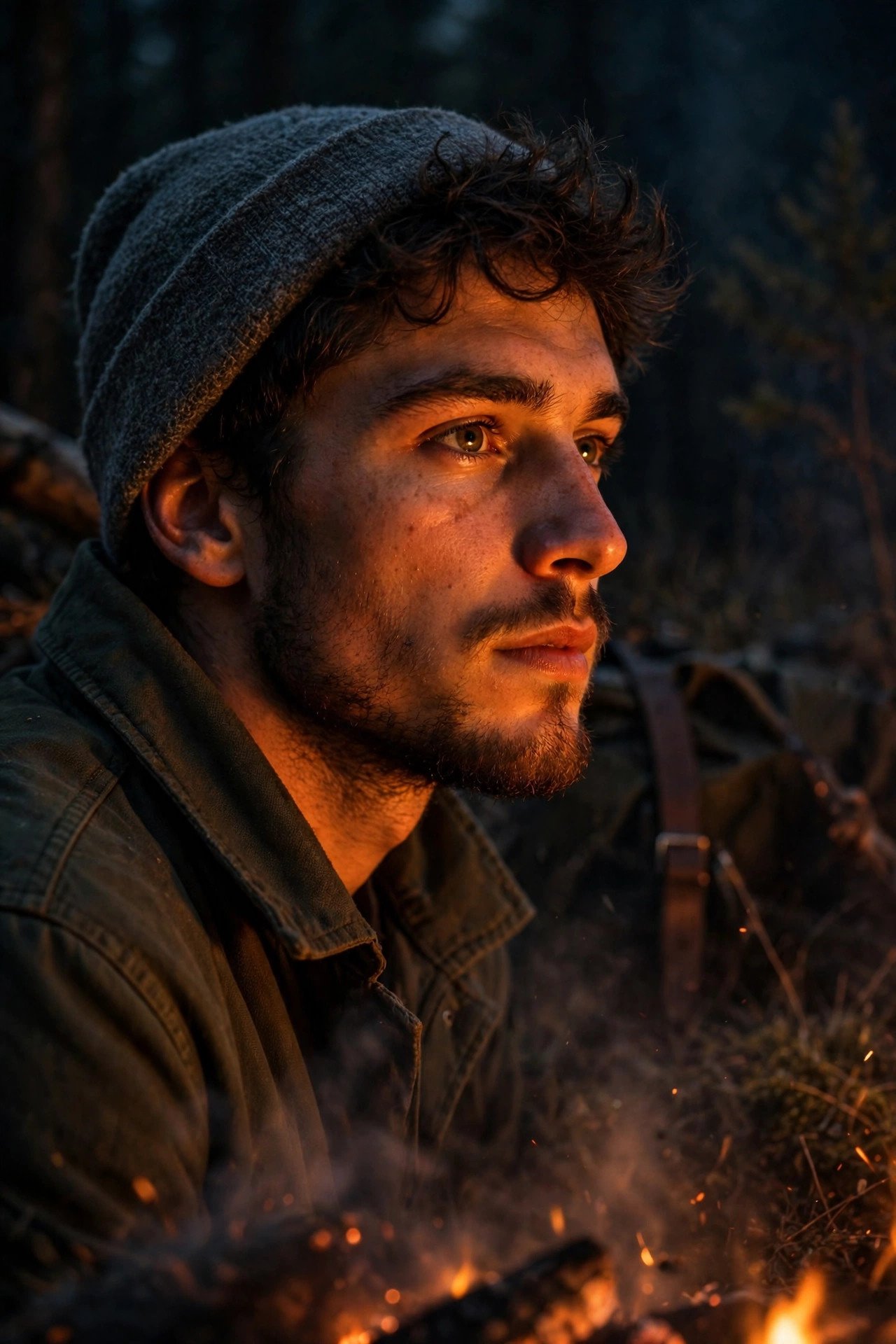
Warm flickering firelight from a campfire, orange glow on the face, dark rustic outdoor setting, adventurous evening mood.
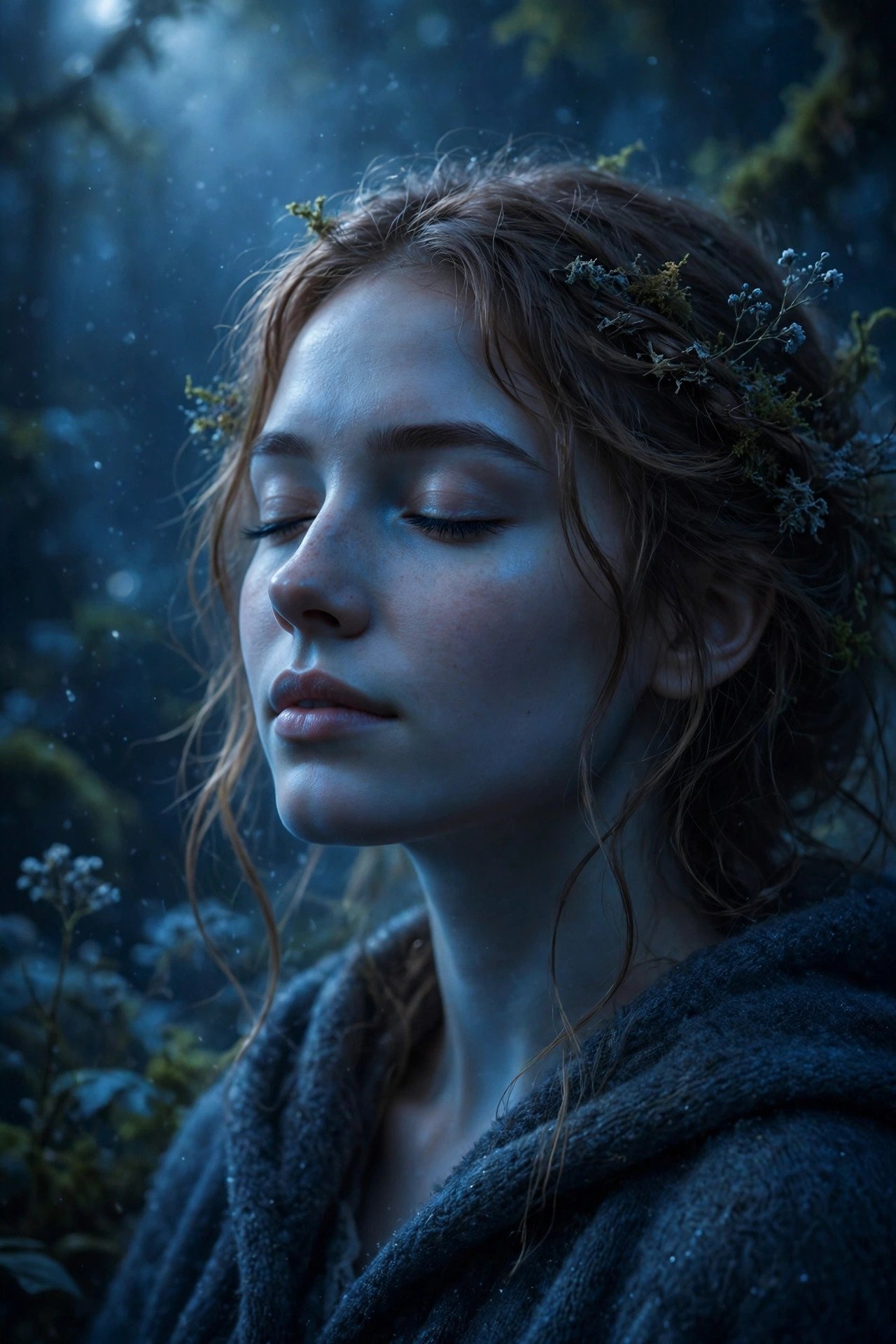
Cool soft moonlight, mystical and serene, night-time stillness, subtle blue tone across the skin.

Single streetlamp overhead, moody pool of light in an otherwise dark urban alley, gritty film-noir night atmosphere.
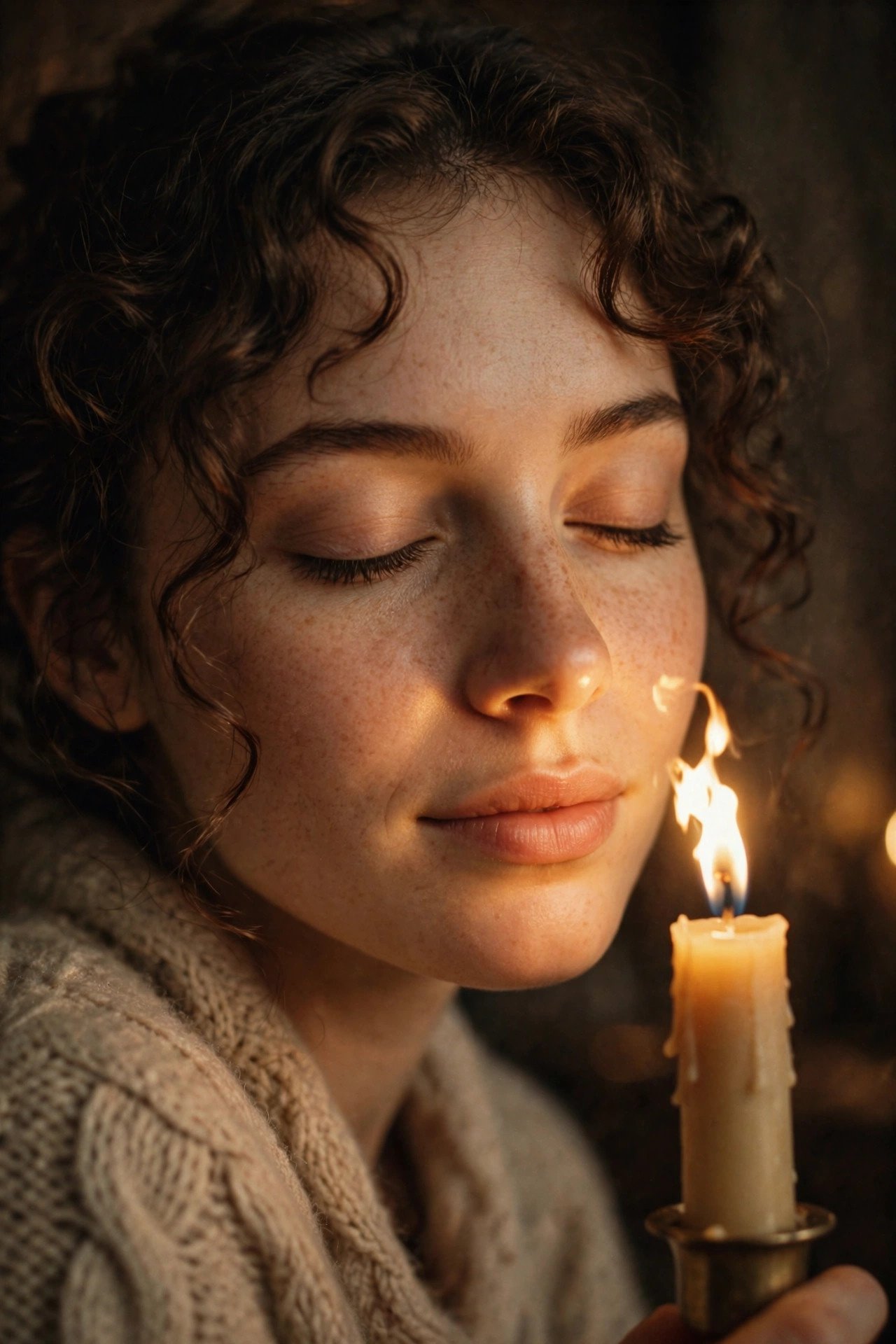
Warm candlelight close to the face, gentle flicker, intimate and cozy, soft vintage color tone.

Twinkling fairy lights scattered through the background, soft warm bokeh dots, magical and festive close-up mood.
Editorial Color-Grade and Stylized Light Prompts
Once the light itself is set, color grading is what pushes a prompt from “nice photo” toward “magazine cover.” These lean on grading language layered on top of a light source you’ve already named.
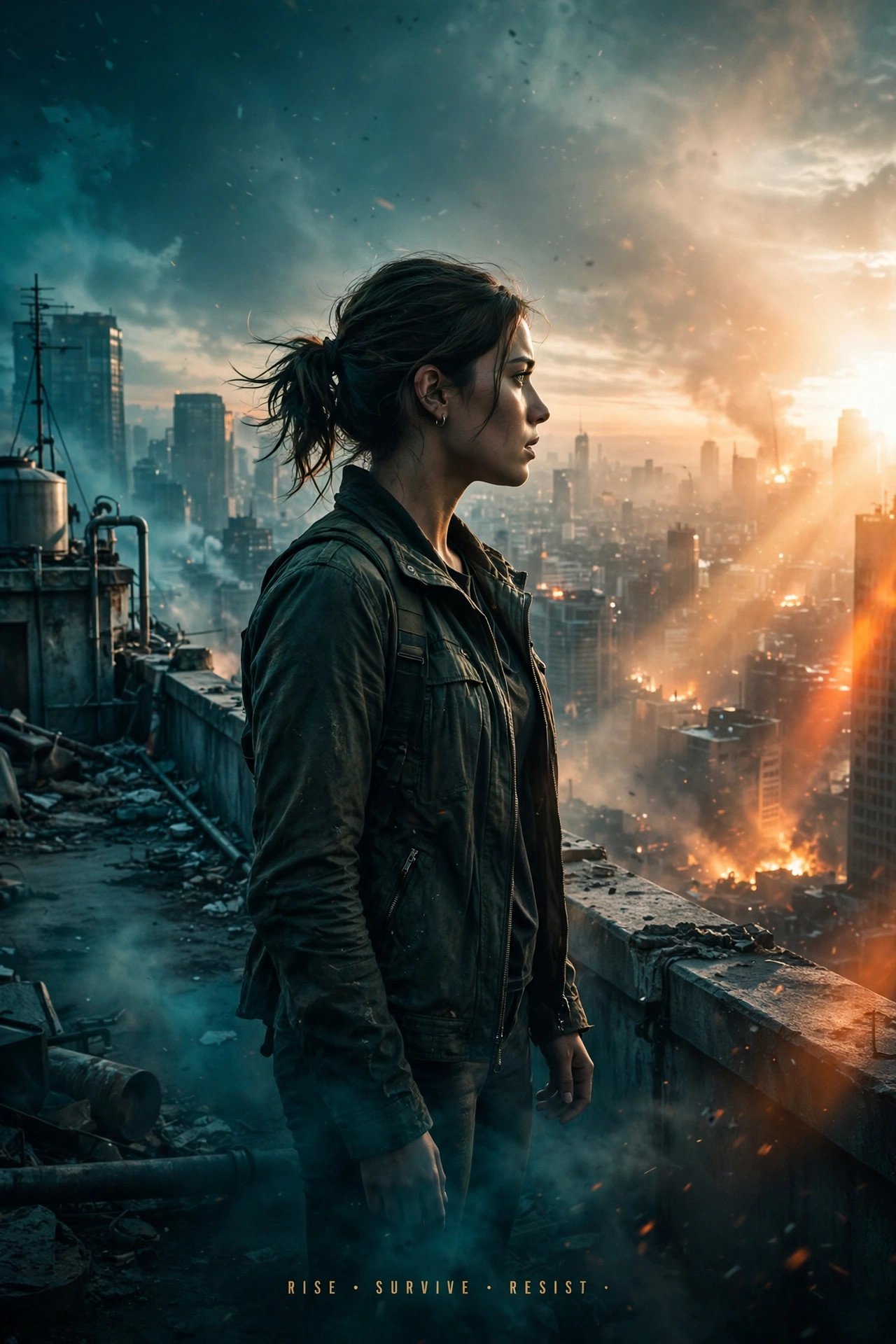
Cinematic teal-and-orange color grade over bright directional natural light, deep teal shadows, glowing orange highlights, blockbuster movie-poster feel.
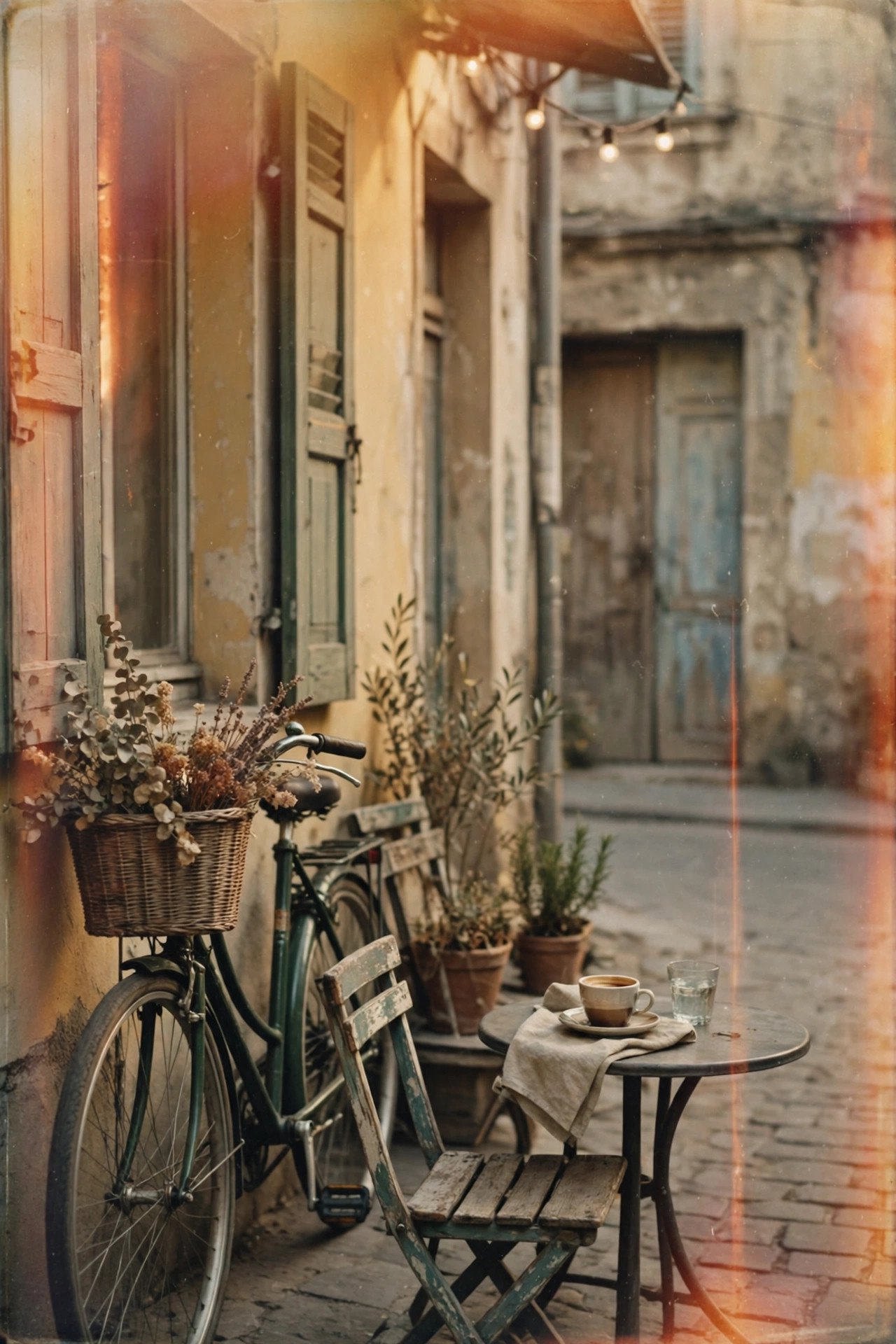
Warm desaturated vintage film tone, visible 35mm grain and subtle light leaks, soft nostalgic glow across the frame.
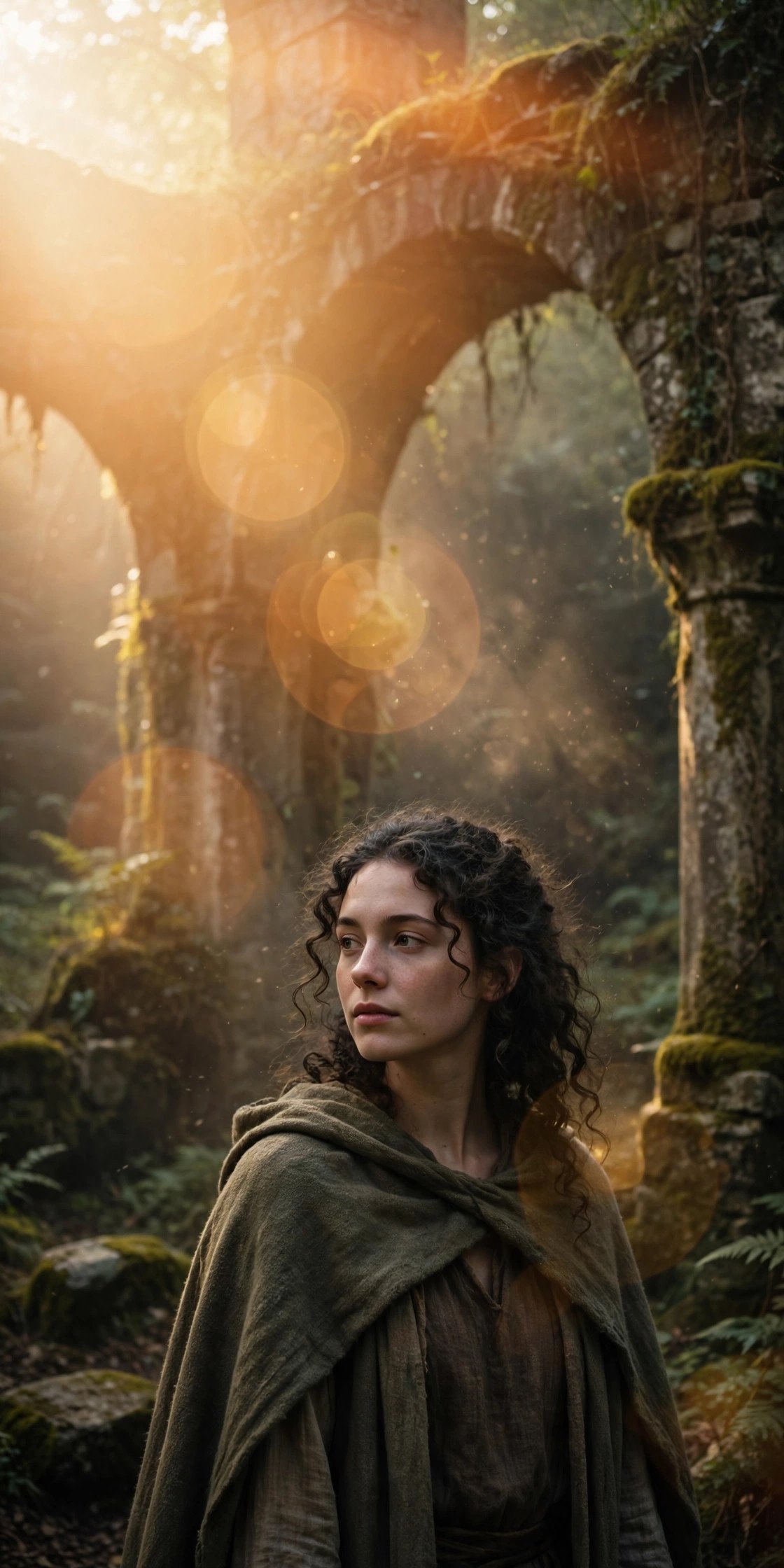
Large warm lens flare washing subtly across part of the frame from direct sunlight, mysterious and artistic, subject still clearly visible.
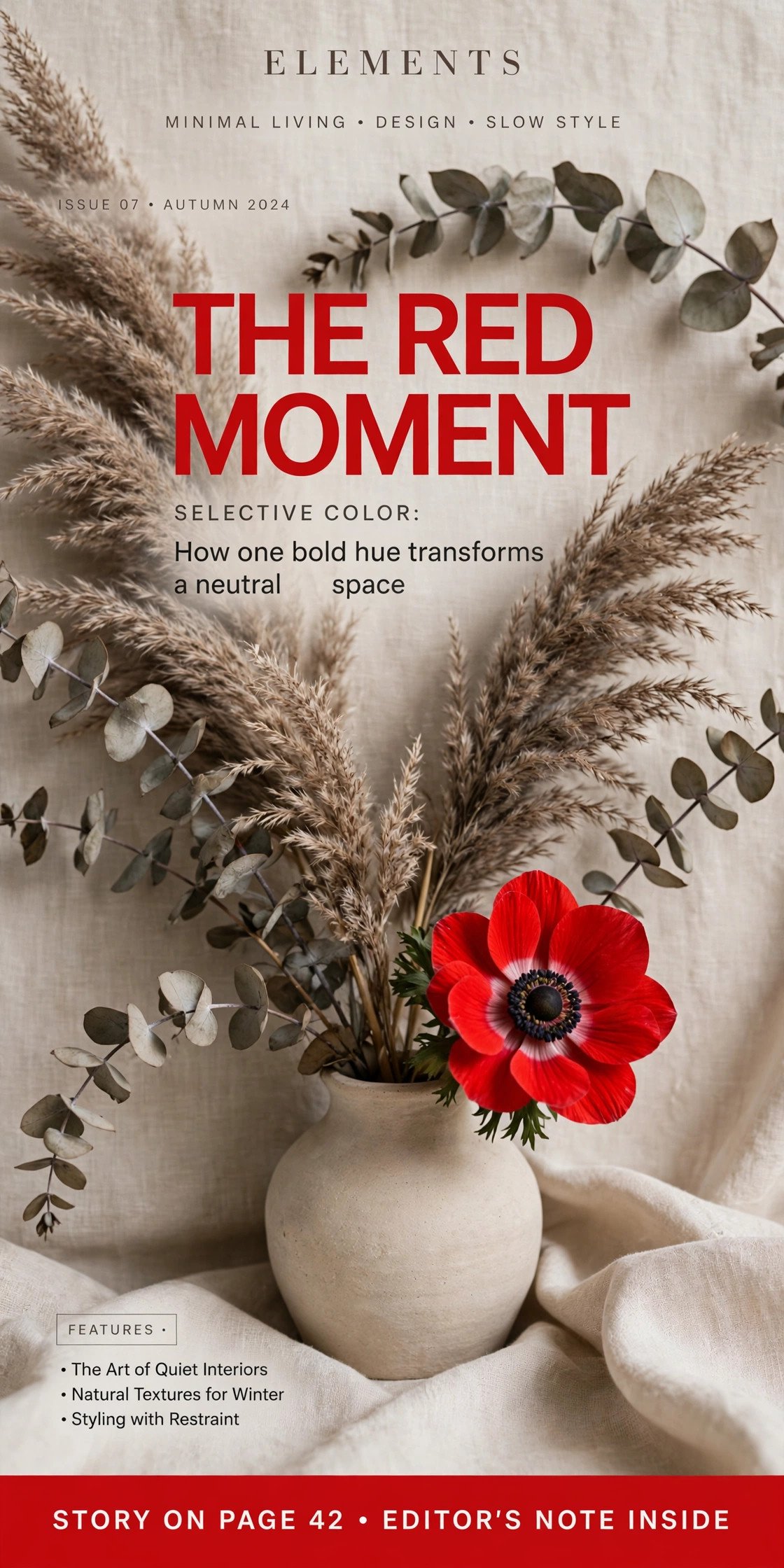
Selective color pop — one saturated accent color against an otherwise natural, neutral palette — clean graphic magazine-cover aesthetic.
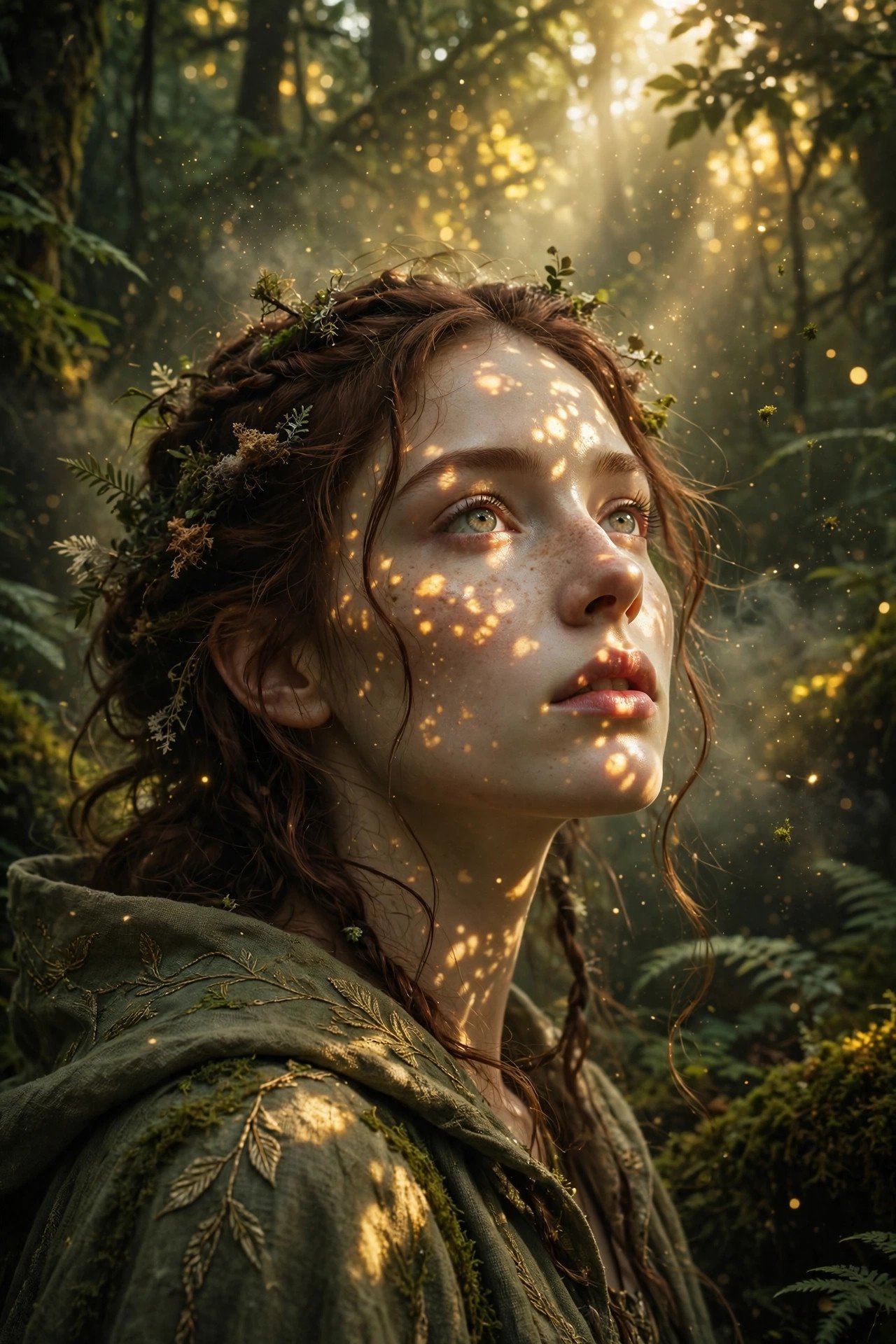
Sunlight filtering through a dense forest canopy, dappled highlights across the face, warm golden grade on the light patches, mystical fantasy-editorial mood.
Lighting Prompts Beyond Portraits: Landscape, Product, Architecture and Interiors
Most lighting prompts are written for faces, but the same logic applies to anything you can photograph. The difference is what the light has to do. On a landscape it carves depth, on a product it defines shape, on a building it separates structure from sky, and in a room it tells you what time of day it is. Name the source, the direction and the quality, and add one complementary detail rather than a second competing light. Like the prompts above, these are lighting layers, so add your subject first.
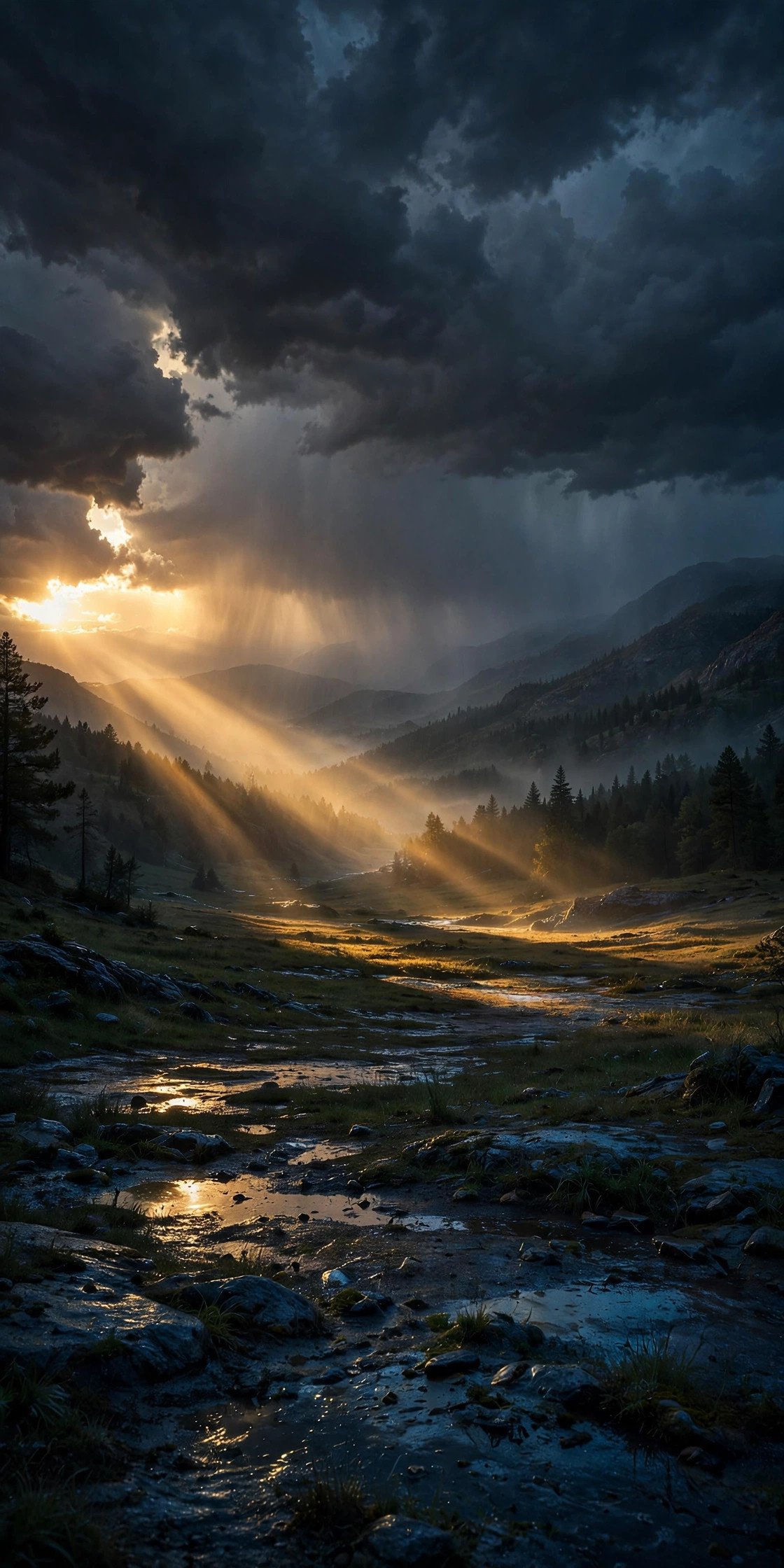
Low evening sun breaking through a gap in heavy storm clouds from the left, hard golden shafts of light crossing the valley, dark moody sky above, cool blue shadows in the foreground, wet ground catching the highlights.

Large soft box above and slightly in front of the product, creating a smooth gradient across the surface, a thin hard rim light from behind to define the edges, subtle reflection on a glossy dark surface, neutral white balance, clean studio backdrop.

Building shot at blue hour, cool deep-blue sky as the ambient light, warm interior lights glowing through the windows, soft light grazing the facade from one side, long clean reflections in the glass, calm and still atmosphere.
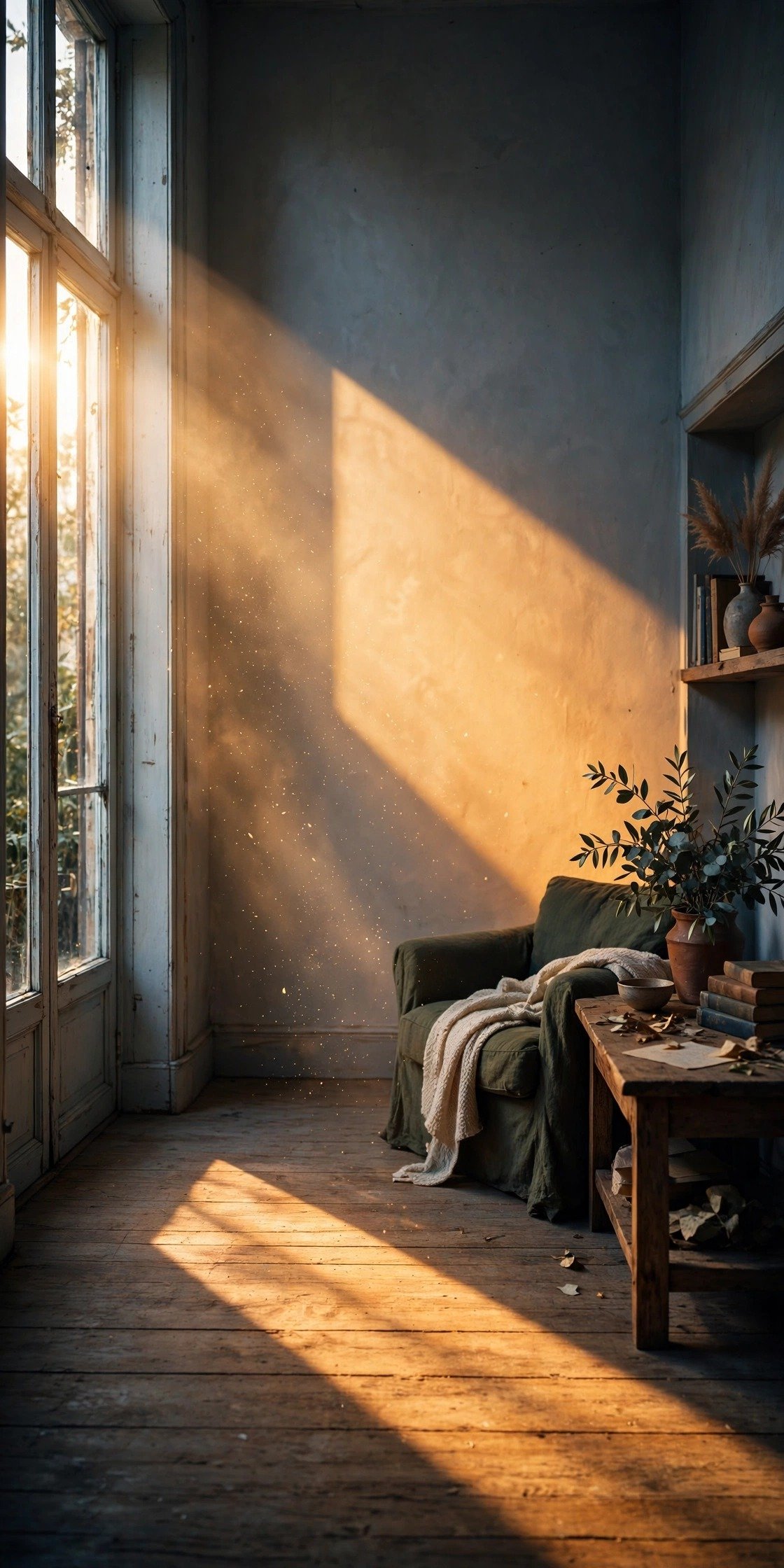
Late-afternoon sun entering through a tall window on the left, a bright slanted patch of warm light across the floor and far wall, soft bounced fill light in the shadows, warm honey tones against cooler corners, dust faintly visible in the beam.
If a prompt stops looking directed, check that you’ve named exactly one main light and where it’s coming from. Everything else should support it.
Negative Prompts for Better Lighting
A negative prompt tells the model what to avoid, and lighting is one of the places it earns its keep — especially in Stable Diffusion, which has a dedicated negative field, and Midjourney, which uses the --no parameter. Standard Flux doesn’t natively support negative prompts, so phrase exclusions positively — describe what you do want instead of what you don’t. Add these when your results are coming out muddy, blown out, or flat: flat lighting, overexposed, underexposed, washed out, muddy shadows, double shadows, low contrast, bad reflections. You don’t need all eight every time. Pick the two or three that match the specific problem you’re seeing — overexposed and washed out for a blown-out sky, muddy shadows and low contrast for a portrait that isn’t popping.
Using Flux? Flip each one into what you do want: “even, balanced exposure” instead of “overexposed,” “rich contrast and deep blacks” instead of “washed out,” “clean, defined shadows” instead of “muddy shadows,” and “a single consistent light direction” instead of “double shadows.”
Lighting Style Comparison: Which One Fits Your Image
| Lighting Style | Mood It Creates | Best For | Key Prompt Words |
|---|---|---|---|
| Golden Hour | Warm, nostalgic, romantic | Outdoor portraits, lifestyle shots | low sun, amber rim light, long shadows |
| Blue Hour | Cool, contemplative, cinematic | Urban twilight, moody scenes | deep blue sky, ambient cool light, distant city glow |
| Neon / Cyberpunk | Futuristic, energetic | Night scenes, urban portraits | magenta, cyan, wet pavement reflection |
| Chiaroscuro | Dramatic, cinematic, tense | Character portraits, moody scenes | single light source, deep shadow, high contrast |
| Rembrandt / Studio | Classic, polished, timeless | Headshots, editorial portraits | triangle of light, soft falloff, dark backdrop |
| Window Light | Soft, intimate, natural | Lifestyle, indoor portraits | gentle gradient, one-sided light, warm interior |
| Overcast / Fog | Calm, quiet, melancholic | Documentary style, subtle mood pieces | diffused light, no harsh shadow, muted tone |
| Harsh Midday | Raw, gritty, unpolished | Street photography, documentary | hard overhead shadow, high contrast, unfiltered |
| Firelight / Moonlight | Intimate, cozy, or mystical | Night scenes, close-ups | flicker, warm glow, cool nocturnal tone |
| Landscape / Product / Architecture | Grounded, dimensional, atmospheric | Landscapes, product shots, buildings, interiors | one main light, storm shafts, soft box, blue-hour glow, slanted window light |
Common Mistakes That Kill Great Lighting Prompts
Most weak lighting prompts share the same problem: they name a mood without naming a mechanism. “Dramatic lighting” tells the model nothing about direction or source, so it falls back to whatever’s safest and flattest.
Another one worth flagging — plenty of prompt guides floating around right now recommend stacking five or six lighting terms into a single sentence. That usually backfires. Overloading a prompt with competing light sources confuses the model, and you end up with muddy, undirected light instead of anything stronger. Adding complementary details to one clear light source is different, and it’s what the formula does. One clear light source beats four vague ones, every time.
Honestly, the biggest jump in quality comes from cutting adjectives and adding physics: not “beautiful lighting,” but where it’s coming from and what it’s doing to the shadow.
Frequently Asked Questions
What’s the difference between “soft light” and “hard light” in a prompt?
Soft light spreads out and creates gentle, barely-there shadow edges — think overcast sky or a large window. Hard light comes from a small, direct source like the sun at noon or a bare bulb, and it creates sharp, defined shadow lines. Naming which one you want changes the whole feel of the image.
Do lighting prompts work the same way across Gemini, ChatGPT, Midjourney, and Flux?
Mostly, yes. All four understand photography terms like rim light, backlight, and Rembrandt lighting. Gemini and ChatGPT tend to respond especially well to full scene descriptions with the lighting woven into the sentence, while Midjourney and Flux also respond well to shorter, keyword-style lighting tags. Midjourney accepts a negative prompt through --no; with Flux, phrase exclusions positively instead.
Why do my AI images look flat even when I add lighting words?
Usually because the prompt names a mood (“dramatic,” “cinematic”) without naming a direction or source. Add where the light is coming from and what it’s hitting, and the flatness tends to disappear.
Can I combine two lighting styles in one prompt?
You can, but it’s risky. Two competing light sources — like neon on one side and golden hour on the other — can work if you’re deliberate about it, but stacking unrelated lighting terms usually just muddies the result.
What’s the best lighting style for a professional headshot?
Rembrandt or butterfly lighting, almost always. Both are flattering, well-tested studio setups that read as polished and intentional rather than accidental.
Does mentioning a camera lens actually affect the lighting?
Indirectly, yes. A lens reference like “85mm f/1.4” nudges the model toward shallow depth of field and softer background falloff, which changes how the light in the background reads even though it’s not a lighting term itself.
Why do some of my neon prompts look muddy instead of vibrant?
This usually happens when too many colors are named at once. Stick to two colliding colors — like magenta and cyan — rather than four or five, and the result tends to stay clean and saturated instead of turning grey.
What’s a good negative prompt for lighting problems?
Start with flat lighting, overexposed, underexposed, washed out, muddy shadows, double shadows, low contrast, and bad reflections. Use only the two or three that match the specific problem you’re seeing rather than all of them at once. In Flux, describe the opposite instead, such as “even exposure” or “rich contrast,” since it doesn’t read negative prompts.
Does color temperature matter separately from lighting direction?
Yes, and it’s worth naming both. Direction controls where the shadows fall; color temperature controls the emotional tone — warm tones read as cozy or nostalgic, cool tones read as clinical or futuristic. Naming both gives you full control instead of leaving one to chance.
Is it worth naming the time of day in a lighting prompt?
Yes. Time of day sets color temperature almost automatically — golden hour reads warm, midday reads neutral and harsh, blue hour reads cool. It’s one of the cheapest ways to control mood with very few words.
Explore more
- Men’s Shalwar Kameez Prompts
- Rock Image Prompts for Musicians
- Prompt Clarity vs Prompt Length
- Halloween Image Prompts for Men
- All Blog Guides
Final Thoughts
Great AI lighting isn’t about piling on more adjectives — it’s about clearly describing the light source, direction, softness, and color. Start with one lighting setup from this list, master it across whichever tool you’re using, whether that’s Gemini, ChatGPT, Midjourney, or Flux, then start combining setups to build more cinematic, realistic, or artistic images. The formula does the heavy lifting. Everything else is just taste.
About the Author
Muhammad Daniyal writes and tests AI image prompts for PromptTick, focused on lighting, portrait realism, and cinematic photo techniques across Gemini, Midjourney, and DALL-E.
Want ready-made prompts for each of these lights? Browse our light effect prompts — golden hour, neon, studio, cinematic and window light, all free to copy for Gemini and ChatGPT.